
Veterinary Billing Software Guide: A Practical Guide for Veterinary Practices
Veterinary billing software helps veterinary practices create estimates, generate invoices, collect payments, track balances, manage refunds, send reminders, reconcile transactions, and understand financial performance.
For many clinics, billing is not just an administrative task. It affects the client experience, staff efficiency, cash flow, medical record accuracy, inventory tracking, and the ability to make informed business decisions.
A busy veterinary clinic may handle wellness exams, vaccines, diagnostics, surgery, dentistry, urgent care, prescriptions, boarding, grooming, wellness plans, insurance paperwork, and follow-up visits in the same week.
Each service may involve different charges, discounts, deposits, payment methods, taxes or fees where applicable, client communication steps, and documentation requirements. Without a reliable veterinary billing system, it becomes easier for missed charges, unclear estimates, duplicate entries, delayed payments, and manual reconciliation problems to occur.
The right veterinary billing software depends on clinic size, service mix, appointment volume, payment methods, billing workflow, staff structure, integration needs, reporting needs, compliance requirements, and budget.
A small one-doctor clinic may need straightforward veterinary invoicing software with integrated payments and reminders. A multi-doctor animal hospital may need more advanced veterinary financial management software with permissions, audit trails, revenue reporting, accounting integration, and detailed reconciliation tools.
A mobile practice, emergency clinic, specialty hospital, or mixed-animal practice may need features that support deposits, estimates, mobile payments, payment plans, and flexible checkout workflows.
This guide is for general educational purposes. Veterinary billing needs can vary by clinic model, payment setup, state rules, staffing, service mix, technology setup, and business goals.
What Is Veterinary Billing Software?
Veterinary billing software is technology that helps veterinary practices manage the financial side of patient care. It usually supports treatment estimates, invoices, payment collection, account balances, payment reminders, client statements, refunds, deposits, reporting, and reconciliation.
Some tools are standalone billing platforms, while others are built into a broader veterinary practice management software system.
At its most basic level, veterinary billing software helps a clinic turn medical services into accurate charges. For example, when a veterinarian performs an exam, orders lab work, dispenses medication, or recommends a treatment plan, those services need to appear correctly on the client’s invoice.
A veterinary billing system can help connect those charges to the patient record, appointment, inventory item, pharmacy charge, or treatment plan so the front desk team does not have to manually rebuild the invoice from scratch.
Vet billing software also supports payment collection. Clinics may accept credit card payments, debit card payments, ACH payments, online payments, mobile payments, deposits, recurring payments, and payment plan installments.
When payment tools are connected to invoices and client accounts, staff can spend less time entering payment details manually and more time helping clients understand the care their pet received.
Veterinary payment software can also improve communication. Many clinics use payment reminders, emailed invoices, text-to-pay links, client statements, and automated follow-ups to reduce confusion about balances.
Clear communication is especially important when clients receive treatment estimates for surgery, dentistry, emergency care, chronic disease management, or multi-visit treatment plans.
A veterinary billing solution does not replace good financial policies or staff training. It works best when the practice has clear rules for estimates, deposits, payment due dates, refunds, discounts, wellness plans, and accounts receivable. The software then helps the team apply those rules consistently.
Why Veterinary Billing Software Matters for Veterinary Practices
Veterinary billing affects nearly every part of clinic operations. When billing workflows are accurate and efficient, clients understand their invoices, staff members have fewer manual tasks, and practice leaders have better visibility into revenue and cash flow.
When billing is inconsistent, the effects can show up as missed charges, long checkout times, unpaid balances, reporting gaps, and staff frustration.
Veterinary practices often operate in fast-moving environments. A veterinarian may move from an exam room to a surgery case, while veterinary technicians prepare diagnostics, update patient records, and communicate treatment recommendations.
Client service representatives may be answering phones, scheduling appointments, checking patients in, collecting payments, and explaining balances at the same time. In this kind of environment, billing errors are not always caused by carelessness. They often happen because workflows are too manual or fragmented.
Veterinary clinic billing software can reduce these problems by creating a more structured process. Treatment estimates can be prepared before services are performed. Approved items can flow into invoices.
Inventory charges and pharmacy charges can be linked to services. Payment collection can happen at checkout, online, or through secure links. Client statements can be generated from account balances. Reporting dashboards can show trends in revenue, accounts receivable, refunds, deposits, and payment activity.
For small veterinary clinics, billing software can reduce dependence on memory and manual notes. For multi-doctor practices, it can create consistency across providers and departments. For animal hospitals, it can help coordinate front desk, medical, pharmacy, inventory, and accounting workflows.
For mobile veterinary practices, it can support payment collection outside the clinic. For emergency clinics, it can help collect deposits and communicate estimates before care becomes more complex.
Veterinary billing automation is valuable because it can help staff follow repeatable steps. It can remind the team to collect deposits, send payment links, apply approved discounts, capture signatures, or follow up on overdue balances.
Automation should still be reviewed by trained staff, especially when invoices involve complex care, refunds, insurance claims, or special client arrangements.
A well-designed veterinary billing system also supports trust. When clients receive clear estimates, accurate invoices, convenient payment options, and timely reminders, they are less likely to feel surprised or confused.
That does not mean every client will approve every treatment or pay immediately. It means the practice is giving clients the information they need to make decisions and meet their financial responsibilities.
Core Features to Look for in Veterinary Billing Software

The best veterinary billing software for one practice may not be the best fit for another. A clinic that focuses on routine wellness may need different tools than a specialty surgical center, mobile practice, or emergency hospital.
Still, most veterinary billing solutions should support a core set of features that improve billing accuracy, payment collection, reporting, and staff workflow.
A strong veterinary billing system should help the team create treatment estimates, convert approved services into invoices, accept multiple payment methods, manage account balances, process refunds, send reminders, generate client statements, and produce useful financial reports.
It should also protect payment data, support user permissions, and integrate with the clinic’s practice management system or accounting tools when needed.
The following checklist can help veterinary practice owners, practice managers, billing teams, and clinic administrators compare options.
| Feature | Why It Matters | Common Benefit | What to Ask Before Choosing |
| Treatment estimates | Helps clients review expected costs before care | Clearer financial conversations | Can estimates be customized by service type, doctor, or department? |
| Invoice management | Connects services, products, and payments | Fewer missed or duplicate charges | Can approved estimate items flow into invoices? |
| Integrated payments | Links payments directly to invoices | Faster checkout and cleaner records | Which payment methods are supported? |
| Online payments | Lets clients pay away from the front desk | More convenient payment collection | Can clients pay by secure link or portal? |
| Mobile payments | Supports curbside, field, or mobile care | Flexible checkout options | Can staff collect payments on approved devices? |
| Deposits and prepayments | Useful for surgery, emergency, boarding, or specialty care | Better upfront payment control | Can deposits be tied to appointments or estimates? |
| Recurring payments | Supports wellness plans or installment billing | More predictable billing workflows | How are failed payments handled? |
| Refund processing | Helps manage returns, overpayments, or canceled services | Cleaner client accounts | Are refund reasons and approvals tracked? |
| Accounts receivable tracking | Shows unpaid balances by client or aging period | Better cash flow visibility | Can reports be filtered by age, doctor, location, or balance type? |
| Payment reminders | Helps follow up on open balances | More consistent communication | Can reminder timing and message templates be customized? |
| Client statements | Summarizes balances and payment history | Easier balance review | Can statements be emailed or printed? |
| Reporting dashboards | Shows revenue, payment, and billing trends | Better management decisions | Which reports are available by default? |
| Reconciliation tools | Compares payments, invoices, deposits, and payouts | Fewer accounting errors | Can reports match processor deposits and accounting entries? |
| Accounting integration | Reduces duplicate financial entry | Cleaner bookkeeping workflow | Which accounting systems or export formats are supported? |
| User permissions | Controls staff access by role | Better internal controls | Can permissions differ for doctors, technicians, front desk, and managers? |
| Audit trails | Tracks billing changes and user actions | More accountability | Can edits, voids, discounts, and refunds be reviewed? |
| Payment security | Protects card and payment data | Lower data exposure risk | Does the system support secure payment handling and PCI-related requirements? |
When reviewing veterinary practice billing software, avoid choosing based only on a feature list. Ask how each feature works in real clinic scenarios.
For example, can a technician create a treatment estimate that a veterinarian reviews before it goes to the client? Can the front desk team collect a deposit before surgery? Can the billing team see unpaid balances without running five separate reports?
Treatment Estimate Creation
Veterinary estimate software helps the care team prepare expected charges before services are performed. This is especially helpful for dentistry, surgery, emergency care, chronic condition workups, diagnostics, hospitalization, and specialty procedures.
A good estimate gives clients a clear view of recommended services and expected costs, while allowing the medical team to explain why those services matter.
Treatment estimate creation should be flexible enough to support low and high ranges, optional services, doctor recommendations, bundled procedures, inventory items, pharmacy charges, taxes or fees where applicable, and client approval.
In some clinics, veterinary technicians prepare draft estimates based on treatment plans, while veterinarians review and finalize them. In others, the practice manager may build templates for common procedures to improve consistency.
The best workflow is not just about creating an estimate. It is about connecting the estimate to the invoice. When approved items can flow into the checkout process, the team is less likely to miss charges or bills for services that were not performed. This is useful in fast-paced environments where the treatment plan changes during the visit.
Invoice Management
Veterinary invoicing software helps convert services, products, medications, lab work, and other charges into a client-facing invoice. Invoice management is important because the invoice is often the final financial summary the client sees before paying. It should be accurate, easy to review, and connected to the patient record.
An effective veterinary invoice management workflow allows staff to add charges from appointments, treatment plans, inventory, pharmacy, boarding, grooming, diagnostics, and wellness plans.
It should also allow authorized users to apply discounts, adjust quantities, remove unused items, add notes, and review balances before checkout. If a clinic has multiple doctors or departments, invoices may need to show which provider, location, or service category generated the charge.
Invoice management should include safeguards. For example, the software may alert staff when an invoice has unposted charges, missing payment, a negative balance, duplicate item, or open estimate. These prompts can help reduce billing errors without slowing down the team too much.
Payment Collection
Payment collection is one of the most visible parts of the client experience. A slow checkout process can create frustration for clients and staff, especially after an emotional appointment or urgent visit. Veterinary clinic payment software can help by connecting invoices, payment methods, receipts, and account balances in one workflow.
A strong payment collection process should support in-person payments, online payments, mobile payments, deposits, refunds, and stored payment methods where permitted and properly secured. It should also make it easy for staff to split payments across methods, apply credits, collect partial payments, or document approved payment plans.
Payment collection is not only a front desk responsibility. The full care team affects it. Veterinarians and veterinary technicians support payment collection by creating clear treatment plans, discussing estimates early, and documenting completed services.
Client service representatives support it by explaining invoices, collecting payments, and sending receipts. Practice managers support it by setting policies and reviewing reports.
Treatment Estimates, Invoices, and Checkout Workflows
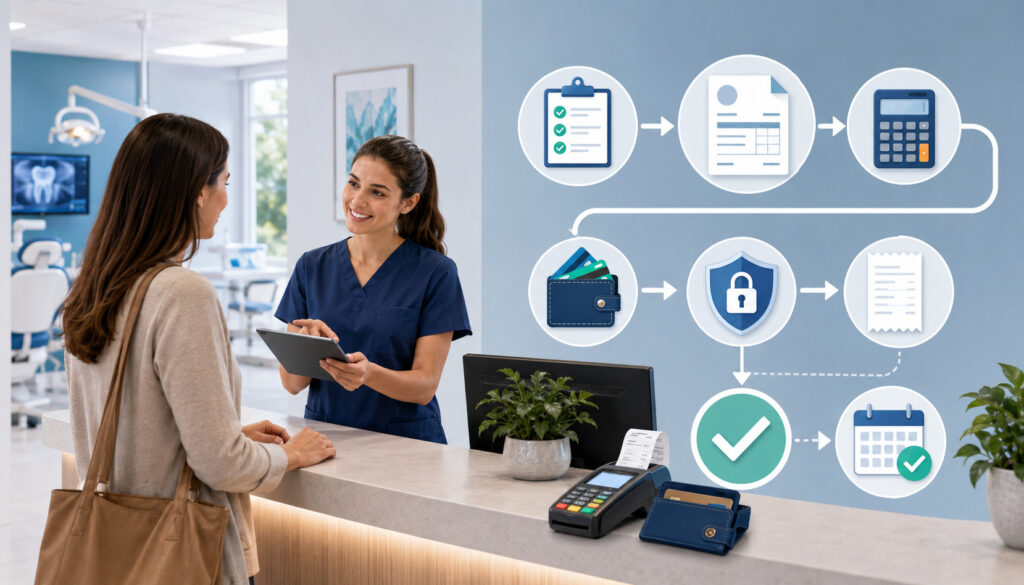
The checkout process is where clinical care, client communication, and billing accuracy come together. A client may have discussed one plan at check-in, approved a revised estimate during the visit, purchased medications at discharge, and scheduled follow-up care before leaving.
Veterinary billing software helps organize these moving parts so the final invoice matches the care provided.
A strong checkout workflow starts before the client reaches the front desk. Charges should be entered as services are performed, products are dispensed, and treatment plans are updated.
The veterinarian or veterinary technician should review the invoice for medical accuracy, while the front desk team confirms payment, receipts, and future appointments. When everyone waits until the end of the visit to build the invoice, mistakes become more likely.
Veterinary practice billing software can support several checkout models. In a small clinic, one person may review charges and collect payment. In a larger hospital, technicians may finalize medical charges, doctors may approve changes, and client service representatives may collect payment.
In an emergency clinic, deposits may be collected before hospitalization and additional estimates may be approved as treatment progresses.
Billing software can also help reduce uncomfortable client conversations. If estimates are approved earlier and invoice changes are explained as care changes, checkout becomes less surprising.
Clients are more likely to understand why they are being charged for diagnostics, medications, follow-up care, or hospitalization when those items were communicated before the invoice was presented.
For practices that offer wellness plans, recurring care packages, or bundled services, checkout workflows need extra attention. Staff should understand which services are included, which services are billable, how recurring payments are handled, and how plan balances appear on invoices. Confusion in this area can lead to billing errors and client dissatisfaction.
Deposits and Prepayments
Deposits and prepayments can be useful for surgeries, dental procedures, emergency care, boarding, grooming, specialty visits, and high-cost treatment plans.
Veterinary billing software can help track deposits so they are connected to the correct client, patient, appointment, or estimate. This reduces the risk of staff losing track of prepaid amounts or applying them to the wrong invoice.
A clear deposit workflow should explain when deposits are required, how much is collected, whether deposits are refundable, how cancellations are handled, and how the deposit appears at checkout. Staff should be trained to explain these policies consistently and document client approval.
Software can support this process by showing deposit status on the appointment, estimate, invoice, or account balance. It may also help managers review outstanding deposits, unapplied credits, canceled appointments, and refund requests.
Refund Processing
Refunds may be needed when a client returns medication according to clinic policy, overpays an account, cancels a prepaid service, receives an adjustment, or has an invoice corrected. Refund processing should be controlled because it affects revenue reporting, payment reconciliation, client trust, and internal accountability.
Veterinary billing software should allow authorized users to process refunds, document the reason, connect the refund to the original payment or invoice, and create a record for reporting. The system should make it clear whether the refund was issued to a card, bank account, client credit, or another approved method.
Refund workflows should include approval rules. For example, a front desk team member may be allowed to correct a small overpayment, while larger refunds require manager approval. Audit trails and user permissions are especially useful here because they show who processed the refund, when it happened, and why.
Payment Processing, Online Payments, and Client Convenience

Modern veterinary payment processing software is about more than accepting cards at the counter. Clients may expect flexible options such as online payments, text-to-pay links, mobile payments, ACH payments, saved payment methods, recurring payments, deposits, and digital receipts.
The goal is not to offer every possible payment method. The goal is to offer payment options that fit the clinic’s workflow and client needs while protecting payment data.
Integrated payments can be especially useful because they connect payment activity directly to invoices and client accounts. When payment processing is separate from the veterinary billing system, staff may need to enter amounts manually, match receipts later, and reconcile deposits by hand.
Manual entry can work for low-volume clinics, but it becomes more difficult as appointment volume, payment methods, and locations increase.
Online payments are helpful for unpaid balances, telehealth-related follow-ups where applicable, medication refills, deposits, boarding reservations, and post-visit invoices.
A secure payment link can reduce phone tag and make it easier for clients to pay without returning to the clinic. This can be especially helpful for busy client service representatives who already handle phones, appointments, check-ins, and checkouts.
Mobile payment options may be useful for mobile veterinarians, farm calls, equine services, curbside workflows, adoption events, vaccination clinics, and house calls. In these settings, the ability to collect payment at the point of service can reduce delayed billing and follow-up work.
Recurring payments can support wellness plans, membership-style care packages, or approved installment arrangements. However, recurring billing requires clear authorization, transparent communication, reliable payment failure workflows, and careful account review.
Staff should know what happens when a payment fails, a card expires, a client cancels, or a patient’s plan changes.
For background on payment processing concepts, the educational resources from Host Merchant Services can help readers understand merchant services, payment methods, and transaction-related terminology. For card security standards, the PCI Security Standards Council provides resources related to payment data protection.
Online Payment Options
Online payments allow clients to pay through a secure link, portal, invoice email, or text message. This can help veterinary practices collect balances after the visit, request deposits before appointments, or allow clients to pay for medication refills and other approved charges. Online payments can also reduce the number of payment calls handled by the front desk team.
When evaluating online payment options, ask whether payment links are tied to specific invoices or account balances. This matters because generic payment links may require more manual matching later. Invoice-specific links usually make reconciliation easier because the payment is connected to a client, patient, invoice, and balance.
Clinics should also review the client experience. The payment page should be easy to use, mobile-friendly, and clear about the amount due. It should provide confirmation after payment and update the veterinary billing system promptly.
Mobile Payment Options
Mobile payments can help practices collect payment outside the traditional front desk setting. Mobile veterinarians, mixed-animal practices, equine practitioners, and field service teams may need to accept payments at farms, homes, barns, shelters, or community events. Even brick-and-mortar clinics may use mobile devices for curbside service or exam room checkout.
Veterinary clinic payment software that supports mobile payments should be secure, reliable, and easy for staff to use. The system should record the payment, update the invoice, and issue a receipt without requiring duplicate entry later.
Mobile workflows should also include device policies. Staff should know which devices are approved, how logins are managed, what to do if a connection fails, and how to protect client payment information in the field.
Recurring Payments
Recurring payments can support wellness plans, preventive care packages, subscriptions, or approved payment arrangements. When used carefully, they can make billing more predictable for both the clinic and client. They can also reduce the need for staff to manually collect the same payment each month.
Recurring payments require clear setup and monitoring. Clients should understand the amount, frequency, start date, cancellation terms, included services, excluded services, and what happens if a payment fails. The clinic should document authorization and keep the payment method secure.
Veterinary financial management software should help staff view active recurring payments, failed transactions, expiring payment methods, canceled plans, and account balances. Managers should review these reports regularly to catch problems before they become larger billing issues.
Accounts Receivable, Payment Reminders, and Cash Flow Management
Accounts receivable refers to money owed to the practice for services or products already provided. In veterinary practices, unpaid balances can come from payment plans, missed checkout payments, declined cards, delayed insurance reimbursements, client statements, house accounts, or internal billing exceptions. Veterinary billing software can help clinics track these balances and follow up consistently.
Without a clear accounts receivable process, balances can become harder to collect over time. Staff may not know which clients owe money, which balances are approved, which reminders have been sent, or which accounts need manager review. This can create confusion at future visits and make financial reporting less reliable.
Veterinary billing solutions can organize accounts receivable by aging period, client, patient, invoice, doctor, department, location, or payment status. This helps practice managers see whether balances are recent, overdue, disputed, or tied to specific workflows.
For example, if many balances come from surgery deposits not being applied correctly, the practice can fix that process. If balances come from missed checkout steps, staff training may be needed.
Payment reminders are useful when they are timely, professional, and consistent. Reminders may be sent by email, text, phone, or statement depending on the clinic’s policy and client preferences.
Automated reminders can save staff time, but they should be reviewed for tone and accuracy. A reminder that is unclear, too frequent, or sent after a balance was already paid can damage trust.
Client statements give clients a summary of balances, payments, credits, and charges. They are useful for clients with multiple pets, ongoing treatment plans, or payment arrangements. Statements should be easy to read and should match the information staff see in the billing system.
Cash flow management depends on more than collecting payments. It also requires understanding when money is expected, where balances are building up, how refunds affect revenue, how deposits are applied, and how processor payouts match internal records.
Veterinary payment software and reporting dashboards can help practice leaders monitor these details.
Accounts Receivable Tracking
Accounts receivable tracking gives the practice a clear view of unpaid balances. Good veterinary billing software should show who owes money, how long the balance has been open, what invoice created the balance, and what follow-up actions have already happened. This helps staff avoid repeated manual searches through client records.
For multi-doctor practices and animal hospitals, accounts receivable tracking can also reveal patterns. If certain service types, departments, or workflows create more unpaid balances, managers can investigate why. The issue may be unclear estimates, inconsistent deposit collection, payment plan exceptions, or checkout bottlenecks.
A useful accounts receivable report should be actionable. Staff should be able to filter balances, assign follow-up tasks, send reminders, print statements, or document payment conversations. Reports that only show a total balance without context are less helpful.
Payment Reminders
Payment reminders help clinics follow up on unpaid balances in a consistent way. They can be sent shortly after a missed payment, before a due date, after a declined recurring payment, or as part of a statement cycle. The timing should match the clinic’s financial policy and client communication standards.
Automated reminders can reduce staff workload, but they should not be treated as a substitute for judgment. Some accounts may need a personal call, manager review, or correction before reminders are sent. For example, a disputed charge or pending insurance claim may require a different approach than a simple missed payment.
The wording of reminders matters. Messages should identify the balance, explain how to pay, and provide contact information for questions. They should avoid sounding harsh or confusing.
Client Statements
Client statements summarize account activity over a period of time. They are especially useful for clients with multiple pets, repeated visits, ongoing treatment plans, or balances that were not paid at checkout. Statements can help clients understand how charges, payments, credits, refunds, and balances fit together.
Veterinary invoice management tools should allow staff to generate statements that are accurate and easy to review. Ideally, statements can be filtered by date range, client, location, or balance status. They may be printed, emailed, or made available through a client portal.
Before sending statements, staff should review accounts for errors. A statement that includes duplicate charges, unapplied credits, or old unresolved balances can create avoidable client frustration.
Reporting, Reconciliation, and Financial Visibility
Veterinary billing software should give practice leaders more than a list of transactions. It should help them understand how money moves through the clinic. This includes charges, payments, refunds, deposits, discounts, credits, accounts receivable, taxes or fees where applicable, processor payouts, and accounting exports.
Revenue reporting helps practice owners, administrators, and practice managers understand financial performance by service category, provider, department, location, item type, payment method, or time period.
For example, a clinic may want to know how much revenue came from wellness visits, dentistry, diagnostics, pharmacy, surgery, boarding, or emergency care. These reports can support staffing decisions, pricing reviews, inventory planning, and operational improvements.
Reconciliation is the process of comparing records to make sure they match. In a veterinary clinic, this may involve comparing invoices, payments, cash drawer totals, card batches, ACH deposits, refunds, client credits, and accounting entries.
Manual reconciliation can be time-consuming and error-prone, especially when payment processing is not integrated with the billing system.
Veterinary payment processing software with reconciliation tools can reduce manual work by matching payments to invoices and processor deposits. It can also help identify mismatches, voids, refunds, duplicate payments, or unapplied credits. This is valuable for the billing team and accounting staff because it gives them a cleaner financial trail.
Reporting dashboards can help managers spot issues earlier. A sudden increase in refunds, discounts, unpaid balances, or invoice adjustments may indicate a workflow problem. A decline in payment collection at checkout may suggest training needs or staffing pressure. A gap between invoice totals and deposited funds may require reconciliation review.
Financial visibility is especially important for animal hospital management and multi-location practices. Leaders may need to compare performance across departments, doctors, locations, or service lines. Reliable reporting depends on consistent data entry, clear categories, and staff training.
Revenue Reporting
Revenue reporting helps veterinary practices understand where income is coming from. Reports may show revenue by doctor, service category, item, department, location, client type, payment method, or time period. These insights can support business planning and operational decisions.
For example, a mixed-animal practice may want to separate companion animal revenue from large animal services. A specialty clinic may want to review revenue by department. A general practice may want to compare wellness, dentistry, diagnostics, pharmacy, and surgery trends.
Revenue reports are only as accurate as the data behind them. If staff use inconsistent item codes, manually adjust invoices without notes, or bypass standard workflows, reports may become less reliable. That is why billing software and staff training need to work together.
Reconciliation Tools
Reconciliation tools help confirm that payments collected match invoices, receipts, deposits, and accounting records. This is critical for end-of-day close, month-end review, and bookkeeping. It can also help identify errors before they become larger financial problems.
A good reconciliation workflow should account for credit card payments, debit card payments, ACH payments, cash, checks, online payments, mobile payments, refunds, voids, and deposits. It should also show timing differences, such as payments collected on one date and deposited later.
Integrated payment processing can make reconciliation easier because payment data flows into the billing system automatically. However, staff should still review reconciliation reports and investigate exceptions.
Accounting Software Integration
Accounting integration can reduce duplicate entry and improve financial consistency. Some veterinary billing systems connect directly to accounting software, while others export reports that can be uploaded or entered by the accounting team. The best approach depends on the clinic’s bookkeeping process and the needs of the accountant or financial manager.
Before choosing software, ask what information can be exported. Useful data may include revenue categories, payments, refunds, deposits, taxes or fees where applicable, discounts, client credits, and accounts receivable. Also ask whether exports can be customized by location, department, or service category.
Accounting integration should be tested before full rollout. A report that looks correct in the billing system may not map correctly to the accounting system without setup work.
Integration with Veterinary Practice Management Software
Veterinary billing software works best when it fits into the broader clinic workflow. Many practices use veterinary practice management software to manage appointment scheduling, patient records, medical notes, treatment plans, inventory, pharmacy, lab integrations, reminders, client communication, and reporting. Billing may be built into that system or connected through an integration.
An integrated veterinary practice management system can reduce duplicate entry because medical services, inventory items, prescriptions, and treatment plans can flow into invoices.
For example, if a technician administers a vaccine and records it in the patient record, the related charge may appear on the invoice. If a medication is dispensed, inventory and billing may update together. This connection can help reduce missed charges and improve record accuracy.
Standalone veterinary billing software may still be useful in some situations. A clinic may choose a separate billing or payment tool because it offers better online payments, payment plans, reporting, client statements, or reconciliation features than the existing practice management system.
Standalone tools may also work well for practices that are not ready to change their full clinic management platform.
The tradeoff is integration complexity. If billing software does not connect well with the practice management system, staff may need to enter data in two places. Duplicate entry can create errors, slow down checkout, and complicate reporting.
Before choosing standalone software, ask exactly how client records, patient records, invoices, payments, refunds, deposits, and balances sync between systems.
Integration needs also vary by clinic type. A mobile practice may prioritize mobile payments and offline access. An emergency clinic may need deposits, estimate approvals, and fast payment workflows.
A specialty clinic may need detailed estimates, staged treatment plans, and referral-related reporting. A multi-location animal hospital may need centralized dashboards and location-level financial reports.
A helpful internal resource for broader clinic operations is this guide to veterinary practice management, which explains how administrative, clinical, financial, and client-facing workflows connect.
Practices reviewing software may also find value in learning about veterinary inventory management because inventory charges and pharmacy charges often affect invoice accuracy.
Integrated Payment Processing
Integrated payment processing connects payment collection directly to the invoice and client account. When a client pays, the system records the payment, updates the balance, and creates a receipt. This can reduce manual entry and improve reconciliation.
For veterinary practices, integrated payments are useful because checkout can be busy and emotionally sensitive. Staff may be discussing discharge instructions, medications, follow-up visits, and payment at the same time. Reducing manual steps can help the team stay focused and accurate.
However, integrated payment processing should be evaluated carefully. Ask which payment methods are supported, how refunds work, how disputes are handled, how payouts are reported, and whether payment data is protected according to applicable security standards.
Practice Management System Compatibility
Compatibility with the existing practice management system is one of the most important buying factors. A billing tool that looks excellent on its own may create problems if it cannot exchange data with the clinic’s core system. Compatibility should include client records, patient records, invoices, payments, deposits, refunds, balances, and reports.
Practices should ask whether the integration is real-time, delayed, one-way, or two-way. Real-time syncing may be important for checkout and account balances. Delayed syncing may be acceptable for some reporting or accounting tasks.
Staff should also test common exceptions. For example, what happens when an invoice is edited after payment? What happens when a refund is issued? What happens when a client has multiple pets or multiple open invoices?
Payment Security, PCI Compliance, and Data Protection
Payment security is a critical part of veterinary billing. Clinics handle sensitive client information, payment data, account histories, and sometimes financing or plan-related details. Veterinary payment software should help reduce exposure to payment data and support secure workflows, but software alone does not remove the need for good policies and staff training.
PCI compliance refers to requirements related to the secure handling of cardholder data. The PCI Security Standards Council provides official resources on the PCI Data Security Standard. Veterinary practices that accept card payments should understand their responsibilities and work with qualified payment and technology providers when needed.
Data security also includes user permissions, audit trails, password practices, device security, network security, staff access controls, and vendor management. A billing system should allow the practice to limit access based on job responsibilities.
For example, a veterinarian may need to review estimates and approve treatment-related charges, while a front desk team member may need to collect payments and print receipts. A practice manager may need access to refunds, discounts, reports, and reconciliation tools.
Audit trails are important because they show who changed what and when. This is useful for reviewing invoice edits, deleted charges, refunds, discounts, voids, payment adjustments, and user activity. Audit trails do not imply that staff are untrusted. They create accountability and help managers identify training needs or workflow issues.
Practices should also consider broader cybersecurity guidance. The Cybersecurity and Infrastructure Security Agency offers educational resources for improving cybersecurity habits, and the National Institute of Standards and Technology provides a widely used cybersecurity framework. These resources can help practice leaders think about data protection beyond billing alone.
Veterinary clinics should also train staff on phishing, password sharing, device use, remote access, and secure payment handling. A secure system can still be weakened by poor habits, such as writing passwords on sticky notes, sharing logins, using personal devices without controls, or entering card data into unsecured fields.
User Permissions
User permissions control what each staff member can see and do in the billing system. This is important because not every employee needs access to every financial function. A veterinary technician may need to add treatment charges, while a billing manager may need to issue refunds or adjust accounts.
Role-based permissions can reduce accidental changes and support internal controls. For example, the practice may limit who can delete invoice items, apply large discounts, void payments, export reports, or modify client balances. These settings should reflect job duties, not job titles alone.
Permissions should be reviewed regularly. When staff roles change or employees leave, access should be updated promptly. Old or shared logins can create security and accountability problems.
Audit Trails
Audit trails record activity inside the billing system. They may show invoice edits, refunds, deleted charges, payment changes, discount approvals, user logins, and report exports. This helps managers investigate discrepancies and improve workflows.
In a busy clinic, audit trails can also help answer simple questions. Who changed the invoice? When was the refund issued? Was the charge removed before or after checkout? Was a payment voided or refunded?
Audit trails should be easy for authorized managers to review. If the system records activity but makes it difficult to interpret, the practice may not benefit from the feature.
PCI Compliance and Data Security
Payment data should be handled carefully at every step. Veterinary billing software should support secure payment collection and reduce the need for staff to view, write down, or manually store card details. Practices should ask payment providers how card data is tokenized, stored, transmitted, and protected.
PCI compliance is not just a software setting. It involves the clinic’s payment environment, staff practices, devices, networks, vendors, and documentation. Clinics should work with appropriate professionals when they need compliance guidance.
Data security also applies to client records, invoices, statements, and financial reports. Practices should use strong passwords, multi-factor authentication where available, secure networks, updated devices, and clear access policies.
Common Veterinary Billing Mistakes Software Can Help Reduce
Veterinary billing mistakes often happen when clinics rely too heavily on memory, handwritten notes, disconnected systems, or rushed checkout workflows. Software cannot eliminate every error, but it can reduce the likelihood of common problems by creating structure, prompts, visibility, and automation.
One common issue is missed charges. A technician may perform a service, a veterinarian may approve diagnostics, or the pharmacy may dispense medication, but the charge may not make it onto the invoice. Integrated veterinary billing software can help connect medical actions, inventory items, and pharmacy charges to billing workflows.
Another common issue is unclear estimates. If estimates are too vague, outdated, or disconnected from the final invoice, clients may feel confused at checkout. Veterinary estimate software can help staff create more consistent estimates and update them as treatment changes.
Slow checkout is also a frequent problem. When invoices are built only after the appointment ends, staff must search through notes, ask technicians for missing details, confirm medications, apply discounts, and collect payment while the client waits. A better workflow allows charges to build during the visit and be reviewed before checkout.
Manual reconciliation errors can occur when payment terminals, invoices, deposits, and accounting records are separate. Staff may enter the wrong amount, miss a refund, duplicate a payment, or struggle to match deposits. Integrated payment processing and reconciliation tools can reduce these manual steps.
Inconsistent payment reminders can also create problems. Some clients may receive reminders quickly, while others are missed. Automated reminders and accounts receivable reports can help create a more consistent process.
Poor financial visibility is another risk. If reports are incomplete or difficult to understand, practice leaders may not know where revenue is coming from, which balances are overdue, or which workflows are causing errors. Veterinary financial management software can provide clearer reporting dashboards and exportable data.
How to Choose the Right Veterinary Billing Software
Choosing veterinary billing software should be a structured decision, not a rushed purchase. The right system should fit the practice’s clinical workflow, payment needs, reporting goals, staff structure, and budget. It should also be practical for the people who will use it every day.
Start by identifying your current billing challenges. Are charges being missed? Are checkouts too slow? Are clients confused by estimates? Are unpaid balances increasing? Is reconciliation taking too long? Are reports difficult to interpret? Are payment options too limited? Different problems require different features.
Next, define your required workflows. A small veterinary clinic may need appointment-based invoices, card payments, online payment links, and basic reports. A multi-doctor practice may need estimate approvals, user permissions, inventory charge integration, payment reminders, and detailed revenue reporting.
An animal hospital may need deposits, staged estimates, department reporting, reconciliation tools, and accounting integration. A mobile practice may need mobile payments, portable devices, and flexible invoice delivery.
Compare standalone billing tools with integrated practice management systems. Standalone tools may offer strong payment features or specialized billing workflows.
Integrated systems may offer better connection to patient records, scheduling, inventory, pharmacy, and client communication. Neither approach is automatically better. The best choice depends on how well the system fits your actual workflow.
Ask about implementation, migration, training, support, contract terms, data access, reporting, security, and ongoing costs. Do not focus only on monthly subscription fees. Consider payment processing costs, hardware, setup fees, training time, integration costs, support availability, data export options, and staff adoption.
Request demos using your own scenarios. Ask the software team to show a wellness visit, surgery estimate, emergency deposit, mobile payment, refund, payment plan, unpaid balance, reminder, statement, reconciliation report, and accounting export.
Include front desk staff, technicians, billing staff, and managers in the evaluation because each group will notice different issues.
A helpful related resource is this guide on veterinary business planning, especially for practices reviewing technology as part of broader operational planning. Clinics focused on long-term profitability may also benefit from understanding veterinary practice profitability alongside billing workflow improvements.
Checklist for Comparing Options
Use a checklist to compare veterinary billing solutions consistently. This prevents the decision from being based only on a polished demo or a single appealing feature. Your checklist should reflect your clinic’s must-have workflows and nice-to-have features.
Important questions include:
- Can the software create, revise, and approve treatment estimates?
- Can approved estimates convert into invoices?
- Can invoices include services, inventory charges, pharmacy charges, deposits, and discounts?
- Which payment methods are supported?
- Can clients pay online or by mobile link?
- Can the system manage recurring payments or wellness plan billing?
- Can staff process refunds with approval controls?
- Are accounts receivable reports easy to use?
- Can reminders and client statements be customized?
- Does the system integrate with the current practice management system?
- Does it support accounting exports or integrations?
- Are user permissions detailed enough?
- Are audit trails available for billing changes?
- What security and PCI-related tools are included?
- How difficult is implementation and staff training?
- What support is available after launch?
A checklist also helps teams compare options objectively. If one system has excellent payment tools but weak reporting, and another has strong integration but limited online payments, the clinic can decide which tradeoff matters more.
Implementation, Staff Training, and Workflow Improvement
Even the best veterinary billing software can fail if implementation is rushed or staff are not trained. Software changes how people work, and billing touches nearly every role in the clinic. A successful rollout requires planning, communication, testing, and follow-up.
Start by documenting current workflows. Identify how estimates are created, who approves them, how charges are added, when invoices are reviewed, how payments are collected, how refunds are approved, how deposits are applied, how reminders are sent, and how reports are used. This makes it easier to configure the new system around real clinic needs.
Data migration is another important step. Client records, patient records, balances, invoice history, inventory items, service codes, payment records, wellness plan details, and account credits may need review before transfer.
Not every old data point may migrate cleanly. Practices should decide what must be moved, what can be archived, and what needs cleanup before launch.
Staff training should be role-specific. Veterinarians may need training on treatment estimates, approvals, and charge review. Veterinary technicians may need training on adding services, inventory items, and treatment plan charges.
Client service representatives may need training on checkout, payment links, deposits, receipts, and statements. Practice managers may need training on reports, permissions, reconciliation, refunds, and accounts receivable.
Testing should happen before full launch. Run sample invoices, payments, refunds, deposits, online payments, recurring payments, and reconciliation reports. Test edge cases, not just perfect workflows.
For example, test a declined payment, partial refund, edited invoice, canceled appointment with deposit, multi-pet client, and unpaid balance reminder.
After implementation, review performance regularly. Look at checkout time, missed charges, accounts receivable, payment reminder activity, refund volume, reconciliation exceptions, staff questions, and client feedback. The first version of the workflow may need adjustment after staff use it in real situations.
Staff Training
Staff training should focus on real tasks, not just software screens. Employees need to understand how billing workflows support patient care, client communication, and financial accuracy. Training should explain both what to do and why it matters.
Front desk training may include invoice review, payment collection, payment links, deposits, receipts, statements, refunds, and balance conversations.
Veterinary technician training may include treatment estimate preparation, charge capture, inventory items, and communication with doctors. Manager training may include reporting, permissions, reconciliation, accounts receivable, and audit trails.
Training should be repeated after launch. Staff may understand basic workflows during initial training but need deeper support once unusual situations occur. Short refreshers can help reduce inconsistent use.
Data Migration Preparation
Data migration can affect billing accuracy from the first day of use. Before moving data, practices should review client balances, inactive accounts, duplicate clients, inventory items, service codes, open invoices, deposits, and credits. Cleaning up data before migration can prevent confusion later.
Practices should decide how much history to move. Some may migrate all available invoice history, while others may keep older records archived. The decision depends on reporting needs, legal and recordkeeping considerations, software limitations, and operational preferences.
After migration, test the data. Review sample clients, patient records, balances, invoices, inventory charges, and reports. Do not assume that migrated data is correct without validation.
Workflow Review After Launch
The launch date is not the end of implementation. It is the beginning of workflow refinement. Staff will discover real-world issues that did not appear during demos or testing. Managers should create a process for collecting feedback and making controlled changes.
Review key indicators such as checkout delays, invoice edits, refund requests, unpaid balances, payment failures, reminder activity, and reconciliation exceptions. These signals can show whether the software is improving operations or whether staff need more guidance.
Workflow review should include multiple roles. Front desk teams, technicians, veterinarians, billing teams, and managers each see different parts of the process. Their feedback can help create a more complete picture.
What is veterinary billing software?
Veterinary billing software is a system that helps veterinary practices manage estimates, invoices, payment collection, account balances, refunds, deposits, payment reminders, client statements, reporting, and reconciliation. It may be part of a veterinary practice management software platform or used as a standalone billing tool.
The purpose is to make billing workflows more accurate, organized, and efficient. It helps connect services, products, medications, treatment plans, and payments so staff can manage financial tasks with fewer manual steps.
How does veterinary billing software help clinics?
Veterinary billing software helps clinics reduce missed charges, create clearer estimates, speed up checkout, accept more payment methods, track unpaid balances, send reminders, and improve financial reporting. It can also support better client communication by making invoices, statements, and payment options easier to understand.
For managers and owners, the software can provide visibility into revenue, accounts receivable, refunds, deposits, and reconciliation. This helps the practice make more informed operational decisions.
What features should vet billing software include?
Vet billing software should usually include treatment estimates, invoice management, payment collection, online payments, deposits, refunds, accounts receivable tracking, payment reminders, client statements, reporting, reconciliation, permissions, audit trails, and security features.
Some clinics may also need recurring payments, accounting integration, mobile payments, and wellness plan billing. The right feature set depends on the practice’s size, service mix, appointment volume, payment methods, reporting needs, staff structure, and budget.
Can veterinary billing software accept online payments?
Many veterinary billing software platforms can support online payments through invoice links, client portals, text-to-pay tools, or emailed statements. Online payments can be useful for deposits, unpaid balances, medication refills, follow-up invoices, and other approved charges.
Clinics should ask whether online payments connect directly to invoices and account balances. This connection can make reconciliation easier and reduce manual matching.
How does billing software help reduce unpaid balances?
Billing software can help reduce unpaid balances by making it easier to collect payment at checkout, send reminders, generate statements, track accounts receivable, and identify overdue balances. It can also support deposits, recurring payments, and payment plans when those workflows are appropriate for the clinic.
Software does not guarantee payment collection. It works best when paired with clear financial policies, staff training, consistent client communication, and regular accounts receivable review.
Is integrated payment processing useful for veterinary practices?
Integrated payment processing can be useful because it connects payment activity directly to invoices and client accounts. This can speed up checkout, reduce manual entry, and make reconciliation easier. It can also support online payments, mobile payments, deposits, refunds, and digital receipts depending on the system.
However, practices should review costs, supported payment methods, security features, reporting, refund handling, and integration quality before choosing a payment setup.
How can clinics protect payment data in billing software?
Clinics can protect payment data by using secure payment tools, limiting staff access through user permissions, enabling multi-factor authentication where available, avoiding shared logins, training staff on phishing and secure payment handling, and working with providers that support PCI-related requirements. Practices should also review audit trails and update access when staff roles change.
The Federal Trade Commission provides business guidance on privacy and security, and the PCI Security Standards Council offers resources for card payment security.
What mistakes should clinics avoid when choosing veterinary billing software?
Clinics should avoid choosing software based only on price, a polished demo, or a long feature list. They should also avoid ignoring integration needs, underestimating training time, failing to test payment workflows, overlooking reporting requirements, and skipping security questions.
Another common mistake is not involving the people who use the system daily. Front desk staff, veterinary technicians, veterinarians, billing teams, and managers should all have input because billing affects each role differently.
Conclusion
Veterinary billing software can play a major role in improving billing accuracy, payment collection, client communication, cash flow visibility, reporting, reconciliation, and daily clinic operations.
It helps practices organize treatment estimates, invoices, payment methods, refunds, deposits, recurring payments, accounts receivable, reminders, client statements, and financial reports in a more structured way.
The best veterinary billing software is not simply the system with the most features. It is the one that fits the clinic’s size, service mix, appointment volume, payment methods, staff structure, integration needs, reporting goals, compliance requirements, and budget.
A small veterinary clinic, multi-doctor practice, animal hospital, mobile practice, emergency clinic, specialty clinic, and mixed-animal practice may all need different workflows.
Successful use also depends on people and process. Practices need clear billing policies, accurate treatment estimates, consistent invoice review, secure payment handling, staff training, user permissions, audit trails, and regular performance review. Software can support these activities, but it cannot replace thoughtful management.
When evaluating veterinary billing solutions, focus on real clinic scenarios. Walk through estimates, invoices, deposits, online payments, refunds, reminders, statements, reconciliation, and reporting. Ask how the system handles exceptions, how data flows between tools, how staff access is controlled, and how financial reports support decision-making.
A practical veterinary billing system should make it easier for the team to do the right thing consistently. When billing workflows are clear, secure, and well-integrated, the clinic is better positioned to serve clients, support staff, protect financial records, and manage the business side of veterinary care with confidence.
[…] Practices developing broader billing policies may also benefit from a structured approach to veterinary billing, estimates, collections, accounts receivable, and reconciliation. […]