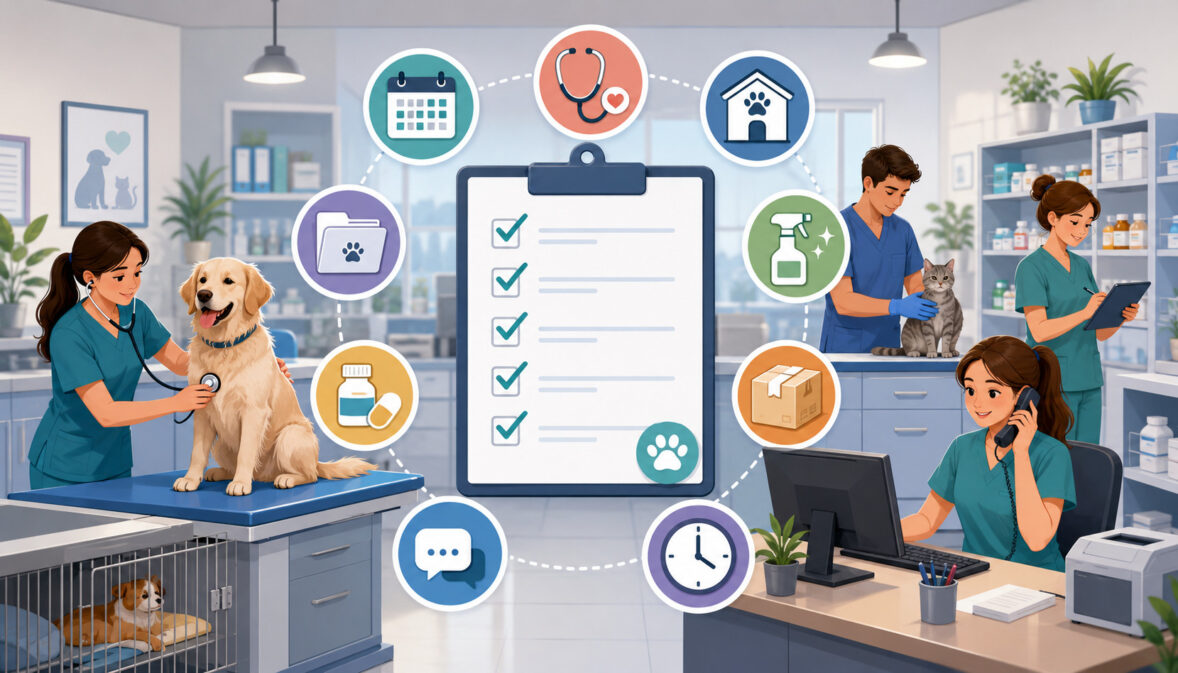
Daily Operations Checklist for Veterinary Clinics
Running a veterinary clinic requires much more than managing appointments and providing medical care. Every day involves coordinated work across reception, exam rooms, treatment areas, laboratories, pharmacies, kennels, inventory storage, payment stations, and management offices.
A daily operations checklist for veterinary clinics creates a predictable structure for this work. It helps clinic owners, practice managers, veterinarians, veterinary technicians, assistants, reception teams, kennel staff, and administrators understand what must be completed, when it should happen, and who is responsible.
Without a clear checklist, small tasks can easily be overlooked. An unanswered voicemail may delay a prescription refill. An exam room that was not restocked may interrupt an appointment. A missed refrigerator temperature check may create uncertainty about stored products. An incomplete invoice may slow down checkout and require correction later.
A well-designed veterinary clinic daily checklist does not replace professional judgment, medical protocols, regulatory requirements, or detailed standard operating procedures. Instead, it supports those systems by making recurring responsibilities visible and easier to manage.
Clinics should customize every checklist to their services, staffing model, facility, software, patient population, and applicable requirements. Medical, legal, employment, accounting, controlled-substance, payment-security, and workplace-safety questions should be reviewed with qualified professionals and the appropriate regulatory authorities.
What Is a Daily Operations Checklist for Veterinary Clinics?
A daily operations checklist for veterinary clinics is a structured list of recurring tasks that helps a veterinary team open the facility, prepare for appointments, manage patient flow, maintain work areas, communicate with clients, process payments, complete records, and close the clinic.
The checklist may be printed, displayed on a whiteboard, built into practice management software, or assigned through a digital task-management system. The format matters less than whether the checklist is visible, practical, assigned, and consistently used.
A comprehensive veterinary practice operations checklist usually covers:
- Opening and safety checks
- Schedule review and staff assignments
- Front desk communication
- Client check-in and check-out
- Exam room preparation and turnover
- Technician and treatment-area duties
- Laboratory and diagnostic tracking
- Pharmacy and prescription refills
- Inventory and vaccine storage
- Medical record completion
- Cleaning, sanitation, and waste handling
- Payments and reconciliation
- Client callbacks and reminders
- Closing and facility security
For a broader explanation of how these areas connect, clinics can review this guide to veterinary clinic operations. Scheduling, records, inventory, communication, payments, and staffing should function as connected workflows rather than isolated departments.
Why Veterinary Clinics Need Daily Checklists
Veterinary clinics operate in fast-moving environments where priorities can change quickly. A routine wellness schedule may be interrupted by an urgent patient, a delayed surgery, a complicated discharge, an equipment problem, or an unexpected staffing gap.
Written checklists reduce dependence on memory during these disruptions. They help prevent forgotten callbacks, incomplete restocking, delayed documentation, missed laboratory results, and unfinished closing duties.
Checklists also reduce repeated questions. Instead of asking whether refrigerator temperatures were recorded, whether exam rooms were stocked, or whether card batches were closed, managers can review a documented task status.
A checklist can be particularly useful for new employees, temporary workers, cross-trained staff, and team members covering an unfamiliar position. It gives them a clear starting point while they learn the clinic’s detailed procedures.
Checklist Versus Standard Operating Procedure
A checklist and a standard operating procedure serve different purposes.
A checklist is a short task reminder. It may say, “Check vaccine refrigerator temperature,” “Review pending laboratory results,” or “Reconcile payment batches.”
A standard operating procedure explains exactly how the task should be completed. It may identify the approved thermometer, acceptable temperature range, documentation location, corrective-action process, responsible role, and escalation procedure.
Clinics should use both. The SOP provides detailed instructions, while the veterinary clinic task checklist confirms that the work was performed.
When a checklist item involves medical care, controlled substances, workplace hazards, sanitation, data security, or financial controls, the checklist should refer staff to the relevant procedure rather than attempting to reproduce every instruction.
Veterinary Clinic Daily Operations at a Glance
A veterinary daily workflow checklist should provide an easy overview of the entire clinic day. Practice managers can use the following table as a starting point.
| Daily Area | What to Check | Why It Matters | Priority |
| Opening routine | Doors, alarms, lights, phones, computers and software | Confirms that the clinic is ready to operate | High |
| Schedule | Appointments, surgeries, drop-offs and staffing | Identifies workload and potential bottlenecks | High |
| Front desk | Messages, forms, confirmations and client arrivals | Supports organized client flow | High |
| Exam rooms | Cleanliness, equipment and supplies | Prevents appointment interruptions | High |
| Treatment area | Equipment, supplies and patient assignments | Supports coordinated patient care | High |
| Laboratory | Samples, labels, orders and pending results | Reduces missed or delayed follow-up | High |
| Pharmacy | Refill requests, approvals, labels and stock | Supports accurate medication workflows | High |
| Inventory | Critical supplies, expirations and reorder points | Reduces shortages and waste | Medium/High |
| Cleaning | Rooms, kennels, equipment, floors and waste areas | Supports sanitation and biosecurity | High |
| Records | Notes, estimates, consent forms and instructions | Reduces missing information and rework | High |
| Payments | Invoices, receipts, deposits, refunds and batches | Supports accurate financial records | High |
| Callbacks | Results, follow-ups, refills and reminders | Improves continuity and client communication | High |
| Closing | Cleaning, reconciliation, refrigeration and security | Prepares the clinic for the next day | High |
Department leads can turn each row into a smaller role-specific list. For example, the front desk may need a communication and checkout checklist, while technicians may need separate room, laboratory, pharmacy, and treatment-area lists.
Why Every Clinic Checklist Should Be Customized
A one-doctor general practice does not have the same daily workflow as a multi-doctor animal hospital. An urgent care clinic may prioritize triage, rapid estimates, patient tracking, and late-night closing. A surgical practice may devote more attention to equipment preparation, consent forms, recovery areas, and discharge planning.
Mobile veterinary teams need vehicle checks, route planning, mobile internet access, portable equipment, medication security, and backup power procedures. Clinics offering boarding or hospitalization need feeding, medication, elimination, comfort, and overnight handoff tasks.
Customization should consider:
- Number of doctors and support staff
- Appointment volume and visit types
- Surgery and procedure schedules
- Hospitalized or boarded patients
- Emergency and urgent care services
- Mobile or large-animal services
- Pharmacy and laboratory volume
- Facility layout
- Software and communication tools
- Local and state requirements
The checklist should evolve when the clinic changes its services, hours, staffing, technology, or physical layout.
Veterinary Clinic Opening and Morning Huddle Checklist

A veterinary clinic opening checklist should confirm that the facility, staff, systems, equipment, and schedule are ready before the first client arrives.
Opening responsibilities should be assigned rather than left to whoever arrives first. The opening employee or team should record problems immediately and notify the appropriate person when an issue could affect patient care, security, scheduling, or payment acceptance.
A practical opening checklist may include:
- Disarm alarms and inspect entry points.
- Turn on approved lights and essential equipment.
- Confirm that phones, internet, computers, printers, and software are working.
- Check appointment, laboratory, pharmacy, and payment systems.
- Review overnight voicemail, email, portal, and text messages.
- Confirm staff attendance and coverage.
- Review hospitalized, boarded, and drop-off patients.
- Inspect exam rooms and treatment areas.
- Verify required refrigeration and freezer logs.
- Check oxygen, monitoring equipment, and other essential systems where applicable.
- Confirm that payment terminals are connected and ready.
- Prepare information for the morning team huddle.
Workplace safety should be incorporated into opening procedures. Appropriate hazard assessments, personal protective equipment, employee training, equipment controls, and incident procedures should be established with qualified guidance.
OSHA’s healthcare workplace-safety resources emphasize structured safety management, hazard prevention, and employee protection.
Start With Systems and Safety
Essential systems should be checked before appointments begin because early detection gives the clinic more time to respond.
If the internet is unavailable, the team may need a downtime procedure for scheduling, medical records, laboratory orders, prescriptions, and payments. If a refrigerator alarm is active, stored products may need to be isolated and evaluated according to the clinic’s approved procedure.
Safety checks should include visible hazards such as wet floors, blocked exits, damaged electrical cords, unsecured medication areas, overflowing sharps containers, or equipment that is not operating correctly.
The opening person should not attempt repairs or corrective actions beyond their training. The checklist should identify who must be contacted and what documentation is required.
Review the Day’s Schedule and Assign Roles
The morning huddle should be brief, focused, and held before the clinic becomes busy. Its purpose is to identify issues that could affect the day, not to discuss every patient in detail.
The team should review:
- Surgeries and procedures
- Urgent or medically complex visits
- Drop-off appointments
- Technician appointments
- New clients
- Patients requiring special handling
- Hospitalized or boarded animals
- Staffing gaps
- Equipment or inventory concerns
- Pending laboratory results
- Client concerns or payment arrangements
- Expected schedule bottlenecks
Responsibilities should be clear. Receptionists should know who handles records requests and refill messages. Technicians should know room and treatment assignments. Kennel staff should know feeding and medication schedules. Managers should know which problems require escalation.
Veterinary Front Desk and Appointment Checklist
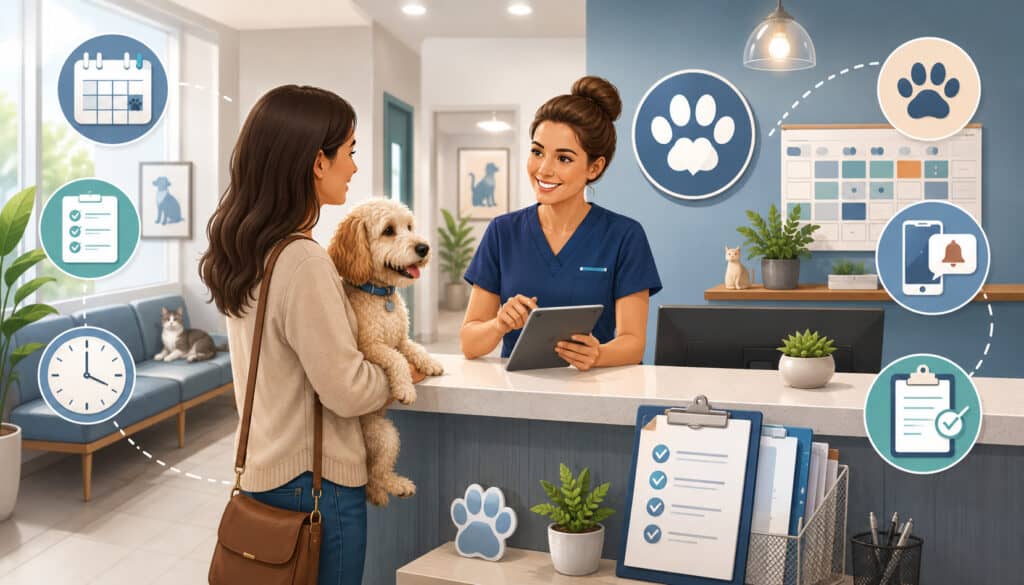
The front desk is the communication center of the clinic. Reception staff manage appointment requests, client arrivals, forms, messages, payments, prescription requests, records, and many of the handoffs between clients and the medical team.
A veterinary front desk checklist should separate urgent communication from routine administrative work. Staff need a defined process for identifying messages that require immediate clinical review without independently making medical decisions.
Daily front desk tasks may include:
- Check voicemail, email, text messages, portals, and website forms.
- Confirm upcoming appointments.
- Identify cancellations and openings.
- Review new-client forms and transferred records.
- Prepare records requests.
- Flag prescription and food refill requests.
- Check balances, deposits, estimates, or financial notes.
- Confirm contact information.
- Prepare check-in paperwork or digital forms.
- Review patients requiring special arrival instructions.
- Monitor waiting times.
- Prepare invoices and discharge documents.
- Schedule follow-up visits.
- Document client communication.
Communication channels should be checked at planned intervals. Constantly switching between phones, email, texts, and in-person clients can create interruptions and missed work.
Prepare for Check-In
The veterinary appointment checklist should begin before the client reaches the desk. Staff can review the reason for the visit, patient history, vaccine information, outstanding forms, previous recommendations, account notes, and any records received from another clinic.
During check-in, reception staff should confirm the patient and client identity, contact information, appointment purpose, and required forms. Any medical concern should be routed to an appropriately qualified team member.
Technicians or assistants may collect:
- Current medications
- Recent changes or symptoms
- Relevant medical history
- Diet information
- Vaccine status
- Previous test results
- Client questions
- Estimate or consent needs
Collecting organized information early reduces repeated questions and helps the medical team prepare.
Close the Loop After the Visit
An appointment is not complete when the examination ends. The clinic must finish documentation, prescriptions, instructions, invoicing, payment, and follow-up arrangements.
Before checkout, confirm that:
- Services and products have been entered.
- The invoice matches the approved treatment plan.
- Prescriptions are prepared and documented.
- Discharge instructions are available.
- The client understands the next step.
- Follow-up appointments are scheduled.
- Reminders and callbacks are assigned.
- Required records or certificates are provided.
- Payment is recorded.
- A receipt is issued.
For clinics evaluating digital scheduling, records, communication, inventory, and billing tools, this guide to choosing veterinary software explains why technology should match real clinic workflows rather than simply offering a long feature list.
Exam Room, Technician, and Treatment Area Checklist
Exam rooms should be arranged consistently so staff can find routine supplies quickly. When every room uses a different layout, technicians and assistants lose time searching or moving items between rooms.
An exam room setup checklist may include:
- Clean and disinfect required surfaces.
- Restock gloves and disposable supplies.
- Check thermometers and basic examination equipment.
- Prepare appropriate restraint tools.
- Confirm that the scale is clean and functional.
- Empty waste containers as required.
- Replace forms and educational materials.
- Inspect lights, outlets, and room equipment.
- Remove expired or damaged products.
- Confirm that disinfectants are correctly labeled.
- Report missing or malfunctioning items.
Room turnover should occur after each patient according to the clinic’s sanitation protocol. High-risk or potentially infectious patients may require enhanced procedures and restricted room access.
Veterinary Technician Daily Checklist
A veterinary technician checklist should be organized by priority rather than treated as one long list.
Typical daily duties may include:
- Patient intake and history collection
- Approved vital-sign collection
- Sample collection and labeling
- Laboratory order entry
- Treatment and procedure support
- Patient restraint
- Treatment-area monitoring
- Pharmacy and refill support
- Medical record documentation
- Client education
- Discharge preparation
- Equipment cleaning
- Supply restocking
- Pending-task review
Technician preparation helps veterinarians focus on assessment, diagnosis, treatment planning, procedures, and client discussions. However, task delegation must remain consistent with professional roles, supervision requirements, clinic policies, and applicable rules.
Urgent patients, time-sensitive samples, scheduled procedures, hospitalized-patient treatments, and immediate doctor support should generally be addressed before lower-priority administrative work.
Treatment Area Workflow and Patient Safety
The treatment area should be organized into clearly defined zones where practical. Separate locations for laboratory work, pharmacy preparation, procedures, clean supplies, contaminated items, and recovery can reduce unnecessary movement and confusion.
Daily checks should cover:
- Procedure tables
- Oxygen and emergency equipment where applicable
- Monitoring devices
- Sample collection supplies
- Labels and specimen containers
- Sharps containers
- Laundry bins
- Waste containers
- Restraint equipment
- Clean and dirty supply separation
- Patient identification
- Treatment sheets or digital task boards
Every patient should be clearly identified during handoffs, sample collection, medication preparation, movement between areas, and hospitalization. Checklists support accuracy, but staff must still follow clinical protocols and verify patient-specific instructions.
Surgery, Laboratory, and Pharmacy Workflow Checklist
Procedure days require more preparation than routine appointments. Records, estimates, consent forms, equipment, supplies, staffing, and discharge plans should be reviewed before patient intake whenever possible.
A general surgery or procedure checklist may include:
- Confirm the procedure schedule.
- Review patient records and required testing.
- Verify approved estimates and consent forms.
- Confirm client instructions and contact details.
- Check equipment and supplies.
- Prepare patient identification materials.
- Assign intake, procedure, recovery, and discharge roles.
- Prepare individualized discharge documents.
- Schedule follow-up communication.
- Confirm invoicing and payment arrangements.
Clinical preparation, anesthesia, monitoring, recovery, and medication decisions must follow veterinarian-approved protocols and applicable professional standards. An operations checklist should support these protocols, not replace them.
Laboratory and Diagnostic Workflow
Every sample should be connected to the correct patient, test order, collection date, and handling instructions.
The laboratory checklist should cover:
- Patient identity verification
- Sample labeling
- Test order confirmation
- In-house testing status
- Reference laboratory preparation
- Pickup or courier timing
- Equipment quality-control tasks
- Result receipt
- Veterinarian review
- Client notification
- Medical record update
- Pending-result follow-up
A pending-results report should be reviewed every day. Each unresolved result needs an owner and a next action.
Do not rely on clients to call the clinic for results. The veterinary client communication checklist should identify who communicates normal, abnormal, or inconclusive results and how that communication is documented.
Pharmacy and Prescription Refills
Prescription refill requests should follow a consistent approval process. Reception staff can collect the request, but the designated clinical team must review the patient record and obtain the required authorization.
A refill checklist may include:
- Verify patient and client identity.
- Record the medication, strength, and requested quantity.
- Review the last examination and refill history.
- Route the request for authorization.
- Confirm inventory availability.
- Prepare and verify the label.
- Record the prescription in the medical record.
- Update inventory.
- Notify the client.
- Prepare payment and pickup instructions.
Clinics handling controlled substances need policies for ordering, receipt, storage, inventory, administration, dispensing, waste, discrepancy review, and record retention.
The DEA Practitioner’s Manual and guidance portal includes veterinarians within its practitioner guidance and addresses security and recordkeeping responsibilities. Clinics should also review state requirements and obtain professional advice for their specific operations.
Veterinary Inventory and Cold Storage Checklist
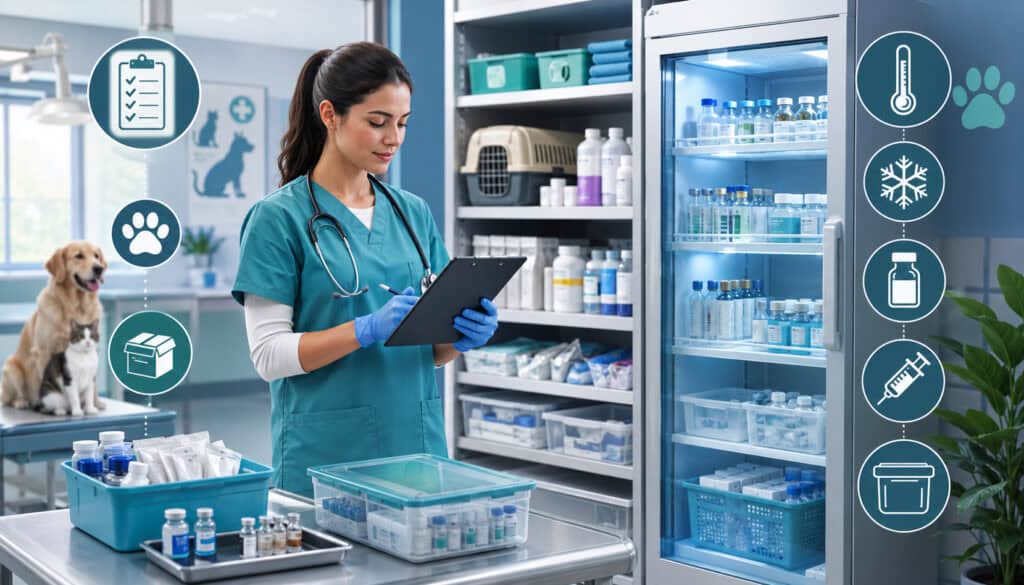
Inventory management affects patient care, workflow, cash flow, and staff productivity. A clinic may have expensive products expiring on one shelf while an essential item is unavailable in the treatment area.
A veterinary inventory checklist should focus first on items that could interrupt appointments, procedures, diagnostics, pharmacy work, or sanitation.
Daily or frequent checks may include:
- Vaccines and temperature-sensitive products
- High-use medications
- Controlled items where applicable
- Emergency supplies
- Laboratory kits and containers
- Syringes, needles, and bandaging materials
- Surgical supplies
- Preventives
- Prescription diets and food
- Cleaning products
- Personal protective equipment
- Printer, label, and office supplies
Inventory responsibilities should be assigned to a lead person with trained backups. Uncoordinated ordering by multiple employees may create duplicate purchases, inconsistent receiving, and inaccurate counts.
A detailed veterinary inventory management guide can help teams establish purchasing, receiving, tracking, storage, and accountability processes.
Use Reorder Points and Par Levels
A par level is the quantity a clinic intends to keep available under normal operating conditions. The reorder point identifies when purchasing should begin.
These levels should reflect actual usage, delivery times, service schedules, storage limitations, seasonal demand, and the importance of the item. They should not be based only on guesswork.
High-use supplies may need daily visual checks or automated alerts. Expensive or slow-moving products may require tighter purchasing controls. Items with expiration dates should be rotated so older usable stock is selected first when appropriate.
Regular cycle counts are often more manageable than trying to count the entire clinic at once. One category can be counted each day or week, with discrepancies reviewed and documented.
Vaccine and Cold Storage Checks
Temperature-sensitive products require storage according to manufacturer instructions and clinic procedures.
The daily cold storage checklist may include:
- Review the current temperature.
- Record minimum and maximum readings where required.
- Confirm that doors are fully closed.
- Check alarms and monitoring devices.
- Inspect products for damage or improper placement.
- Review expiration dates.
- Confirm backup power or emergency procedures.
- Document any temperature excursion.
- Isolate affected products when required.
- Contact the appropriate manufacturer, distributor, or professional resource before use.
Staff should know exactly who must be notified when a storage problem occurs. They should not make assumptions about product usability without following the approved corrective-action process.
Veterinary Clinic Cleaning, Sanitation, and Kennel Checklist
Cleaning should be assigned, scheduled, and documented. Statements such as “everyone helps clean” often result in important areas being overlooked because no specific person owns the task.
A veterinary clinic cleaning checklist may cover:
- Exam tables and patient-contact surfaces
- Scales and reusable equipment
- Treatment tables
- Laboratory work surfaces
- Surgery areas where applicable
- Kennels, cages, and runs
- Reception counters and seating
- Door handles and light switches
- Restrooms
- Floors
- Laundry
- Waste areas
- Food and water containers
- Staff break areas
- Computer accessories where appropriate
Cleaning and disinfecting are related but distinct steps. Visible organic material may reduce the effectiveness of some disinfectants, so staff should follow approved procedures for removing debris, applying products at the correct concentration, maintaining required contact time, and allowing areas to dry.
AAHA’s infection-control and biosecurity guidance recommends structured cleaning procedures, staff training, patient-flow controls, appropriate protective equipment, and cleaning animal-contact surfaces between patients. Product labels and clinic protocols should always be followed.
Cleaning Should Be Scheduled, Not Assumed
The veterinary clinic staff checklist should identify:
- What must be cleaned
- When it must be cleaned
- Which product is approved
- Who is responsible
- What protective equipment is required
- Where completion is recorded
- When enhanced cleaning is necessary
- Who handles spills or hazardous materials
Some areas require cleaning between patients. Others may be cleaned at opening, during scheduled intervals, when visibly soiled, and at closing.
Sharps, medical waste, pharmaceuticals, laundry, and potentially infectious materials need separate procedures. Clinics should follow applicable requirements and waste-provider instructions.
Kennel and Boarding Area Checklist
Kennel, boarding, and hospitalized-patient checklists should be patient-specific.
Tasks may include:
- Verify patient and cage identification.
- Review feeding instructions.
- Provide clean water.
- Administer authorized medications.
- Document elimination.
- Replace bedding.
- Clean housing areas.
- Observe behavior and comfort.
- Confirm leash, collar, carrier, or personal items.
- Report appetite or condition changes.
- Prepare discharge belongings.
- Update the medical or boarding record.
Clear labels and handoffs reduce the possibility of feeding, medication, or identity errors. Staff should never rely solely on memory or cage location.
Clean, organized housing areas also influence client trust. When permitted by clinic policy, belongings should be labeled and stored consistently so they can be returned at discharge.
Medical Records and Client Communication Checklist
Medical records should be completed as close to the visit as practical. Delayed documentation increases the likelihood of missing details, unfinished charges, incomplete instructions, and end-of-day stress.
The medical records checklist may include:
- History and examination notes
- SOAP notes where used
- Diagnostic orders and results
- Treatment plans
- Estimates
- Consent forms
- Medications administered or dispensed
- Imaging notes
- Procedure documentation
- Discharge instructions
- Client communication
- Follow-up recommendations
- Reminder dates
- Referrals and transferred records
Templates can improve consistency, but they must be reviewed carefully. Patient-specific findings, decisions, instructions, and communications should not be replaced by generic text.
Access to records should be controlled according to clinic policy and applicable privacy, professional, and record-retention requirements. Sensitive information should not be left visible on unattended screens or unsecured paper.
Assign Callback Responsibility
Every callback should have:
- A responsible person
- A reason
- A priority
- A due time or date
- A required action
- A documentation step
- An escalation path
Callbacks may involve laboratory results, post-procedure follow-up, medication questions, refill updates, missed appointments, treatment-plan decisions, or reminders.
A shared message pool without ownership can create duplication or delay. One employee may assume another person responded, while the client receives no update.
Managers should review overdue communication before the end of the day. Clinical questions must be routed to appropriately qualified staff rather than answered outside an employee’s role.
Use Communication Templates Carefully
Templates can support consistent appointment reminders, preparation instructions, discharge messages, refill notifications, payment links, and follow-up communication.
However, staff should personalize templates when a patient has special instructions or a client has raised a specific concern. Automated communication should never replace necessary direct discussion.
Clients should know:
- What happened during the visit
- What they need to do next
- When medication should be given
- What follow-up is recommended
- How and when to contact the clinic
- When results are expected
- What warning signs require prompt attention
Clear communication reduces repeated calls and helps clients follow the veterinarian’s instructions.
Payment Processing, Reconciliation, and Closing Checklist
Payment workflow begins before the client reaches the checkout desk. Services, products, discounts, deposits, and approved estimates should be entered accurately throughout the visit.
A veterinary payment processing checklist may include:
- Review the approved estimate.
- Confirm completed services and products.
- Check inventory-linked charges.
- Prepare the invoice.
- Verify discounts or adjustments.
- Confirm deposits.
- Accept approved payment methods.
- Record the payment against the correct invoice.
- Issue a receipt.
- Document refunds or voids.
- Schedule permitted follow-up for open balances.
- Reconcile terminal and software totals.
Clinics may accept cards, ACH payments, mobile payments, payment links, cash, or other approved methods. Each method needs documented procedures for authorization, posting, refunds, reconciliation, and exception handling.
A veterinary billing software guide can help practices evaluate how estimates, invoices, payment options, client accounts, inventory, and reporting connect.
Protect Payment Data
Card and bank information should not be stored in unsecured notes, emails, messaging platforms, paper files, or spreadsheets.
Clinics should use properly configured payment systems, control employee access, maintain strong passwords, apply security updates, and work with qualified payment providers.
The PCI Security Standards Council’s merchant resources explain that payment security depends on people, processes, and technology, and that payment-data requirements can apply regardless of merchant size.
Employees should know how to respond to:
- A declined transaction
- A duplicate payment
- A refund request
- A terminal problem
- A disputed charge
- A suspicious email or payment request
- A request to write down card information
- An unexpected system or vendor login prompt
Specific payment-compliance questions should be reviewed with the clinic’s processor, acquiring institution, security professionals, and legal advisors.
End-of-Day Reconciliation and Closing
Daily reconciliation compares the clinic’s invoices and payment records with terminal batches, cash totals, refunds, voids, deposits, and accounting exports.
The review should identify:
- Open invoices
- Missed charges
- Unapplied payments
- Duplicate transactions
- Unexplained discounts
- Refunds and voids
- Cash differences
- Unclosed payment batches
- Failed payment links
- Transactions requiring follow-up
Exceptions should be documented and assigned for resolution. Adjustments should not be hidden or carried forward without explanation.
The veterinary clinic closing checklist should also cover:
- Final patient and kennel checks
- Medical record completion
- Pending callbacks
- Laboratory and refill review
- Exam-room and treatment-area cleaning
- Laundry
- Waste removal
- Supply restocking
- Refrigerator and freezer checks
- Equipment shutdown
- Medication and record security
- Computer logout
- Door and window checks
- Alarm activation
Veterinary Clinic Daily Checklist Template
The following animal hospital daily checklist can be adapted by clinic size, service model, staffing level, and operating hours.
| Checklist Area | Daily Task | Responsible Role | Priority |
| Opening | Check doors, alarms, lights and facility condition | Opening lead | High |
| Technology | Test phones, internet, software, printers and terminals | Front desk/manager | High |
| Schedule | Review appointments, surgeries, drop-offs and staffing | Manager/full team | High |
| Team huddle | Assign roles and identify concerns | Full team | High |
| Front desk | Review messages, forms and confirmations | Reception | High |
| Check-in | Confirm patient identity, records and visit purpose | Reception/technician | High |
| Exam rooms | Clean, inspect and restock | Assistants/technicians | High |
| Treatment area | Check supplies, equipment and task assignments | Technicians | High |
| Laboratory | Label samples and track pending results | Assigned clinical staff | High |
| Pharmacy | Process approved refills and check stock | Technician/veterinarian | High |
| Inventory | Review critical items, par levels and expirations | Inventory lead | Medium/High |
| Cold storage | Record temperatures and check alarms | Assigned staff | High |
| Cleaning | Complete scheduled sanitation tasks | Assigned department staff | High |
| Kennels | Check identification, food, water and care tasks | Kennel/clinical staff | High |
| Medical records | Complete notes, instructions and communications | Medical team | High |
| Client callbacks | Complete or assign results and follow-ups | Assigned staff | High |
| Checkout | Verify invoice, payment and follow-up | Reception/medical team | High |
| Reconciliation | Compare invoices, payments, refunds and batches | Manager/front desk | High |
| Closing | Clean, restock, secure and prepare for tomorrow | Closing team | High |
How to Use the Template
Practice managers should divide the template into department-specific checklists. A long clinic-wide list can become difficult to use, especially when employees must search through tasks that do not apply to their role.
Each checklist item should include:
- An owner
- A completion time
- A backup person
- A priority
- A documentation method
- An escalation process
- A linked SOP where needed
For example, “Check refrigerator” is too vague. A stronger item is, “Record medication refrigerator temperature before the first appointment; report any out-of-range reading to the practice manager and follow the temperature-excursion procedure.”
The checklist should be stored where the task occurs. Room-turnover lists belong near exam rooms, while reconciliation tasks may appear within the billing system or manager’s closing dashboard.
Turn the Template Into a Real Workflow
A checklist becomes useful when completion is visible and reviewed. Staff may sign a paper form, mark a digital task, enter initials on a log, or complete an assigned workflow in the clinic’s software.
Managers should avoid creating excessive documentation for low-risk tasks. The level of confirmation should match the importance of the work.
High-impact items such as controlled-substance counts, cold storage, patient treatments, laboratory results, payment reconciliation, and facility security may require stronger documentation than routine office-supply restocking.
Backup roles are essential. A task should not remain incomplete simply because the usual employee is absent.
Common Daily Operations Mistakes and Best Practices
One of the most common mistakes is assuming that everyone knows what to do. Experienced employees may understand the routine, but new hires, temporary staff, and cross-trained employees may follow different methods.
Other frequent problems include:
- Skipping the morning huddle
- Failing to review the full schedule
- Leaving roles unassigned
- Restocking only after supplies run out
- Delaying medical records
- Missing pending results
- Allowing refill requests to remain unassigned
- Failing to prepare invoices before checkout
- Ignoring inventory discrepancies
- Leaving refunds or voids undocumented
- Treating cleaning as an unassigned shared duty
- Ending the day with unresolved messages
- Failing to update the checklist after workflow changes
Small missed tasks can spread delays across the clinic. One missing supply can interrupt an examination, which delays the next appointment, creates a longer wait at reception, and compresses the team’s lunch or closing time.
Lack of Ownership Creates Rework
Tasks assigned to “everyone” are often owned by no one. The checklist should identify a primary role, even when several employees may help.
Ownership does not mean one person must perform every step. It means one person confirms that the task is completed or properly handed off.
Managers should also define escalation. If a technician notices a missing critical medication, the checklist should identify who reviews stock, who contacts the vendor, who informs the medical team, and who documents the shortage.
Role clarity reduces duplicate work. It also makes workflow problems easier to diagnose because managers can see where handoffs are failing.
Best Practices for Veterinary Daily Operations
Effective veterinary practice daily operations usually include the following habits:
- Begin with a brief team huddle.
- Review the schedule before opening.
- Assign department and patient-flow responsibilities.
- Keep rooms stocked consistently.
- Complete records close to the visit.
- Track pending laboratory results every day.
- Give callbacks and refill requests clear owners.
- Monitor critical inventory and expirations.
- Record cold-storage checks.
- Prepare invoices before checkout.
- Reconcile payments daily.
- Clean and restock before closing.
- Review unresolved work before employees leave.
- Update procedures when services or technology change.
- Include frontline staff in workflow improvements.
- Train new employees using both checklists and SOPs.
Checklists should be used to support accountability, not punish employees for reasonable exceptions. When tasks repeatedly remain incomplete, managers should investigate workload, staffing, timing, tools, and workflow design.
How to Create and Maintain a Veterinary Operations Checklist
Begin by observing what actually happens during a normal clinic day. Follow patients, messages, samples, prescriptions, supplies, invoices, and records as they move between departments.
Ask employees where delays occur. Reception staff may identify repeated phone interruptions. Technicians may report inconsistent room supplies. Veterinarians may describe documentation bottlenecks. Managers may see reconciliation or inventory problems that other employees do not notice.
Create the checklist in stages:
- List recurring daily tasks.
- Group tasks by department.
- Identify opening, midday, and closing duties.
- Assign responsible roles.
- Set realistic completion times.
- Link high-risk tasks to detailed procedures.
- Test the checklist during normal operations.
- Collect staff feedback.
- Remove unnecessary or duplicated steps.
- Train employees and review completion.
- Update the checklist when workflows change.
Keep the Checklist Simple Enough to Use
An overly long veterinary operations checklist may be ignored during a busy day. Focus on tasks that affect patient care, employee safety, sanitation, client experience, inventory, records, payment accuracy, and facility security.
Use short action-based wording:
- “Review pending results.”
- “Restock exam rooms.”
- “Record refrigerator temperature.”
- “Reconcile payment batches.”
- “Secure pharmacy.”
- “Assign incomplete callbacks.”
Avoid vague items such as “Check everything” or “Make sure front desk is ready.”
Digital tools can help with recurring assignments and reminders, but technology should not add unnecessary steps. A paper checklist in the correct location may work better than a complex application that employees rarely open.
Update the Checklist With Staff Feedback
Frontline employees should participate in checklist reviews because they understand the practical details of the work.
Ask:
- Which items are unclear?
- Which tasks are frequently missed?
- Which items are duplicated?
- Which deadlines are unrealistic?
- Which steps require a better SOP?
- Which tasks no longer apply?
- What new risks or services should be added?
Review the checklist after staffing changes, software implementation, facility remodeling, schedule changes, new services, or recurring incidents.
How Checklists Improve Veterinary Clinic Efficiency
Checklists reduce mental load by allowing employees to confirm expectations instead of trying to remember every recurring duty.
They can support:
- Faster opening
- Better patient handoffs
- Cleaner rooms
- More consistent restocking
- Earlier identification of shortages
- Fewer missed messages
- Stronger pending-result tracking
- More complete records
- Faster checkout
- More accurate reconciliation
- Smoother closing
- More structured employee training
Managers can monitor a small number of operational indicators, such as appointment wait time, incomplete records, overdue callbacks, inventory adjustments, missed charges, checkout time, and unfinished closing tasks.
The goal is not to turn every activity into a metric. The goal is to identify recurring problems and improve the workflow that causes them.
Frequently Asked Questions
What should a daily operations checklist for veterinary clinics include?
It should include opening procedures, system checks, staff assignments, schedule review, client communication, patient check-in, exam room preparation, treatment-area duties, laboratory tracking, pharmacy tasks, inventory, cold storage, records, cleaning, payment processing, callbacks, reconciliation, and closing security.
The exact tasks should reflect the clinic’s services, staffing, facility, appointment volume, and professional requirements.
Why do veterinary clinics need a daily checklist?
Veterinary clinics manage many interconnected tasks under changing conditions. A checklist helps the team remember recurring responsibilities, assign ownership, reduce duplicated work, identify unresolved tasks, and create consistent opening and closing routines. It is especially helpful during staffing changes, urgent cases, high-volume days, and employee training.
What belongs on a veterinary clinic opening checklist?
An opening checklist should cover alarms, doors, lights, phones, internet, computers, practice software, printers, payment terminals, appointment schedules, staffing, messages, patient areas, essential equipment, exam-room readiness, medication storage, temperature logs, and the morning huddle. The opening team should also document problems and follow the clinic’s escalation procedures.
What belongs on a veterinary clinic closing checklist?
Closing tasks should include final patient checks, record completion, callback review, pending laboratory and refill tasks, cleaning, laundry, inventory notes, restocking, refrigeration checks, payment reconciliation, equipment shutdown, waste handling, computer security, medication security, doors, windows, and alarms. A good closing routine should leave the clinic ready for the next operating day.
How can a veterinary practice operations checklist improve workflow?
It makes responsibilities visible and organizes work by role, priority, and timing. Staff know what must be completed, managers can see unresolved tasks, and departments have clearer handoffs.
This can reduce searching, repeated questions, missed messages, incomplete records, delayed checkout, and end-of-day confusion.
Who should be responsible for daily clinic checklist tasks?
Every task should have a primary responsible role and a backup. Reception may own appointment messages and check-in, technicians may own room and treatment tasks, kennel staff may own housing-area duties, and managers may own reconciliation and security review.
Responsibilities must remain consistent with employee qualifications, supervision, clinic policy, and applicable professional requirements.
How often should a veterinary clinic checklist be updated?
The checklist should be reviewed regularly and whenever the clinic changes staffing, software, services, hours, facility layout, equipment, communication tools, or payment processes. It should also be reviewed when employees repeatedly skip an item or when an operational incident reveals a gap.
How can clinics prevent checklists from becoming busywork?
Limit the checklist to meaningful recurring tasks. Use short action statements, assign clear owners, place checklists near the work, and avoid requiring excessive documentation for low-risk duties. Staff feedback is important. If a checklist is unrealistic, duplicated, or outdated, it should be revised rather than ignored.
Conclusion
A daily operations checklist for veterinary clinics provides structure to a complex working environment. It helps teams organize opening routines, staff assignments, appointment flow, exam rooms, treatment areas, laboratory work, pharmacy tasks, inventory, cleaning, medical records, client communication, payments, and closing responsibilities.
The most effective veterinary clinic management checklist is practical, role-based, visible, and easy to follow. It should identify task owners, priorities, deadlines, backup roles, and escalation procedures while directing employees to detailed SOPs when necessary.
Checklists should never replace veterinary judgment, professional standards, qualified advice, or regulatory requirements. Their purpose is to support consistency and help the team complete essential operational work even when the clinic becomes busy or priorities change.
By reviewing real workflows, listening to frontline employees, correcting unclear responsibilities, and updating the checklist as the practice evolves, veterinary teams can reduce avoidable confusion, improve handoffs, strengthen the client experience, and create a smoother daily operation.