Cybersecurity for Vet Clinics: Protecting Sensitive Patient & Client Data
Veterinary clinics rely on trust. Pet owners trust your team with personal information, payment details, and the full medical history of animals that matter deeply to them. Inside a busy practice, that information moves through appointment systems, email, lab reports, imaging files, billing platforms, cloud tools, and internal notes.
As clinics become more connected and more efficient through digital systems, they also become more exposed to cyber risk.
That is why Cybersecurity for Vet Clinics is no longer just an IT concern sitting in the background. It is part of patient care, client service, business continuity, and responsible practice management.
A cyber incident can interrupt appointments, lock up records, delay diagnostics, disrupt payments, and create confusion when staff need reliable information quickly. Even a small clinic can be a target if it has valuable data, weak access controls, or outdated software.
The good news is that veterinary clinic cybersecurity does not have to feel overwhelming. Most of the most effective protections come from consistent habits, clear policies, and practical decisions about systems, staff access, and daily workflows. Clinics do not need perfection. They need a thoughtful, repeatable approach that reduces risk over time.
This guide explains what vet clinics need to protect, the most common cyber threats in veterinary practices, and the steps that make the biggest difference. It is written for veterinary professionals, clinic owners, and practice managers who want realistic guidance on protecting veterinary patient data while keeping operations running smoothly.
Why Cybersecurity for Vet Clinics Matters More Than Ever
A veterinary clinic may not think of itself as a likely cyber target, especially if it operates from one location with a relatively small team. But modern attackers often look for easy entry points rather than large, famous organizations.
A practice with connected workstations, shared passwords, outdated software, or weak email security can be just as attractive as a larger business because the same types of data and systems are still present.
Veterinary clinics manage a surprising amount of sensitive information. That includes client names, addresses, phone numbers, email addresses, payment details, appointment history, signed forms, treatment notes, prescription records, lab data, and imaging files.
Even when a clinic is focused first on quality care and efficient operations, all of that information creates responsibility. If records become unavailable or exposed, the harm is not just technical. It affects service, trust, and decision-making during care.
Cybersecurity for veterinary practices also matters because digital dependence keeps growing. More clinics rely on cloud-based platforms, online booking, remote access, integrated billing tools, diagnostic software, smart devices, and mobile communication.
These tools improve speed and convenience, but every connection point adds another place where poor configuration, weak passwords, or careless handling could cause problems.
Strong veterinary IT security helps clinics do four things well:
- Keep sensitive data confidential
- Maintain accurate and available records
- Reduce disruption from attacks or mistakes
- Show clients that their information is handled responsibly
Cybersecurity is not a one-time project completed after installing antivirus software or changing a router password. It is an ongoing process of reviewing risks, improving controls, training staff, updating systems, and planning for the unexpected. Clinics that treat it as a routine business function are usually better prepared than those that wait until something goes wrong.
What Data Veterinary Clinics Collect and Why It Needs Protection
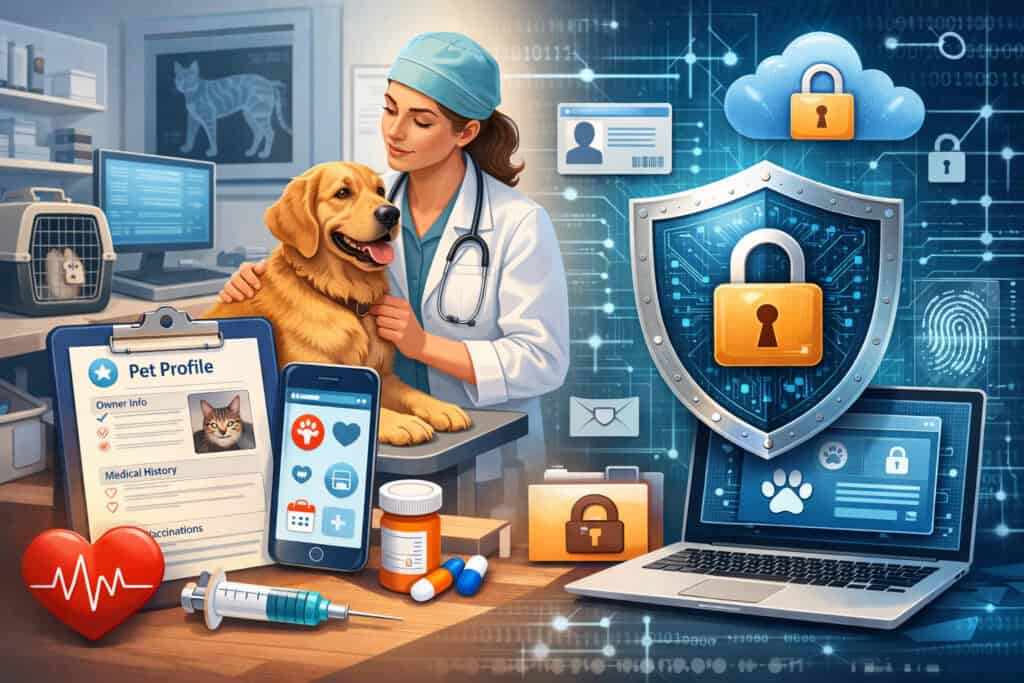
Veterinary teams often focus on the clinical side of records, but the full scope of clinic data is much broader than treatment notes. Most practices collect and store several categories of information, and each one has value to attackers or creates risk if mishandled.
At the most basic level, clinics keep client profile information. That usually includes names, household contact details, emergency contacts, communication history, and signed consent documents. This may seem routine, but it is still sensitive because it identifies real people and can be misused in phishing attempts, fraud, or social engineering.
Veterinary patient data can be extensive as well. Records may include medical history, exam notes, vaccination records, prescriptions, lab results, imaging, surgery details, treatment plans, diet recommendations, and follow-up instructions.
This information may not look identical to records in other healthcare fields, but it is still important to protect because it supports continuity of care and business operations.
Payment and financial data add another layer of risk. Many clinics process card payments, store invoices, manage balances, offer recurring billing arrangements, or use third-party payment tools. Even when payment processing is outsourced, local devices, receipts, and staff workflows can still create exposure.
Medical records, diagnostics, and imaging files
Digital veterinary records have transformed care by making patient histories easier to access and update. But convenience creates responsibility.
A practice management system may contain years of history for thousands of patients, all tied to client identities and treatment decisions. Diagnostic images, lab files, referral notes, and specialist communication can also be stored in connected systems or shared through cloud platforms.
If those records are locked by ransomware, altered accidentally, or exposed through unauthorized access, the clinic faces more than administrative inconvenience. Doctors and technicians may lose access to treatment history when they need it most. Repeat diagnostics, delays in care, and confusion over prescriptions can follow.
This is why veterinary record protection must focus on both confidentiality and availability. It is not enough to prevent outsiders from viewing records. Clinics also need to ensure staff can access accurate information when systems are under stress, during outages, or after a device failure.
A clinic that has dependable backups, role-based permissions, and secure storage is in a much stronger position than one that keeps everything in a single live system without recovery planning.
Client details, payments, and operational data
Beyond medical records, clinics store information that directly supports daily business functions. Appointment calendars, client communication logs, invoices, subscription services, inventory records, employee data, vendor contacts, and internal operating documents all matter. Attackers may target this information for fraud, extortion, or business disruption.
For example, if someone gains access to a clinic email account, they may not need to steal full medical records to cause harm. They could send fake invoices, redirect payments, impersonate staff, or trick clients into clicking malicious links.
Likewise, compromised payment systems or exposed billing records can create financial loss and reputational damage very quickly.
Operational data is often overlooked in veterinary data security planning because it feels less sensitive than medical files. In reality, it is often what keeps the clinic functioning. Schedules, order histories, inventory controls, and financial reports all help the practice deliver care efficiently.
Common Cyber Threats in Veterinary Practices
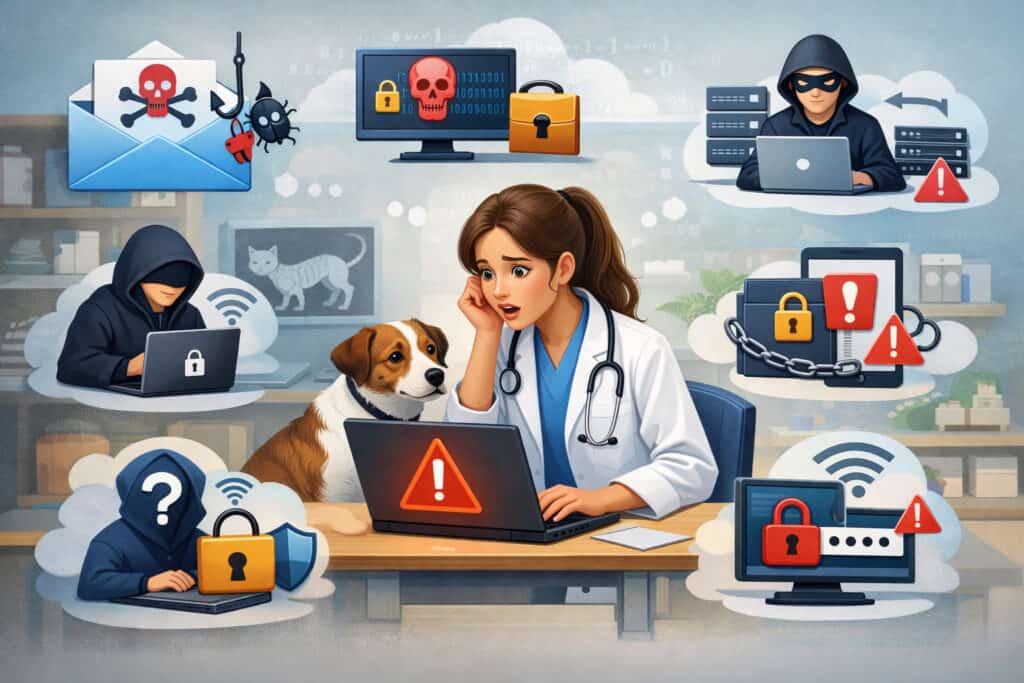
Veterinary clinics face many of the same threats as other service-based businesses, but the way those threats play out in a clinical setting can be especially disruptive. Most incidents do not begin with a dramatic technical breach. They often start with a rushed click, a reused password, an outdated device, or a shared login that makes accountability impossible.
Understanding the most common cyber threats in veterinary practices helps clinics focus on prevention instead of guessing where risk may come from. Many threats are manageable when teams recognize warning signs and apply consistent controls.
Here is a practical overview of the most common issues clinics should watch for.
| Threat | How It Typically Appears in a Vet Clinic | Practical Prevention Steps |
| Phishing emails | Fake invoices, delivery notices, shared document requests, password reset prompts | Staff training, email filtering, MFA, verification steps for unusual requests |
| Ransomware | Locked records, inaccessible scheduling or billing systems, demand for payment | Secure backups, patching, endpoint protection, access controls |
| Weak passwords | Shared front-desk logins, reused passwords across systems, simple passwords | Password manager, strong password policy, MFA, unique user accounts |
| Unsecured Wi-Fi | Guest traffic mixing with clinic devices, poorly configured routers | Separate guest network, strong Wi-Fi security, router updates |
| Outdated software | Unsupported operating systems, delayed software patches, old plugins | Patch management schedule, vendor review, device replacement planning |
| Insider threats or mistakes | Wrong file shared, unauthorized access, accidental deletion | Least-privilege access, logging, training, offboarding controls |
| Insecure remote access | Staff using personal devices or open networks to access records | VPN or secure remote tools, device policies, MFA, approved access methods |
Phishing, ransomware, and malware
Phishing remains one of the biggest risks because it targets people, not just technology. A staff member may receive what looks like a shipping alert, invoice, payroll message, shared file link, or urgent note from a vendor.
In a busy clinic, it is easy to click first and question later. Once credentials are entered into a fake login page or a malicious attachment is opened, attackers may gain access to email, practice software, or internal systems.
Ransomware in vet clinics is especially disruptive because attackers know clinics rely on speed and access. If a system is encrypted, staff may be unable to view records, manage schedules, process payments, or retrieve imaging. Even a short outage can create a backlog, stress the team, and affect patient care decisions.
Malware is broader than ransomware. It can include software that steals data, monitors activity, opens back doors for attackers, or spreads across connected devices. A single infected laptop or workstation can become an entry point into the wider clinic environment if network protections are weak.
Clinics reduce these risks by combining technical protections with simple behavior rules. Staff should know how to spot suspicious messages, verify unusual requests, and report concerns quickly without feeling embarrassed.
Weak passwords, insider threats, and unsecured networks
Not every security problem comes from an outside attacker using advanced tools. Many incidents come from weak internal practices. Shared passwords at the front desk, former employees who still have access, unprotected Wi-Fi, and excessive user permissions can create openings that are entirely preventable.
Weak passwords are still common in smaller practices because convenience often wins over security. Teams may share one account for scheduling or billing because it seems faster. The problem is that shared access removes accountability and increases exposure. If one password is compromised, the attacker may gain far more access than necessary.
Insider threats do not always involve malicious intent. In many cases, they are mistakes. A staff member may send the wrong file, open a bad attachment, leave a logged-in screen unattended, or save records to a personal device. These actions may be unintentional, but the impact can still be serious.
Unsecured networks are another major concern. If guest Wi-Fi, staff devices, printers, medical equipment, and core clinic systems all operate on the same network without segmentation, one compromised device can affect others.
Veterinary clinic cybersecurity improves significantly when clinics separate guest traffic from business systems and review router and access point settings regularly.
How a Cyberattack Can Affect a Vet Clinic
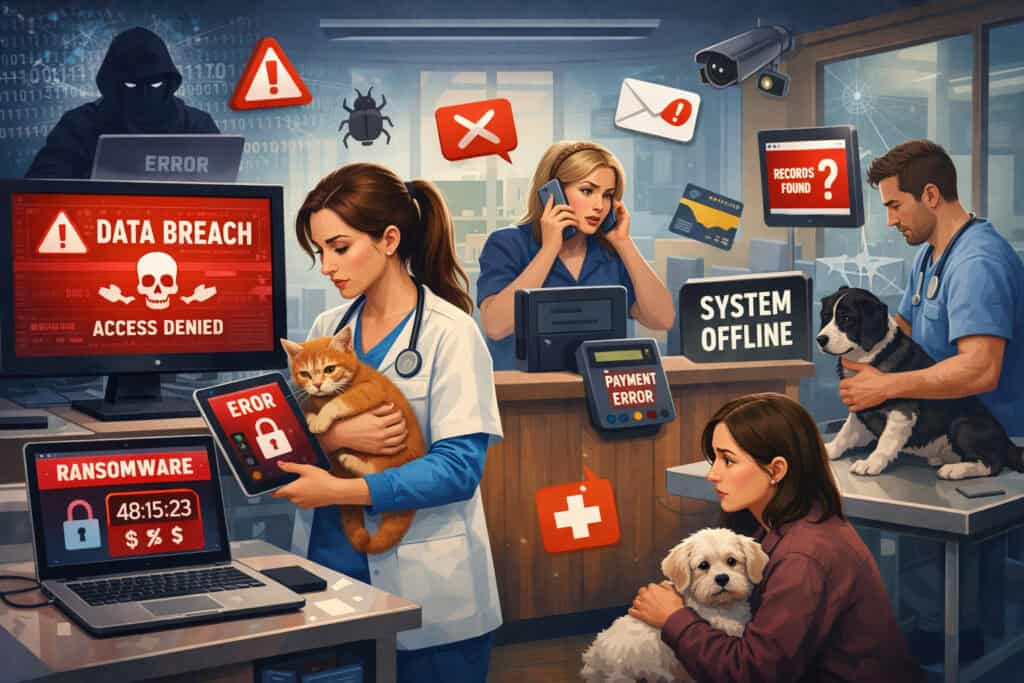
It is easy to think of cyber risk as mainly a data problem, but the real-world impact on a veterinary practice is much wider. A single incident can disrupt the clinic’s schedule, finances, reputation, client relationships, and ability to provide care effectively. Even if the breach is small, the operational consequences can be significant.
Financial loss is often the first impact people think about. That may include emergency IT costs, recovery services, replacement devices, lost business during downtime, fraudulent transactions, or penalties from contract or payment-security failures.
But direct cost is only part of the picture. Indirect losses, such as canceled appointments, staff overtime, and reduced client confidence, can continue long after the technical issue is resolved.
Downtime is especially damaging in a clinic environment. If staff cannot access patient histories, vaccination records, treatment notes, or billing tools, routine appointments become harder to manage.
Surgeries, medication refills, follow-up calls, and referrals may all slow down. The clinic may need to switch to manual workarounds under pressure, which increases the chance of errors.
Reputational harm can also be lasting. Clients expect their information to be handled with care. If they learn that the clinic experienced a preventable breach or poor data handling, trust may be difficult to rebuild. Even when the clinic responds responsibly, uncertainty about whether records or payments were exposed can create concern.
There are also legal and contractual considerations. Data privacy in veterinary clinics may involve obligations related to payment security, employment records, vendor agreements, insurance expectations, and responsible notification practices after an incident.
Clinics do not need to be alarmist about this, but they do need to understand that data handling decisions can create real business obligations.
Operational disruption and patient care concerns
One of the most important reasons to prioritize clinic data breach prevention is that cybersecurity directly affects continuity of care. Veterinary teams depend on timely access to correct information. If records are unavailable, outdated, or inaccessible, routine decisions become harder and urgent cases become riskier.
Imagine a scenario where the clinic opens for the day and discovers that the scheduling system will not load. The front desk cannot confirm appointments. Technicians cannot pull prior histories.
A doctor needs recent lab work before making a treatment decision, but the image archive is unavailable. Staff begin calling clients, writing notes by hand, and trying to reconstruct the day under pressure.
This kind of disruption creates stress far beyond the IT team or office manager. It affects every role in the clinic. It also increases the likelihood of communication gaps, missed follow-up items, duplicate work, and billing confusion. In a healthcare setting for animals, operational delays can quickly turn into care delays.
Veterinary IT security should therefore be viewed as part of clinic readiness. It supports stable workflows in the same way that backup power, inventory management, and clear medical protocols do.
Reputational damage and recovery costs
When a cyber incident becomes visible to clients, the clinic must manage more than technology. It must manage confidence. Clients want to know whether their information is safe, whether payments were affected, whether the clinic is still operating reliably, and whether the issue is being handled responsibly.
A poorly managed response can make the situation worse. If staff give inconsistent answers, delay communication, or appear unsure about what happened, clients may assume the clinic is disorganized or careless. On the other hand, a calm and transparent response can help preserve trust even during a difficult moment.
Recovery costs can also surprise clinic leaders. Beyond the obvious expense of technical remediation, there may be costs tied to communications, legal review, outside specialists, new tools, hardware replacement, and extra staffing support during recovery.
A clinic may need to rebuild systems, reset all credentials, notify affected parties, and verify the integrity of restored data.
Essential Cybersecurity Practices Every Veterinary Clinic Should Implement
The strongest cybersecurity programs are not always the most complex. For most veterinary clinics, the goal is to get the fundamentals right and apply them consistently. Basic controls, maintained over time, prevent many of the incidents that cause the most damage.
Cybersecurity for veterinary practices should be built around a few practical priorities: strong access control, reliable backups, secure systems, safe networks, and clear ownership of responsibilities. These are the controls that reduce everyday risk while also improving recovery if something goes wrong.
A helpful way to think about veterinary clinic cybersecurity is to separate it into layers. One layer protects user access. Another protects devices and networks. Another protects data storage and backups. Another focuses on training and response. When one layer fails, another still helps contain the damage.
Strong passwords and multi-factor authentication
Passwords are still one of the most common failure points. Clinics often struggle with them because busy teams want speed and simplicity. But weak or shared passwords leave doors open that do not need to be open.
A strong password policy should require unique passwords for each user, avoid common or easily guessed words, and discourage reuse across systems. Password length matters more than clever symbols alone. A longer passphrase is usually easier to remember and harder to crack than a short complex word.
Multi-factor authentication, or MFA, adds an extra layer by requiring something more than the password, such as an app-based approval code or hardware token. This is especially important for email, cloud platforms, remote access tools, and any system that stores client or medical records.
Clinics should also consider using a password manager for authorized staff. This reduces the temptation to write passwords down, reuse them, or store them in insecure spreadsheets.
Secure Wi-Fi, network segmentation, and device protection
A veterinary clinic network often includes front-desk computers, exam room devices, printers, payment terminals, diagnostic tools, phones, tablets, and sometimes personal devices. If all of these share one flat network, risk spreads too easily.
Secure Wi-Fi starts with strong router settings, current firmware, strong encryption, and non-default administrator credentials. But a secure network does not stop there. Clinics should separate guest Wi-Fi from business operations. Ideally, payment devices, core clinic systems, and guest traffic should not all be able to interact freely.
Network segmentation means dividing systems so that a problem in one area does not automatically spread to everything else. Even simple segmentation can reduce risk significantly.
Device protection matters too. Clinic-owned computers should have endpoint protection, screen lock settings, and regular monitoring. Staff should know which devices are approved for work and whether remote access from personal devices is allowed.
Encryption, secure backups, and patch management
Data encryption helps protect information at rest and in transit. In practical terms, that means ensuring stored data is protected on devices and servers, and that data moving between systems or users is sent through secure channels. Many clinics rely on vendors for this, which is fine, but they should confirm what protections are actually in place.
Backups are one of the most important controls in all of veterinary data security. A clinic should know:
- What data is backed up
- How often backups run
- Where backups are stored
- Whether backups are isolated from the main environment
- How quickly the clinic can restore critical systems
A backup that has never been tested is only a hope, not a plan. Restoring from backups should be practiced and documented.
Patch management means keeping operating systems, practice software, browsers, plugins, network devices, and security tools up to date. Attackers often exploit known flaws that remain open simply because updates were delayed. A small clinic does not need an enterprise patching program, but it does need a routine.
Access Controls, Permissions, and Responsible Data Handling
Not every staff member needs access to every system or every category of information. One of the simplest ways to improve vet clinic data protection is to align access with actual job responsibilities. This is called least-privilege access, and it is one of the most practical tools in veterinary IT security.
For example, a receptionist may need appointment and billing access but not administrative system settings. A technician may need record access but not vendor payment controls.
A clinic owner or practice manager may need broader reporting access than other staff. When permissions are set thoughtfully, a single compromised account is less likely to expose the entire practice.
Access control is also about accountability. Unique user accounts make it easier to investigate issues, review activity, and confirm who changed what. Shared accounts may feel efficient in the moment, but they make security and troubleshooting harder.
Responsible handling also includes data storage and transmission. Staff should know when information can be emailed, what files should be shared only through secure systems, how long local downloads should remain on devices, and what to do with printed documents containing sensitive information.
Role-based access and user lifecycle management
Every clinic should have a process for onboarding, changing roles, and offboarding. New hires need the right level of access on day one, but no more than necessary. When someone changes responsibilities, permissions should be adjusted. When someone leaves, access should be removed immediately across all systems, not just the main practice platform.
This process sounds simple, yet it is where many clinics develop hidden risk. Former employees may still have access to cloud tools, shared inboxes, vendor portals, or remote logins long after departure. Over time, these overlooked accounts create unnecessary exposure.
Role-based access works best when reviewed regularly. Practice managers or owners should periodically confirm:
- Which users exist in each system
- Whether permissions still match job duties
- Which accounts have administrative rights
- Whether any inactive or duplicate accounts remain
This review does not need to be complicated. Even a quarterly checklist can catch issues before they become real problems.
Safe sharing, retention, and disposal practices
Data privacy in veterinary clinics is not just about keeping attackers out. It is also about handling information carefully during normal work. Staff may share records with referral partners, labs, or clients.
They may download reports for insurance or billing purposes. They may print records for temporary use. Each of these actions creates a small moment of risk.
Clinics should set clear expectations about where files can be stored, how documents can be shared, and when information should be deleted or destroyed. Temporary downloads should not sit indefinitely on desktops or local folders. Printed records should not be left at unattended stations. Portable drives should be controlled, encrypted if used, and approved in advance.
Retention practices matter too. Keeping unnecessary data forever can increase exposure. Clinics should work with qualified advisors to determine reasonable retention practices for business, clinical, and financial records based on their operations and obligations.
Staff Training: The Human Side of Veterinary Clinic Cybersecurity
Technology alone cannot secure a clinic if the people using it do not know what to watch for. Human error remains one of the biggest risk factors in cybersecurity for vet clinics, not because staff are careless, but because they work in fast-moving environments with competing priorities.
When phones ring, pets arrive unexpectedly, schedules shift, and clients need help, it is easy to miss subtle warning signs in an email or login prompt.
That is why staff training should be practical, short, and recurring. One annual lecture is rarely enough. People remember cybersecurity best when it is tied to realistic situations they actually face at work.
Training should cover the basics every team member needs to know:
- How to identify suspicious emails and links
- What to do when a login page looks unusual
- Why shared passwords create risk
- How to report mistakes quickly without fear
- When to verify payment or vendor requests by phone
- How to handle records on shared screens and devices
- What to do if a device is lost or stolen
A strong training culture also reduces silence. Staff should feel safe saying, “This message looks odd,” or “I think I clicked something I should not have.” Fast reporting often prevents a small mistake from becoming a major incident.
Building awareness without creating fear
Effective training does not rely on scare tactics. Fear-based messaging often causes people to shut down, hide mistakes, or tune out. A better approach is to explain that cyber risk is part of modern clinic operations and that every team member plays a role in reducing it.
Use examples that fit the clinic environment. Show a fake invoice email that looks like a supplier message. Discuss a text pretending to be from the clinic owner asking for an urgent payment. Review what to do when a browser says a website certificate is invalid. These concrete examples are easier to remember than abstract warnings.
Practice managers can reinforce good habits through small reminders during meetings or onboarding. A two-minute tip each month can be more effective than a long annual session that everyone forgets.
Turning mistakes into learning moments
Even well-trained staff will sometimes make mistakes. What matters is how quickly the clinic responds and what it learns afterward. If an employee opens a suspicious attachment and is afraid to admit it, the delay can increase harm. If the clinic culture encourages quick reporting, response gets easier.
Create a standard rule: report first, investigate second. Staff should know that alerting the right person immediately is always the right move, even if the issue turns out to be harmless.
After an incident or near-miss, take time to review what happened without blaming individuals. Ask what signs were missed, what controls failed, and what could be improved in the process or training.
How to Create a Simple Cybersecurity Policy for Veterinary Practices
Many smaller clinics assume that formal policies are only for large organizations. In reality, a simple written cybersecurity policy is one of the most useful tools a practice can have. It does not need to be lengthy or full of technical language. It just needs to define expectations, responsibilities, and response steps clearly enough that staff can follow them.
A good policy helps standardize behavior. It answers common questions before problems occur. It also gives practice managers a clear foundation for onboarding, vendor discussions, and incident response.
Cybersecurity for veterinary practices becomes easier to manage when the clinic documents a few key rules in writing. The policy can be reviewed annually and updated whenever systems or workflows change.
What to include in a clinic cybersecurity policy
A straightforward policy should cover the basics of how your clinic protects data and uses systems. It may include sections such as:
- Who is responsible for cybersecurity oversight
- Acceptable use of clinic devices and systems
- Password requirements and MFA expectations
- Approved software and cloud tools
- Rules for remote access and personal devices
- Data backup and recovery responsibilities
- Access control and account management
- Email safety and phishing reporting
- Procedures for lost devices or suspected incidents
- Offboarding and immediate access removal
The policy should also identify who staff contact when something seems wrong. In a small practice, that may be the owner, practice manager, external IT provider, or a designated operations lead.
Keep the document realistic. If the policy says no personal devices may ever be used for clinic work, but the clinic actually allows it daily, the policy will not help. Written expectations should match what leadership is willing to enforce.
How to make the policy usable in daily operations
The best policy is one people can actually use. That means keeping it short enough to read, specific enough to guide behavior, and visible enough to matter. Consider pairing the full policy with quick-reference procedures for common situations, such as suspicious emails, password resets, or lost devices.
Train employees on the policy during onboarding and review key sections during staff meetings. Ask managers to model the same rules expected from the team. A policy loses credibility quickly if leadership ignores it.
It also helps to tie policy language to workflows. For example, if the clinic shares files with referral partners, the policy should explain the approved method. If staff work remotely at times, the policy should explain how secure veterinary software and remote access tools must be used.
Compliance, Privacy, and Responsible Handling of Client and Patient Data
Compliance can sound intimidating, but for most veterinary clinics, the heart of the issue is responsible handling. Clinics should understand the privacy, payment, employment, and contractual obligations that apply to their operations and then build processes that support those obligations consistently.
Data privacy in veterinary clinics often intersects with several categories of information: client details, employee records, financial records, payment data, and business communications. Each category may carry different expectations depending on the systems used, vendor relationships, and services offered.
Rather than trying to memorize every rule, clinic leaders should focus on practical governance. Know what data you collect, why you collect it, where it is stored, who can access it, how long it is kept, and how it is protected. This structure makes privacy and compliance decisions easier.
Payment security and vendor responsibility
Many clinics rely on outside vendors for payment processing, cloud software, backups, communication tools, and imaging systems. That is normal, but it does not remove the clinic’s responsibility to choose wisely and manage those relationships carefully.
Ask vendors direct questions about security. Do they support MFA? How is data encrypted? How often do they patch systems? What does backup and disaster recovery look like? What happens if there is an incident? How is access controlled on their side?
For payment systems, clinics should ensure that card processing tools are used as designed and that workarounds do not create extra risk. Storing payment details in notes, spreadsheets, or insecure email threads can quickly create problems.
Privacy-minded daily habits
Responsible handling is often built through routine. Lock screens when stepping away. Avoid discussing client details where others may overhear. Confirm recipient addresses before sending records.
Use approved channels instead of personal email accounts. Remove unnecessary access. Dispose of printed records securely.
These habits do not require advanced technical skill, but they make a meaningful difference in veterinary data security. Privacy is strengthened when the clinic culture treats information carefully as part of professionalism.
Choosing Secure Veterinary Software and Cloud Systems
Software decisions shape a clinic’s security posture more than many leaders realize. A weak or poorly supported platform can create ongoing risk, while a well-managed system can make veterinary clinic cybersecurity easier through built-in protections, logging, backups, and access controls.
Secure veterinary software should not be chosen only for features and convenience. Security, support quality, vendor transparency, and update practices matter just as much. A system that saves time but lacks basic protection can create bigger problems later.
As clinics evaluate software for scheduling, records, imaging, billing, communication, or remote access, they should consider both operational fit and security maturity.
What to ask before selecting a system
When reviewing veterinary software or cloud tools, ask practical questions such as:
- Does the platform support unique user accounts?
- Is multi-factor authentication available?
- How is data encrypted?
- How are backups handled, and how quickly can data be restored?
- What logging and audit capabilities exist?
- How often is the platform updated?
- How are security incidents handled and communicated?
- Can access be limited by role?
- What happens to data if the clinic changes vendors?
These questions help reveal whether the vendor treats security as a core function or as an afterthought. The answers do not need to be highly technical to be useful. What matters is whether the vendor can explain its approach clearly and confidently.
For more perspective on how digital systems shape daily practice operations, clinics can also review resources on the role of vet practice technology in modern workflow management and how connected tools affect team coordination and record access.
Cloud convenience versus careless adoption
Cloud systems can be highly effective for veterinary practices, especially when they improve accessibility, reduce local infrastructure burdens, and support centralized updates. But cloud does not automatically mean secure. The clinic still needs strong user controls, approved device practices, secure remote access, and vendor oversight.
One common problem is tool sprawl. A clinic adopts one platform for booking, another for messaging, another for forms, another for image sharing, and several more for internal operations. Over time, staff may not even know all the tools in use. This creates hidden risk, inconsistent access control, and difficult offboarding.
Before adding new tools, clinics should review whether they truly need them, whether an existing system already covers the use case, and whether the new vendor meets reasonable security expectations.
For clinics that rely heavily on digital client communication, online systems, and operational platforms, related articles on designing a high-converting veterinary website that drives appointments and veterinary email marketing are useful reminders that front-end convenience should always be matched by back-end data protection.
Incident Response Planning: What to Do If a Breach Occurs
Even a well-run clinic can experience a security incident. That is why incident response planning matters. The goal is not to predict every possible scenario. It is to ensure the clinic can respond quickly, make sound decisions, and reduce confusion during a stressful event.
When a breach or suspected compromise occurs, time matters. Staff need to know who to contact, whether systems should be isolated, how normal operations will continue, and when outside support should be engaged. Without a plan, people improvise under pressure, which can make containment and recovery harder.
A practical incident response plan for a veterinary practice should cover the first few hours and the first few days after discovery.
The first steps after discovering a problem
If the clinic suspects a breach, malware infection, account takeover, or ransomware event, immediate actions may include:
- Disconnecting affected devices from the network if advised
- Alerting the designated internal lead and IT provider
- Preserving evidence rather than deleting suspicious files
- Resetting compromised credentials
- Determining whether backups remain safe
- Switching to temporary workflows if needed
- Documenting what was observed and when
The right response depends on the type of incident, which is why external IT or managed security support is often important. But even before technical analysis begins, the clinic benefits from having a chain of responsibility already defined.
Staff also need guidance on communications. Who talks to vendors? Who updates employees? Who speaks with clients if needed? A coordinated message reduces confusion and protects trust.
Recovery, communication, and lessons learned
Once the immediate threat is contained, the clinic needs to move into recovery mode. That may involve restoring systems, validating data integrity, reviewing logs, rotating passwords, and confirming that vulnerabilities have been addressed before operations return to normal.
Communication should be timely and measured. If clients are affected, the clinic should communicate clearly, factually, and with an emphasis on next steps. Avoid guessing before facts are confirmed, but do not let silence create uncertainty.
After recovery, conduct a simple review. What happened? Which controls helped? Where were the gaps? What should change in training, access control, vendor management, or backups? This step turns the incident into a learning opportunity rather than a repeating pattern.
The Role of IT Support and Managed Security Services
Most veterinary clinics do not have an in-house cybersecurity department, and they do not need one. But they do need reliable support. The question is not whether the clinic can do everything internally. The better question is which responsibilities should be handled by trained professionals and which can be managed through internal policy and daily discipline.
External IT providers and managed security services can help clinics maintain secure systems, monitor threats, manage updates, respond to incidents, and improve documentation. For small and mid-sized practices, this support can be one of the most efficient ways to strengthen veterinary clinic cybersecurity without overloading internal staff.
Still, outsourcing is not the same as transferring all responsibility. Clinic leadership must remain involved enough to understand what is being protected, what services are covered, and where gaps may still exist.
What support partners should help with
A strong IT or security partner can assist with:
- Device setup and endpoint protection
- Firewall and network management
- Backup design and recovery testing
- Patch management
- MFA rollout and access control support
- Email security filtering
- Incident response guidance
- Security awareness recommendations
- Vendor coordination and system reviews
The clinic should also ask how the provider communicates issues, how quickly urgent matters escalate, and whether proactive monitoring is included or only break-fix support.
How to work with providers effectively
The best provider relationship is collaborative. Practice leaders should not feel pressured to understand every technical detail, but they should expect clear explanations and documented responsibilities.
Ask for regular reviews. What systems are most critical? Are backups working? Are there unsupported devices? Which accounts have administrative rights? Have there been failed login attempts or other warning signs? These conversations help turn cybersecurity from a vague concern into a managed process.
If your clinic is also improving operational systems more broadly, resources on vet clinic inventory systems and workflow structure can complement cybersecurity planning by strengthening the broader discipline of process control and accountability.
Real-World Veterinary Clinic Scenarios
Cybersecurity concepts become easier to apply when they are tied to realistic situations. Veterinary practices do not need abstract theory as much as they need examples that fit daily operations.
Scenario 1: The fake supplier invoice
A front-desk team member receives an email that appears to come from a familiar supplier. The message says an invoice is overdue and includes a link to view the balance. The employee clicks the link and enters email credentials into a page that looks normal.
Within hours, the mailbox begins sending phishing messages to other contacts. An attacker searches for vendor emails, billing references, and client communications to imitate the clinic more convincingly.
How this could have been prevented:
- MFA on email accounts
- Staff training on verifying unexpected invoice requests
- A rule to confirm payment changes by phone
- Better email filtering and login alerts
Scenario 2: Shared login and accidental exposure
A clinic uses one shared account for scheduling because multiple receptionists rotate shifts. Over time, that same login is used to access reports and patient communication tools. One staff member saves the password in a browser on an open workstation. A temporary worker later uses the same machine and gains access to more information than intended.
No outside hacker was needed. The problem came from convenience, weak boundaries, and lack of accountability.
How this could have been prevented:
- Unique user accounts
- Role-based permissions
- Screen lock settings
- Removal of saved passwords on shared machines
Scenario 3: Ransomware before opening hours
A technician arrives early and sees a ransom note on the main workstation. Practice software will not open, and shared drives are inaccessible. The clinic has backups, but no one has tested a restore recently. Staff scramble to find vendor contacts while appointments are already on the way.
The clinic eventually recovers, but the first day is chaotic because responsibilities were not clearly assigned and downtime procedures were not documented.
How this could have been prevented or reduced:
- Isolated, tested backups
- Incident response plan
- Faster escalation path to IT support
- Better device and network protection
- Routine patching
These examples show why cyber threats in veterinary practices are rarely “just technical.” They are workflow issues, training issues, and leadership issues at the same time.
FAQs
What is the most important first step in cybersecurity for vet clinics?
The best first step is to identify what systems and data your clinic uses and where that information is stored. Once you know that, focus on the basics: unique user accounts, strong passwords, multi-factor authentication, secure backups, and regular software updates.
Are small veterinary clinics really targets for cyberattacks?
Yes. Attackers often look for easy opportunities, not just large organizations. A smaller clinic with weak passwords, outdated devices, or poor email security can still be an attractive target because it may be easier to compromise.
How often should staff receive cybersecurity training?
Short, recurring training works best. New hires should receive cybersecurity guidance during onboarding, and all staff should get refreshers throughout the year. Monthly reminders or brief real-world examples are often more effective than a single annual session.
What should a clinic do if it suspects ransomware?
The clinic should contact its designated IT or security support immediately, isolate affected systems if advised, document what is happening, and avoid making unnecessary changes that could interfere with recovery. A written incident response plan makes these first steps much easier.
Is cloud software safe for veterinary practices?
Cloud software can be a strong option when it includes security features such as multi-factor authentication, encryption, role-based access, activity logging, and dependable backup processes. The key is choosing software carefully and managing user access responsibly.
How can a clinic improve data privacy without a large budget?
Start with low-cost, high-impact steps such as unique logins, multi-factor authentication, regular software updates, guest Wi-Fi separation, secure backups, access reviews, and staff training. These measures can reduce risk significantly without requiring a large investment.
Should veterinary clinics have a written cybersecurity policy?
Yes. A simple written cybersecurity policy helps staff understand expectations and gives the clinic a consistent framework for onboarding, password practices, access control, data handling, and incident response.
Can one person in the clinic handle cybersecurity alone?
One person can coordinate cybersecurity efforts, but it works best when responsibilities are shared. Leadership, front-desk staff, technicians, doctors, and outside IT support all play a role in protecting clinic systems, patient records, and client data.
Conclusion
Cybersecurity for Vet Clinics is not about chasing every possible threat or turning a veterinary practice into a technology company. It is about protecting the systems, records, and relationships that keep the clinic running well.
When a practice takes cybersecurity seriously, it protects more than data. It protects continuity of care, staff confidence, client trust, and the clinic’s ability to operate without avoidable disruption.
The most effective approach is steady and practical. Use strong passwords and multi-factor authentication. Limit access based on roles. Secure Wi-Fi and separate guest traffic. Keep systems updated.
Back up critical data and test recovery. Train staff regularly. Choose vendors carefully. Write down your expectations in a policy. Prepare for the possibility of an incident before one happens.
Veterinary clinic cybersecurity works best when it becomes part of normal operations rather than a side task handled only after a problem appears.
Clinics that build these habits over time are better positioned to protect veterinary patient data, maintain reliable workflows, and respond calmly when risks arise. The goal is not perfection. The goal is a clinic that is more secure, more prepared, and more resilient every day.