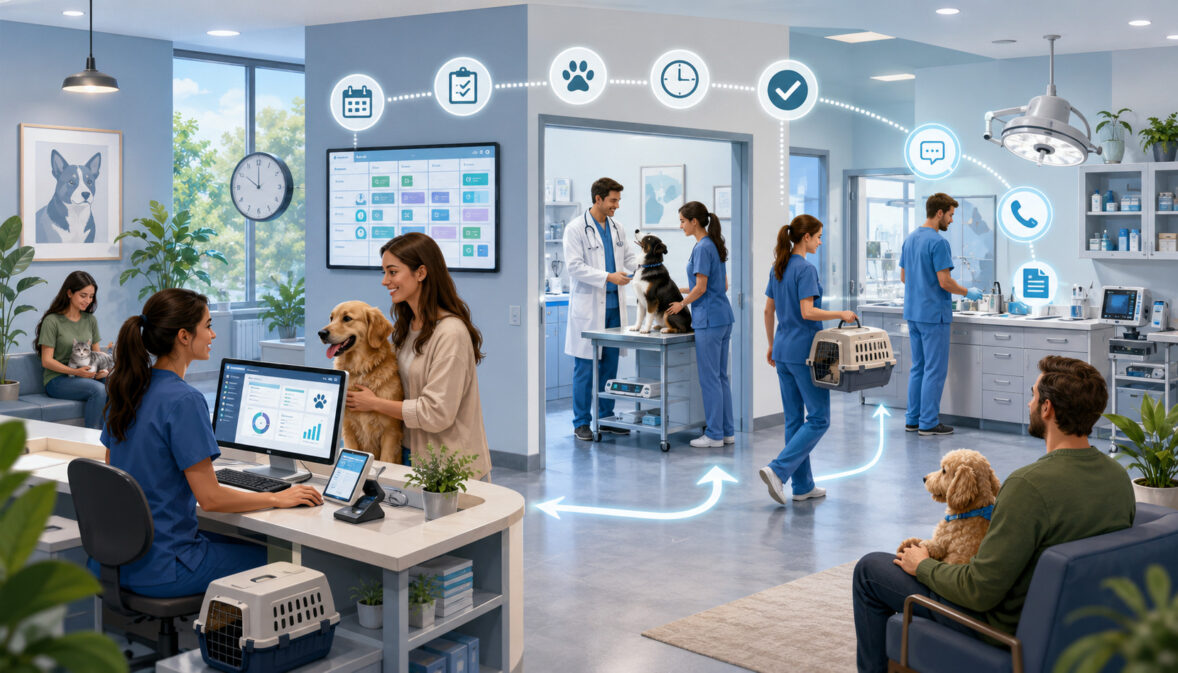
Veterinary Workflow Optimization Strategies
Veterinary clinics manage far more than patient examinations. Every day involves appointment requests, incoming calls, client intake, medical histories, diagnostics, treatment plans, medication refills, inventory checks, payment collection, medical record updates, and follow-up communication.
When these activities are not coordinated, even a well-staffed clinic can experience long waits, missed callbacks, rushed handoffs, incomplete records, supply shortages, delayed invoices, and frustrated clients. These problems also place unnecessary pressure on veterinarians, technicians, assistants, receptionists, and managers.
Veterinary workflow optimization strategies help clinics examine how work moves from one person or department to another. The goal is to remove preventable delays, clarify responsibilities, standardize recurring tasks, and give staff the information and tools they need at the right time.
Optimization does not mean rushing appointments or reducing the time needed for thoughtful patient care. It means eliminating avoidable friction so that the clinical team can focus more attention on animals and clients.
A strong veterinary clinic workflow should support:
- Predictable appointment scheduling
- Organized client intake and check-in
- Smooth patient movement
- Clear doctor-technician handoffs
- Prompt medical record completion
- Accurate lab and pharmacy tracking
- Consistent client communication
- Reliable inventory availability
- Efficient and secure payment collection
- Healthier workloads for the entire team
The most effective improvements usually begin with one visible bottleneck. A clinic may start by reducing check-in delays, improving refill request tracking, standardizing exam room turnover, or making invoices ready before clients arrive at the front desk.
Over time, these focused changes create a more dependable veterinary practice workflow without sacrificing quality, safety, compassion, or professional judgment.
What Is Veterinary Workflow Optimization?
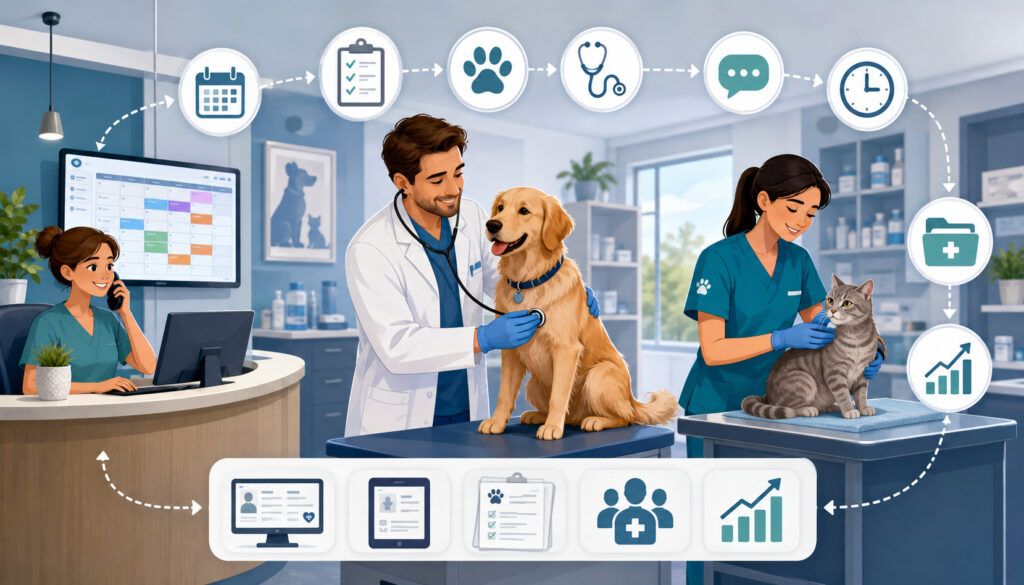
Veterinary workflow optimization is the process of studying how tasks, patients, clients, information, supplies, and decisions move through a veterinary practice. It identifies areas where work slows down, gets repeated, changes ownership unexpectedly, or becomes dependent on one overextended employee.
A workflow may be simple, such as receiving a prescription refill request and sending it for approval. It may also be complex, such as coordinating a surgical patient from pre-visit instructions through intake, preparation, the procedure, recovery, discharge, payment, and follow-up.
Veterinary workflow management turns these activities into organized, repeatable systems. Each system should make it clear:
- Who begins the task
- What information is required
- Who approves or completes it
- Where the task is documented
- How urgent exceptions are handled
- How completion is confirmed
A broader guide to veterinary clinic operations can help managers understand how scheduling, clinical care, billing, inventory, reporting, and staff responsibilities connect across the practice.
Workflow Optimization Is Not Just About Speed
The best veterinary workflow optimization strategies do not simply increase appointment volume. They improve consistency, accuracy, communication, patient safety, client understanding, and staff confidence.
A fast process is not useful if medical information is incomplete, a lab result is assigned to the wrong patient, a medication request lacks approval, or a client leaves without understanding discharge instructions. Efficiency must support careful work rather than replace it.
A well-designed workflow reduces the number of decisions employees must make repeatedly. For example, a clear refill request process tells the reception team what information to collect, where to document it, how to assign it, and when the client should expect an update.
That structure reduces interruptions while allowing clinical staff to make patient-specific decisions. It also creates a visible record of what has been requested, reviewed, approved, declined, prepared, and communicated.
Why Veterinary Workflows Break Down
Veterinary workflows usually break down gradually. Small inefficiencies accumulate until they affect the entire workday.
Common causes include:
- Appointment types that do not match the required time
- Overloaded phone lines
- Missing medical histories
- Incomplete intake forms
- Unclear staff roles
- Poor task delegation
- Frequent interruptions
- Unstocked exam rooms
- Delayed laboratory results
- Disorganized refill requests
- Unfinished medical records
- Incorrect or incomplete invoices
- Weak communication between departments
- No assigned owner for follow-up tasks
Many bottlenecks occur at handoff points. A receptionist may collect information but fail to route it correctly. A technician may complete an intake but not clearly communicate the client’s main concern. A veterinarian may approve a treatment without the related charge reaching the invoice.
Improvement requires examining the process rather than blaming the person closest to the problem. Staff members often create workarounds because the existing system does not provide a reliable way to complete the task.
Veterinary Workflow Optimization at a Glance
A clinic does not need to redesign every process at once. Managers can begin by identifying the workflow areas that affect the most patients, clients, and employees.
| Workflow Area | What to Optimize | Why It Matters | Priority |
| Scheduling | Appointment types, time blocks, buffers | Reduces delays and overbooking | High |
| Check-in | Forms, records, arrival instructions | Speeds client intake | High |
| Exam rooms | Stocking, room assignment, turnover | Improves patient movement | High |
| Technician workflow | Delegation, intake, diagnostics | Supports clinical productivity | High |
| Medical records | Templates, task ownership, completion | Reduces rework and missing details | High |
| Client communication | Reminders, callbacks, templates | Prevents missed messages | High |
| Inventory | Reorder points, storage, expiration checks | Prevents supply shortages | High |
| Payments | Estimates, invoices, payment options | Improves checkout flow | High |
| Lab and pharmacy | Sample tracking, approvals, refills | Reduces delays and errors | Medium/High |
| Reporting | KPIs, workflow reviews, staff feedback | Supports informed decisions | Medium/High |
How to Use the Workflow Table
Practice managers can use the table during an initial veterinary workflow audit. Begin by marking areas that regularly produce delays, client complaints, repeated questions, staff overtime, missing information, or incomplete tasks.
Next, choose one area with both high operational impact and a realistic opportunity for improvement. A clinic experiencing long checkout lines, for example, may discover that the front desk is waiting for treatment charges, medications, or doctor instructions before completing the invoice.
The apparent checkout problem may therefore begin in the exam room or treatment area. Mapping the full process helps the manager identify the actual cause rather than applying a temporary fix at the final step.
Assign one employee or small team to document the current workflow. The record should show each step, the responsible role, the required information, and the average delay.
Why Workflow Priorities Differ by Clinic
A small general practice may need to focus on phone management, intake forms, and technician utilization. A multi-doctor animal hospital may have greater difficulty with room assignment, internal communication, pending lab results, and shared equipment.
Specialty and referral clinics may require more detailed record collection, pre-authorization, diagnostic coordination, and communication with referring veterinarians. Emergency practices must build flexible triage systems because demand cannot always be predicted.
Mobile veterinary teams need workflows for travel planning, equipment loading, offline record access, payment collection, and restocking between visits. Surgery-heavy clinics may prioritize consent forms, equipment preparation, medication checks, recovery monitoring, and discharge timing.
Workflow priorities should therefore reflect the clinic’s service mix, staffing model, physical layout, appointment volume, and client expectations. Copying another clinic’s process without considering these differences can create new problems.
Start With a Veterinary Workflow Audit

A workflow audit provides the foundation for veterinary practice workflow optimization. It shows what actually happens during the workday rather than what managers assume happens.
The audit can involve direct observation, staff interviews, appointment reports, call logs, medical record reviews, inventory reports, payment reconciliation, and client feedback. It should examine both routine days and unusually busy periods.
Record where employees wait, search for information, repeat work, change systems, ask for clarification, or leave tasks unfinished. These moments indicate friction within the veterinary operations workflow.
Useful audit questions include:
- Where do clients wait longest?
- Which calls interrupt the clinical team?
- Which tasks have unclear ownership?
- Where is information entered more than once?
- Which supplies are frequently missing?
- Which follow-ups are most often delayed?
- When are medical records completed?
- What causes invoices to require corrections?
- Which processes create the most staff frustration?
Map the Client and Patient Journey
The client journey usually begins before an appointment is booked. It may include an online request, phone call, referral, record transfer, scheduling conversation, reminder, intake form, and arrival instructions.
The patient journey continues through check-in, clinical intake, examination, diagnostics, treatment, pharmacy activity, checkout, discharge, follow-up, and future reminders.
Document every stage in sequence. For each step, identify the responsible employee, the required information, the system used, and the next handoff.
For example:
- Client requests an appointment.
- Reception identifies the visit type.
- The correct appointment length is selected.
- Records and intake forms are requested.
- The client receives arrival instructions.
- The technician reviews available information.
- The patient enters the appropriate exam room.
- Clinical findings and recommendations are recorded.
- Charges and discharge instructions are prepared.
- Payment and follow-up scheduling are completed.
This map makes duplicated, missing, or poorly timed steps easier to see.
Look for Bottlenecks, Not Blame
A workflow audit should feel like a problem-solving exercise rather than a performance investigation. Employees are less likely to describe delays honestly if they expect criticism.
Instead of asking, “Who failed to complete this callback?” ask, “How does the system show that a callback is assigned, due, and completed?”
Instead of asking why a technician left an exam room unstocked, examine whether restocking responsibility, supply locations, par levels, and timing are clearly defined.
Frontline employees often know where work gets stuck because they deal with the problem repeatedly. Ask receptionists which calls consume the most time, technicians which interruptions affect patient care, and veterinarians which documentation tasks accumulate after appointments.
Optimize Appointment Scheduling, Intake, and Front Desk Workflow
Appointment scheduling affects nearly every later stage of veterinary patient flow. When visit types, appointment lengths, staffing, and room capacity are not aligned, delays spread quickly.
A wellness examination, complex medical consultation, technician appointment, surgery admission, urgent illness, diagnostic recheck, and prescription pickup require different amounts of time and support.
Schedule templates should reflect these differences. Clinics may use appointment categories, dedicated technician blocks, urgent-care openings, surgery intake windows, drop-off guidelines, and buffers around complex visits.
Detailed guidance on improving veterinary appointment flow can help practices examine scheduling, patient movement, and client expectations together.
Match Appointment Length to Visit Type
Create appointment types based on the work involved rather than using the same time block for every visit.
Each type should account for:
- Expected technician intake
- Veterinarian consultation
- Likely diagnostics
- Client questions
- Treatment plan discussion
- Medical record completion
- Room cleaning and turnover
- Checkout preparation
Historical appointment data can show which visit types regularly run longer than expected. Managers can compare scheduled duration with actual start and completion times without using the information to rush clinical decisions.
The scheduling team also needs clear criteria for selecting the correct category. Vague descriptions such as “not feeling well” may require additional questions to determine whether the patient needs an urgent, extended, or standard appointment.
Late-arrival and same-day request procedures should be documented so reception employees do not need to renegotiate expectations in every situation.
Collect Information Before the Visit
Digital intake forms and pre-visit questionnaires can reduce front desk congestion while helping the medical team prepare.
Depending on the visit, the clinic may request:
- Contact details
- Reason for the appointment
- Current symptoms
- Medication and supplement lists
- Vaccine or medical history
- Previous diagnostic results
- Behavioral or handling concerns
- Consent forms
- Arrival instructions
- Requested records from another practice
The form should collect only information that staff will review and use. Overly long questionnaires create client frustration and may produce incomplete answers.
The clinic also needs a process for clients who cannot complete digital forms. A workflow should provide support without making one format mandatory for every person.
Pre-visit information should be attached to the correct patient record and reviewed before the appointment begins. Collecting data early offers little benefit if the clinical team cannot find it.
Improve Veterinary Front Desk Workflow
The veterinary front desk workflow often combines scheduling, phone calls, emails, text messages, check-ins, records requests, refill requests, payment questions, and client follow-ups. Constant task switching makes it difficult to complete any one activity accurately.
Separate requests into clear categories such as:
- Routine scheduling
- Urgent concerns
- Prescription refills
- Medical record requests
- Payment questions
- Lab or diagnostic updates
- Client complaints
- Administrative inquiries
Templates can reduce repetitive typing for appointment confirmations, preparation instructions, late-arrival policies, record requests, refill timelines, and routine follow-ups. Templates should be reviewed for accuracy and adjusted when a case requires individual communication.
Improve Exam Room, Technician, and Treatment Area Workflow
Clinical workflow depends on coordinated movement between exam rooms, the treatment area, laboratory stations, imaging spaces, pharmacy storage, and checkout.
A patient should not move simply because the next room is open. Movement should reflect the patient’s condition, required procedures, handling needs, and availability of trained staff.
Every exam room should have a consistent basic setup. When common items are stored in different locations, employees lose time searching and may interrupt another team member.
Room standards can include cleaning supplies, basic examination tools, frequently used disposables, forms, protective equipment, and visible restocking indicators.
Improve Doctor-Technician Handoffs
A clear handoff helps the veterinarian understand the client’s primary concern, relevant history, current medications, observed symptoms, completed measurements, and any handling considerations.
The handoff should be brief but structured. Clinics may use a consistent verbal sequence or a designated section within the electronic record.
After the examination, the veterinarian should communicate the plan clearly enough for the technician or assistant to coordinate diagnostics, treatment, estimates, discharge instructions, and documentation.
Incomplete handoffs cause repeated questions and unnecessary movement. They may also delay treatment or result in clients receiving inconsistent explanations.
Whenever possible, the same information should be visible in the patient record rather than relying entirely on memory or informal conversations.
Clear handoffs are especially important when staff rotate between doctors or when a patient moves from an exam room to a shared treatment area.
Use Team Members at the Right Skill Level
Appropriate delegation is central to veterinary workflow optimization. Veterinarians should focus on tasks that require their education, authority, and clinical judgment. Credentialed technicians, assistants, and reception employees should be used according to their training, permitted duties, and applicable professional requirements.
Technicians may support history collection, patient assessment tasks within their role, diagnostic preparation, sample handling, treatment support, client education, record documentation, and discharge communication.
Assistants may help prepare rooms, organize supplies, clean equipment, support restraint, transport patients, and restock work areas according to clinic procedures.
The goal is not to transfer work without support. Each delegated task requires training, documentation standards, escalation criteria, and supervision.
Using technicians effectively can make workloads more manageable and strengthen patient care when responsibilities match qualifications and professional requirements.
Organize Treatment Areas by Function
Treatment areas work more efficiently when frequently connected tasks are placed near one another. Clinics may create clearly labeled zones for laboratory preparation, pharmacy activity, procedures, imaging supplies, recovery, cleaning, and general storage.
The physical layout should reduce unnecessary movement without compromising sanitation or patient separation.
Visual controls can include:
- Labeled drawers
- Standardized supply bins
- Minimum stock markers
- Daily equipment checks
- Cleaning status indicators
- Dedicated sample drop-off points
- Patient identification checks
- Pending-task boards that protect confidentiality
Safety must remain central. Official workplace guidance identifies animal handling, needlesticks, infection control, hazardous materials, and related exposures as important concerns in animal-care environments.
Clinics should consult applicable regulations and qualified safety professionals when developing their procedures. Workplace hazard guidance for animal operations provides useful general information.
Optimize Laboratory, Pharmacy, and Surgery Workflows
Laboratory, pharmacy, and surgery workflows contain multiple handoffs and require careful identification, documentation, and follow-up.
A laboratory workflow may involve ordering the test, collecting the sample, labeling it, entering the order, processing or packaging the sample, reviewing the result, documenting the interpretation, contacting the client, and assigning the next step.
Every stage needs an owner. A result should not remain in a shared inbox without a due date, responsible person, or completion indicator.
Track Samples, Results, and Refills
Laboratory samples should be labeled at the point defined by clinic policy using reliable patient identifiers. The order, sample, and patient record should be checked before processing or shipment.
Create a daily pending-results review. The review should identify:
- Samples awaiting processing
- Tests sent to an outside laboratory
- Results awaiting veterinarian review
- Clients awaiting communication
- Recommended rechecks
- Unresolved abnormal findings
- Results requiring documentation
Prescription refill requests need a similarly visible system. The front desk should collect the patient name, medication, requested quantity, current instructions, client contact details, preferred pickup method, and any required clinical information.
The request should then move through review, approval, preparation, labeling, payment, client notification, and documentation.
Medication workflows must follow applicable veterinary, pharmacy, prescribing, storage, and professional requirements. Official information on preventing veterinary medication errors emphasizes clear labels, accurate drug information, secure storage, and avoiding medication mix-ups.
Separate Routine Requests From Urgent Needs
Routine laboratory questions and refill requests should not interrupt the clinical team throughout the day. At the same time, urgent concerns need a defined escalation pathway.
Create categories such as:
- Routine refill
- Refill requiring examination or monitoring
- Medication unavailable
- Possible adverse reaction
- Missed or incorrect dose
- Urgent symptom change
- Controlled substance request
- Laboratory result requiring prompt review
Reception staff should not be expected to make clinical decisions outside their role. They need scripts that help them collect information and transfer the request to an appropriate professional.
Controlled substance procedures require particular attention to access, inventory, documentation, prescribing, storage, disposal, and diversion prevention. Clinics should use current official requirements and professional advice.
The official controlled-substance guidance library for practitioners includes a practitioner manual that specifically covers authorized veterinary professionals.
Prepare Surgery and Procedure Days in Advance
Surgery day bottlenecks often begin before the first patient arrives. Review the schedule, records, consent forms, estimates, laboratory requirements, equipment, medications, supplies, and discharge templates in advance.
Morning huddles should confirm:
- Patient order
- Assigned clinical roles
- Special equipment
- Medication availability
- Handling or recovery concerns
- Client communication needs
- Expected discharge windows
- Pending approvals or documents
Discharge planning should begin early rather than after the procedure is complete. Prepare patient-specific instructions, medication details, follow-up recommendations, warning signs, and contact procedures for questions.
Templates can improve consistency, but every instruction should be reviewed and customized before it reaches the client.
Improve Medical Records and Client Communication Workflow
Medical records connect clinical care, client communication, treatment plans, laboratory results, medication activity, invoices, and future visits.
Delayed records create rework because clinicians must reconstruct conversations and decisions later. They may also lead to missing charges, incomplete instructions, and confusion when another team member needs current information.
Record workflows should cover SOAP notes, treatment plans, consent forms, estimates, diagnostic findings, medications, discharge instructions, client decisions, declined recommendations, and follow-up communication.
Complete Records Close to the Visit
Create protected documentation time within the workday rather than assuming every record can be completed after closing.
Possible approaches include:
- Short documentation buffers
- Technician-assisted note entry within permitted roles
- Structured templates
- Voice-to-text tools with careful review
- Required fields for recurring visit types
- End-of-appointment charge checks
- Visible incomplete-record reports
Templates should guide documentation without replacing patient-specific details. Copying old information can introduce errors when medications, symptoms, findings, or recommendations have changed.
Managers should review record completion trends without encouraging rushed or superficial notes. The goal is timely, accurate documentation that supports continuity of care.
Assign Ownership for Every Follow-Up
Clients may need updates about test results, medication availability, estimates, referrals, postoperative progress, or recheck recommendations.
Every follow-up should include:
- A responsible person
- A due date or time
- The preferred communication channel
- The information to communicate
- An escalation step
- A completion record
A shared message inbox without ownership creates uncertainty. One employee may assume another person has responded, while the client continues waiting.
Choose the communication channel according to urgency and complexity. A routine reminder may work well by text or email. An unexpected clinical result may require a phone conversation with an appropriate professional.
Client portals, automated reminders, and templates can support the veterinary client communication workflow, but they should not replace judgment when a message is sensitive, urgent, or medically complex.
Optimize Payment, Checkout, and Inventory Workflow
Checkout is the final stage of the in-clinic client journey, but the work required for checkout begins much earlier.
The front desk needs a complete invoice, approved discounts where applicable, medication charges, laboratory fees, deposits, credits, and follow-up instructions. When these details are missing, the client waits while employees search for answers.
Prepare estimates before treatment whenever appropriate and communicate changes promptly. Clear estimates help clients understand recommendations and reduce confusion at payment time.
Prepare Invoices Before Checkout
Charges should be entered as services, medications, and products are provided rather than reconstructed at the end of the appointment.
A checkout readiness check may confirm:
- All services are listed
- Medication quantities are correct
- Laboratory and imaging charges are included
- Deposits or credits are applied
- Discounts have authorization
- Discharge instructions are ready
- Follow-up appointments are identified
- The correct client account is selected
Clinics may accept card payments, ACH payments, mobile payments, payment links, cash, or other approved methods. The options should fit the practice’s policies, client needs, accounting processes, and security requirements.
Payment convenience should never involve unnecessary storage, copying, emailing, or exposure of card or bank information.
The official payment card security guidance for merchants explains that payment security requirements apply regardless of merchant size, although validation requirements may differ. Clinics should consult their processor, acquiring institution, security professionals, and applicable standards.
Improve Veterinary Inventory Workflow
Inventory shortages disrupt appointments, procedures, laboratory work, pharmacy activity, and patient discharge. Overstocking also creates problems by tying up funds and increasing expiration or storage risk.
A practical veterinary inventory management process should cover medications, vaccines, preventive products, food, diagnostic supplies, surgical items, cleaning materials, and office supplies.
Set minimum and maximum quantities based on typical usage, delivery times, seasonal demand, storage capacity, and clinical importance.
Inventory routines may include:
- Regular cycle counts
- Expiration checks
- First-expiring, first-used organization where appropriate
- Temperature monitoring
- Restricted-access controls
- Receiving verification
- Damaged-item procedures
- Recall tracking
- Reorder alerts
- Usage variance reviews
Assigning inventory responsibility does not mean one employee performs every count. It means one role oversees the system, investigates discrepancies, and confirms that routine checks occur.
Use Technology, Automation, and SOPs Carefully
Technology can improve veterinary practice management workflow when it removes duplicate entry, makes information visible, reduces repetitive communication, and supports reliable task tracking.
Useful tools may include practice management software, electronic medical records, online booking, digital forms, client portals, lab integrations, inventory systems, payment links, reminders, and reporting dashboards.
However, adding software to a poorly defined process can make the problem more complicated. A clinic should map the workflow before selecting or configuring the tool.
A guide to veterinary practice technology and workflow management can help clinics evaluate how digital systems connect scheduling, records, billing, and communication.
Choose Tools That Fit the Workflow
Start with the operational problem. A clinic experiencing missed callbacks may need task ownership and status tracking rather than an entirely new communication platform.
Evaluate whether a tool:
- Integrates with current systems
- Reduces duplicate data entry
- Provides role-based access
- Protects sensitive information
- Supports accurate reporting
- Is practical for staff to learn
- Handles exceptions
- Has dependable support
- Allows records to be exported
- Creates a clear audit trail
Too many disconnected platforms can cause inconsistent client details, duplicate messages, missing attachments, and confusion about which record is authoritative.
Test tools with real workflow examples before broad implementation. Include employees who will use the system every day.
Automate Routine Tasks Without Removing Oversight
Automation works best for predictable, repetitive tasks such as:
- Appointment reminders
- Confirmation requests
- Digital intake forms
- Preventive-care reminders
- Routine wellness recalls
- Refill status notifications
- Payment confirmations
- Standard post-visit messages
- Invoice reminders
- Internal task alerts
Automated communication should be reviewed for timing, accuracy, tone, and exceptions. A routine reminder may be inappropriate after a significant change in a patient’s condition or client relationship.
Keep a clear method for clients to reach a person when the automated option does not address their concern.
Create Useful Standard Operating Procedures
Standard operating procedures turn effective routines into repeatable systems. Veterinary clinics may create SOPs for scheduling, check-in, room setup, technician intake, sample handling, refills, payments, inventory, cleaning, closing, and urgent escalation.
Each SOP should state:
- The purpose
- The responsible role
- Required materials or information
- The steps in order
- Exceptions and escalation points
- Documentation requirements
- Review responsibility
Keep SOPs short enough to use during the workday. Detailed regulatory or technical manuals can be stored separately and referenced when necessary.
Review procedures after software changes, staffing changes, incidents, new services, or recurring workflow problems.
Use Team Huddles and Better Workflows to Reduce Burnout
Poor workflow contributes to stress by creating constant interruptions, unclear priorities, repeated work, unfinished records, missing supplies, and unpredictable overtime.
Optimization should not be used to pressure employees to complete more appointments with fewer resources. Its purpose is to make existing work safer, clearer, and more manageable.
A brief daily huddle helps the team anticipate complex cases, staffing gaps, urgent requests, surgery needs, equipment issues, inventory alerts, and client concerns.
Make Huddles Focused and Actionable
A huddle can be completed quickly when it follows a consistent format:
- Staffing changes
- Schedule pressure points
- Urgent or complex patients
- Surgery or procedure requirements
- Special handling concerns
- Pending laboratory results
- Inventory or equipment problems
- Assigned callbacks
- Expected discharge needs
The huddle should identify actions and owners rather than becoming a broad meeting about every clinic issue.
An end-of-day review can confirm incomplete medical records, pending results, unresolved callbacks, uncollected medications, unreconciled payments, and tasks that must continue the next day.
Unresolved work should be transferred clearly rather than left in personal notes or memory.
Ask Staff Where Work Gets Stuck
Frontline employees can identify practical veterinary clinic workflow improvements that reports may not show.
Ask questions such as:
- Which task interrupts you most often?
- Where do you wait for approval?
- What information is frequently missing?
- Which process requires duplicate entry?
- What supply is hardest to find?
- Which client question is repeated every day?
- What task is most likely to remain unfinished?
Managers should separate workflow feedback from individual performance discussions. Staff members need to feel safe describing a weak process.
Test one realistic suggestion and measure its effect. Visible action shows employees that workflow feedback is taken seriously.
Measure Veterinary Workflow Performance

Workflow metrics help managers determine whether a change improved operations or simply moved the bottleneck elsewhere.
A clinic does not need dozens of dashboards. Begin with a small set of measures connected to the process being improved.
Useful metrics include:
- Client wait time
- Appointment start variance
- No-show rate
- Average appointment duration
- Exam room turnover
- Callback completion
- Pending laboratory results
- Refill completion time
- Medical record completion
- Invoice correction rate
- Inventory stockouts
- Staff overtime
- Client satisfaction trends
Start With a Few Practical KPIs
Choose three to five veterinary workflow metrics that employees understand and can influence.
For example, a clinic improving its refill workflow might track:
- Requests received
- Requests missing information
- Average approval time
- Duplicate client calls
- Requests completed within the target period
A clinic improving appointment flow may track scheduled start time, actual start time, room turnover, late arrivals, and visit type.
Metrics need context. A long appointment may reflect a complex case rather than poor productivity. A sudden increase in calls may follow an external event rather than a workflow failure.
Use data as a conversation starter, not an automatic judgment.
Use Data to Guide Improvement
Compare results before and after the workflow change. Review whether the process reduced delays, improved completion, lowered interruptions, or increased staff clarity.
Also check for unintended consequences. A faster check-in process may create congestion in exam rooms if clinical staffing has not changed. More online bookings may increase incorrect appointment types if booking rules are unclear.
Collect both numerical data and staff feedback. Employees may notice improvements that are not reflected immediately in reports, such as fewer repeated questions or easier handoffs.
Veterinary Workflow Optimization Checklist
Use the following checklist during workflow audits, staff training, and operational reviews.
| Workflow Area | Question to Ask | Why It Matters | Priority |
| Scheduling | Are visit types, durations, and buffers clear? | Reduces delays | High |
| Check-in | Are forms and records collected early? | Speeds arrival | High |
| Exam rooms | Are rooms stocked and turned over consistently? | Improves patient flow | High |
| Technicians | Are duties and handoffs clearly assigned? | Supports productivity | High |
| Records | Are notes completed close to the visit? | Reduces rework | High |
| Laboratory | Are samples and results tracked to completion? | Prevents missed follow-ups | High |
| Pharmacy | Are refill requests organized and documented? | Reduces client frustration | High |
| Inventory | Are critical supplies and expirations monitored? | Prevents shortages | High |
| Payments | Are estimates and invoices ready on time? | Reduces checkout delays | High |
| Metrics | Are workflow problems reviewed consistently? | Supports improvement | Medium/High |
Common Veterinary Workflow Optimization Mistakes
One common mistake is purchasing technology before defining the process. Software cannot resolve unclear ownership, inconsistent policies, or missing training on its own.
Other mistakes include:
- Overbooking without adding support
- Making too many changes at once
- Ignoring front desk bottlenecks
- Underusing trained technicians
- Failing to track pending callbacks
- Delaying medical records
- Using templates without review
- Treating every request as equally urgent
- Optimizing for volume instead of care quality
- Failing to measure results
Changing several workflows simultaneously makes it difficult to identify which change produced the outcome. It also increases training pressure and employee resistance.
Improvement should be paced so that staff can understand, test, and adopt the new process.
Build a Workflow Improvement Plan
Document each workflow project using a simple structure:
- Problem: Describe the bottleneck with examples.
- Current process: Record how work happens now.
- Proposed change: Explain the new process.
- Owner: Assign responsibility for implementation.
- Training: Identify who needs instruction.
- Pilot: Choose where and when to test.
- Metric: Define how success will be measured.
- Review: Set a date to evaluate results.
- Revision: Adjust the process based on evidence.
- Documentation: Update the relevant SOP.
This plan prevents a useful idea from becoming an informal instruction that disappears after several days.
Keep a record of staff feedback, training, reports, process maps, and final decisions. Organized records make future workflow reviews easier.
How to Optimize Veterinary Clinic Workflows Step by Step
Veterinary workflow optimization works best as a continuous improvement cycle rather than a one-time project.
Use the following framework:
- Observe the current workflow.
- Gather staff feedback.
- Map each step and handoff.
- Identify the most visible bottleneck.
- Choose one priority.
- Define the desired outcome.
- Design the improved process.
- Assign roles and escalation steps.
- Train the affected employees.
- Test the workflow on a limited scale.
- Measure results.
- Refine and document the process.
Start With the Most Visible Bottleneck
Choose a problem that affects clients, staff, patient flow, or completion reliability.
Possible starting points include:
- Long check-in waits
- Overloaded phone lines
- Incomplete intake forms
- Repeated room stocking problems
- Callback backlogs
- Delayed laboratory communication
- Refill request confusion
- Missing inventory
- Slow checkout
- Incomplete medical records
Define the problem specifically. “The front desk is too busy” is difficult to solve. “Routine refill calls interrupt check-in staff during the morning arrival period” is measurable and actionable.
The proposed change might involve a refill request form, a separate message queue, required information fields, or assigned review times.
Test Before Full Rollout
Pilot the process with one provider, department, appointment type, or day of the week.
A limited test allows the team to identify unclear instructions, system limitations, missing supplies, and exceptions before the workflow affects the entire clinic.
During the pilot, ask:
- Did staff understand the steps?
- Was task ownership clear?
- Did the process reduce interruptions?
- Were clients informed appropriately?
- Did any tasks become slower?
- Were clinical or safety concerns created?
- What should change before expansion?
After refinement, update the SOP and train the wider team.
How Workflow Optimization Supports Practice Management
Strong workflows make veterinary practice management more predictable. Managers spend less time resolving repeated operational emergencies and more time planning staffing, training, inventory, client experience, and service development.
Clear systems also support responsible growth. A clinic adding providers, services, hours, or locations needs repeatable processes that new employees can learn.
Growth without workflow structure can magnify existing problems. More appointments may create longer waits, incomplete records, inventory shortages, and increased burnout.
Veterinary practice workflow optimization gives managers a stable foundation for change while preserving the flexibility required for individual patients and unexpected clinical needs.
Frequently Asked Questions
What are veterinary workflow optimization strategies?
Veterinary workflow optimization strategies are practical methods for improving how tasks, information, patients, clients, and supplies move through a veterinary clinic.
They may include mapping the patient journey, standardizing appointment types, collecting intake information early, improving handoffs, organizing treatment areas, tracking pending results, creating refill procedures, preparing invoices earlier, monitoring inventory, and using automation for routine communication.
The goal is to reduce avoidable delays and confusion while supporting patient care, staff well-being, accuracy, and client experience.
How can a clinic improve veterinary workflow?
A clinic should begin with a workflow audit. Observe the current process, gather employee feedback, identify bottlenecks, and select one high-impact area.
Document the existing steps before designing the new process. Assign task ownership, train the affected staff, test the change on a limited scale, measure the results, and update the relevant SOP.
Trying to improve every workflow at the same time usually creates confusion. Focused changes are easier to evaluate and adopt.
What causes poor veterinary clinic workflow?
Poor workflow can result from unclear roles, overbooking, incomplete intake information, frequent interruptions, missing supplies, delayed records, disconnected systems, weak handoffs, and tasks without assigned owners.
Physical layout can also affect workflow when employees repeatedly cross the clinic to find supplies, use equipment, or communicate with another department. The visible bottleneck may not be the true cause. Slow checkout, for example, may begin with delayed treatment charges or incomplete discharge instructions.
How can scheduling improve veterinary practice workflow?
Scheduling improves workflow when appointment types, visit lengths, staffing, room capacity, and patient needs are aligned.
Clinics can use different blocks for wellness visits, complex consultations, technician appointments, surgery admissions, rechecks, and urgent cases. Buffer periods help absorb unpredictable events without disrupting the entire day.
Accurate scheduling also gives the medical team time to prepare records, equipment, supplies, and client instructions.
How can technology optimize veterinary clinic workflows?
Technology can automate reminders, collect forms, centralize records, track tasks, integrate laboratory results, manage inventory, prepare invoices, accept payments, and generate reports.
The tool should solve a defined operational problem and reduce duplicate work. It should also fit the team’s skills, security requirements, and existing systems.
Technology is less effective when the underlying workflow is unclear. Map the process first, then configure the tool around the improved process.
How can technicians improve veterinary workflow efficiency?
Technicians can support patient intake, diagnostics, sample handling, treatment preparation, client education, documentation, discharge communication, and other permitted responsibilities.
Effective technician utilization allows veterinarians to focus on duties requiring their clinical judgment and authority.
Delegation should follow applicable professional requirements and include training, supervision, documentation standards, and escalation procedures. Better utilization should support patient care and manageable workloads rather than simply increase volume.
What workflow metrics should veterinary clinics track?
Useful metrics include client wait time, appointment start variance, no-show rate, callback completion, refill turnaround, pending laboratory results, medical record completion, exam room turnover, invoice corrections, inventory stockouts, staff overtime, and client feedback.
The clinic should choose metrics connected to its current improvement project. Tracking too many numbers may distract the team from the actual problem. Metrics should be interpreted alongside case complexity, staffing, seasonal demand, and employee observations.
How often should veterinary workflows be reviewed?
High-volume workflows should be reviewed regularly and whenever repeated problems appear. Clinics may examine selected metrics weekly or monthly while completing a broader operational review periodically.
A workflow should also be reviewed after a software change, staffing change, new service, safety incident, regulatory update, or significant increase in appointment demand. Continuous small reviews are usually more effective than waiting for a major operational problem.
Conclusion
Veterinary workflow optimization strategies help clinics reduce bottlenecks, organize appointment flow, improve staff coordination, strengthen client communication, complete medical records, manage inventory, track follow-ups, and simplify payment and checkout processes.
The purpose of optimization is not to rush patient care or pressure employees to handle unsustainable workloads. It is to remove preventable friction so that the team can work more consistently, safely, and confidently.
Begin by mapping the client and patient journey. Ask employees where work gets stuck, identify one high-impact bottleneck, and document the existing process. Design a practical improvement, assign ownership, train the team, test the workflow, and measure the outcome.
Technology, automation, templates, and reporting tools can support veterinary workflow optimization, but they work best when the process itself is clear. Human oversight, clinical judgment, patient safety, and compassionate communication must remain central.
Veterinary medical, legal, employment, payment security, controlled substance, tax, accounting, insurance, cybersecurity, and regulatory questions should be reviewed with appropriately licensed professionals and current official resources.
The strongest veterinary practice workflow is not necessarily the fastest. It is the one that helps the right person complete the right task with the right information while protecting patients, supporting employees, and giving clients a clear and dependable experience.