
How to Improve Veterinary Clinic Efficiency
Running a veterinary clinic requires much more than providing excellent medical care. Every working day involves coordinating appointments, answering calls, collecting patient histories, preparing exam rooms, processing laboratory samples, updating records, filling prescriptions, managing inventory, communicating with clients, and collecting payments.
When these activities are poorly coordinated, even a highly skilled veterinary team can experience long client wait times, rushed handoffs, incomplete documentation, missed callbacks, inventory shortages, and stressful end-of-day backlogs.
Learning how to improve veterinary clinic efficiency does not mean rushing examinations or shortening medically necessary conversations. It means removing avoidable delays, repeated work, unclear responsibilities, unnecessary movement, and administrative friction. The goal is to give veterinarians and support teams more time and attention for patient care.
An efficient veterinary practice creates predictable workflows while remaining flexible enough to respond to emergencies, complex cases, anxious clients, and unexpected staffing challenges. It also makes it easier to maintain accurate records, communicate treatment plans, manage inventory, and provide a consistent client experience.
The recommendations below are general educational information. Veterinary clinics should obtain guidance from licensed veterinary professionals, legal advisors, accountants, human resources specialists, payment compliance professionals, cybersecurity experts, and relevant regulatory authorities when making decisions involving clinical care, employment, controlled substances, payment security, or regulatory obligations.
What Does Veterinary Clinic Efficiency Mean?
Veterinary clinic efficiency is the ability to provide organized, consistent, and timely service while using staff time, treatment areas, exam rooms, supplies, technology, and financial resources responsibly.
In an efficient clinic, information moves smoothly between the reception team, technicians, assistants, veterinarians, laboratory staff, pharmacy personnel, and checkout team. Employees understand who is responsible for each task, when it should be completed, and where the necessary information or supplies can be found.
Effective veterinary practice efficiency also depends on balancing several priorities. A clinic must protect patient safety, give clients enough time to understand recommendations, maintain accurate medical documentation, support employees, and keep daily operations financially sustainable.
Efficiency is therefore a quality-management issue rather than simply a time-management issue. Saving five minutes is not helpful when doing so creates a documentation error, missed treatment instruction, incorrect invoice, or additional client call later.
Efficiency Is Not the Same as Speed Alone
A fast appointment is not automatically an efficient appointment. If the client leaves without understanding medication instructions, the clinic may receive several follow-up calls. If the invoice is incomplete, employees may need to correct it after checkout. If the medical record lacks important details, another team member may have to reconstruct the visit later.
An efficient veterinary practice aims to complete each process correctly at the appropriate time. Some visits will naturally require more time because the patient has several concerns, the veterinarian must discuss diagnostic options, or the client needs additional support.
Clinic leaders should measure efficiency by looking at the entire workflow. Useful questions include whether information was collected before the examination, whether the room was prepared, whether team members worked within their appropriate responsibilities, and whether documentation and checkout were completed without avoidable rework.
Efficiency should create more reliable care, not pressure employees to move faster than patient safety and professional judgment allow.
Why Veterinary Clinics Lose Efficiency
Veterinary clinics often lose efficiency through many small problems rather than one major failure. A few minutes spent searching for supplies, waiting for records, clarifying an incomplete message, correcting an invoice, or locating a laboratory result can accumulate across dozens of appointments.
Common causes include:
- Unclear staff roles and handoff responsibilities
- Appointment types that do not have suitable time blocks
- Incomplete client or patient information
- Overloaded phone lines
- Delayed medical records
- Inconsistent exam-room stocking
- Missing treatment estimates
- Untracked laboratory results
- Duplicate prescription refill requests
- Inventory shortages or expired products
- Slow check-in and checkout procedures
- Disconnected software systems
- Frequent interruptions and unplanned task switching
The first step toward better veterinary operational efficiency is identifying where work stops, repeats, or moves backward. Clinics should avoid assuming that every delay is caused by insufficient staffing. In many situations, the underlying problem is an unclear or poorly designed veterinary clinic workflow.
Veterinary Clinic Efficiency at a Glance
Veterinary clinic operations are interconnected. A scheduling problem affects check-in, room availability, treatment-area workload, documentation, and checkout. An inventory problem can delay treatment and create additional client communication. A documentation delay may affect billing, refills, and follow-up care.
The following table helps clinics identify high-impact areas before making changes.
| Efficiency Area | What to Improve | Why It Matters | Priority |
| Scheduling | Appointment categories, time blocks, buffers, no-show processes | Controls daily appointment flow | High |
| Check-in | Digital forms, patient histories, records and client expectations | Reduces front desk delays | High |
| Exam rooms | Turnover, stocking and room assignments | Supports predictable patient flow | High |
| Technician workflow | Delegation, role clarity and appointment preparation | Improves veterinary staff productivity | High |
| Medical records | Timely, complete and consistent documentation | Reduces errors and rework | High |
| Inventory | Reorder points, expiration tracking and stock organization | Prevents shortages and waste | High |
| Client communication | Reminders, templates, updates and follow-ups | Reduces unnecessary calls | High |
| Payments | Estimates, invoices, checkout and reconciliation | Improves billing accuracy | High |
| Technology | Integrated software, digital forms and automation | Reduces manual administration | Medium/High |
| Reporting | Wait times, no-shows, callbacks and workflow delays | Supports informed decisions | Medium/High |
How to Use the Efficiency Table
Practice managers can begin by rating each area as stable, inconsistent, or problematic. The team should then identify which problem creates the greatest disruption for patients, clients, or employees.
For example, a clinic experiencing long lobby waits may initially blame exam-room capacity. Observation may show that the actual delay begins earlier because patient histories are not collected until arrival.
Another clinic may believe its payment terminals are slow when the real problem is that invoices are not completed before clients reach the front desk.
Select one or two high-priority areas instead of trying to redesign the entire clinic at once. Document the current process, estimate how often the problem occurs, and identify the people affected by it.
This approach helps clinic leaders choose improvements based on operational evidence rather than assumptions.
Why Every Clinic Needs a Custom Efficiency Plan
A small general practice will not have the same workflow needs as a multi-doctor animal hospital, specialty center, urgent care clinic, mobile practice, or mixed-service facility.
A mobile veterinary team may prioritize route planning, equipment organization, remote payment collection, and digital records.
An urgent care clinic may focus on triage, treatment-area capacity, client updates, and rapid discharge. A specialty practice may need longer appointment blocks, coordinated diagnostic workflows, and detailed referral communication.
The clinic’s building layout also matters. A procedure that works well when the pharmacy is next to the treatment area may create unnecessary movement in a larger facility. Staffing models, service mix, patient volume, opening hours, and technology capabilities should all influence the plan.
Veterinary clinic management tips should therefore be adapted rather than copied without review. The best plan is one that addresses the clinic’s actual bottlenecks while protecting clinical judgment, employee wellbeing, and quality of care.
Start With a Veterinary Workflow Audit
A workflow audit is a structured review of how work moves through the clinic. It shows where employees wait for information, repeat tasks, search for supplies, change systems, or receive preventable interruptions.
Begin by observing daily operations without immediately changing them. Follow several appointments from booking through follow-up. Review front desk activity, treatment-area movement, phone volume, medical documentation, prescription requests, laboratory handling, inventory access, checkout, and end-of-day reconciliation.
The audit should examine both formal procedures and what employees actually do. A written process may say that treatment estimates are prepared before procedures, while employees may routinely create them after a client asks about costs. That difference can explain delays and frustration.
A workflow audit is not an employee performance investigation. Its purpose is to understand how systems support or obstruct the team.
Map the Patient and Client Journey
Create a step-by-step map beginning when the client requests an appointment. Continue through confirmation, pre-visit forms, arrival, check-in, history collection, examination, diagnostics, treatment, discharge, payment, follow-up, and future reminders.
At each step, document:
- Who starts the task
- What information is required
- Which system or form is used
- Who receives the completed work
- How long the step normally takes
- What commonly causes a delay
- What happens when information is missing
The map may reveal unnecessary duplication. A client might explain the reason for the visit during booking, write it on an intake form, repeat it at check-in, and describe it again to a technician. Some repetition may be clinically appropriate, but unnecessary duplication can frustrate clients and consume employee time.
Mapping also makes staff handoffs visible. A delay often occurs not within a task, but between the person finishing one step and the person expected to begin the next.
Identify Bottlenecks Before Buying Tools
Software can support veterinary workflow optimization, but it cannot automatically repair an unclear process. Adding technology before identifying the bottleneck may digitize the same inefficient steps or create another place where employees must enter information.
Suppose prescription refill requests are frequently delayed. The clinic might assume it needs a new messaging application. An audit may instead reveal that requests arrive through phone calls, emails, portal messages, handwritten notes, and verbal conversations. No employee is clearly responsible for consolidating and tracking them.
The initial solution may be to create one intake channel, define approval responsibilities, and establish a tracking queue. Technology can then support that process.
The same principle applies to scheduling, inventory, laboratory follow-up, and payments. Understand the cause of the delay before choosing equipment, software, or additional staffing.
Improve Veterinary Appointment Scheduling and Intake
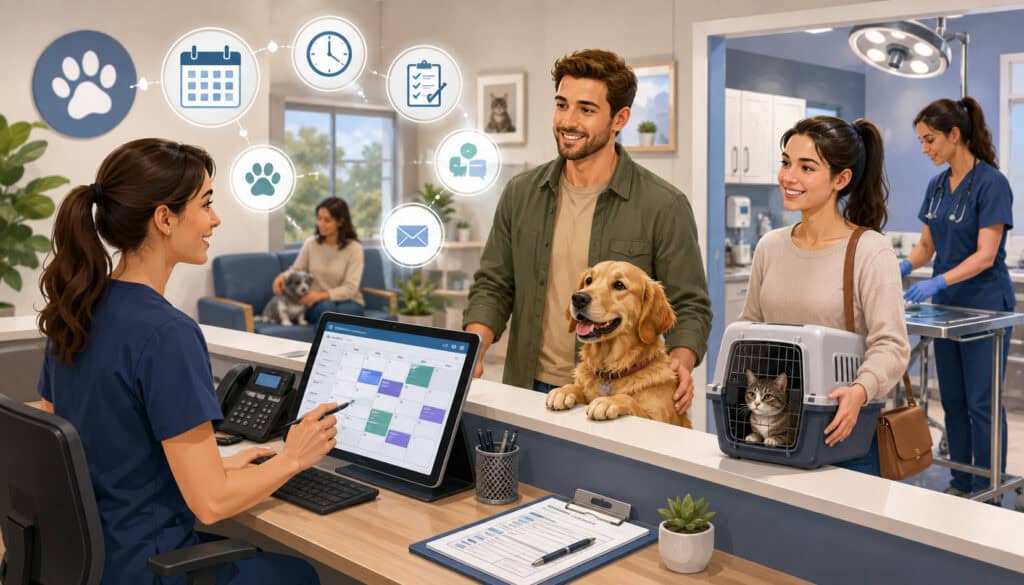
Veterinary appointment scheduling affects nearly every part of the working day. When appointment lengths do not match visit complexity, delays spread from the lobby to exam rooms, treatment areas, medical records, and checkout.
A clinic should not use the same time block for every visit. Wellness examinations, new-patient appointments, technician visits, rechecks, urgent cases, diagnostic consultations, surgery drop-offs, and end-of-life discussions have different staffing and room requirements.
Scheduling templates should reflect those differences. They should also consider doctor preferences, technician availability, treatment-area capacity, procedure days, equipment use, and the number of appointments that can be checked in simultaneously.
Use Appointment Types and Buffer Time Wisely
Clearly defined appointment types allow reception employees to select a time block based on the reason for the visit. Booking questions should be consistent enough to identify likely complexity without asking receptionists to make clinical decisions.
Scheduling rules can include:
- Standard time ranges for common visit categories
- Longer blocks for new clients or multiple concerns
- Dedicated technician appointment periods
- Limits on simultaneous drop-offs
- Protected urgent-care openings
- Separate blocks for procedures and rechecks
- Guidance for multi-pet appointments
- Procedures for late arrivals
Buffer time is also important. Emergencies, complex conversations, additional diagnostics, record reviews, and unexpected patient-handling challenges can affect the schedule.
A buffer should not become unused time by default. Employees can use it for callbacks, documentation, laboratory reviews, or other assigned work when the schedule remains on time.
Collect Information Before the Visit
Pre-visit information helps the medical team prepare and reduces congestion at check-in. Depending on the appointment, the clinic may request updated contact information, the reason for the visit, medication history, vaccination records, previous medical records, consent forms, and relevant questionnaires.
Digital forms can be sent with confirmation messages and connected to the patient record where appropriate. Clients should receive clear instructions about when forms are due and how to provide records from another facility.
Standardized front desk scripts also improve consistency. Reception employees should have approved wording for late arrivals, urgent concerns, deposit policies, record requests, prescription requests, appointment preparation, and expected wait times.
Scripts should guide conversations without making them sound mechanical. Employees still need judgment and empathy, particularly when a client is worried about an animal.
Improve Exam Room and Treatment-Area Flow
Exam-room efficiency depends on preparation, predictable room turnover, clear staff responsibilities, and timely handoffs. When employees repeatedly leave rooms to find supplies or clarify instructions, appointments slow down and clients may feel forgotten.
Each room should have a standard stock list based on the visits commonly performed there. The clinic can assign responsibility for checking supplies at opening, during a designated restocking period, and before closing.
Room status should also be visible. Whether the clinic uses a digital dashboard, door marker, whiteboard, or another system, employees should be able to determine whether a room is available, occupied, awaiting the veterinarian, awaiting diagnostics, or ready for cleaning.
Stock and Turn Over Rooms Consistently
Standardized exam-room stocking reduces unnecessary movement and interruptions. Frequently used supplies should be placed in the same location in comparable rooms so employees do not have to relearn the layout.
A room turnover checklist may include:
- Removing used materials
- Cleaning appropriate surfaces
- Replacing protective coverings
- Restocking common supplies
- Emptying waste when required
- Updating room status
- Reporting damaged or missing equipment
- Preparing species- or visit-specific materials
The process should be realistic enough to complete during busy periods. An overly complicated checklist may be ignored, while an incomplete checklist may leave the next team member unprepared.
Treatment areas can be organized into task zones for laboratory work, pharmacy preparation, procedures, supplies, patient monitoring, and cleaning. Clear zones reduce unnecessary walking and help prevent clean and used materials from becoming mixed.
Create Clear Doctor-Technician Handoffs
A reliable handoff allows the next team member to understand what has happened, what is needed, and what remains pending.
Technician-to-doctor handoffs may include the client’s main concerns, relevant history, medications, vital information, records received, and questions that require clinical review. Doctor-to-technician handoffs may include approved diagnostics, treatment instructions, client education needs, discharge requirements, and follow-up responsibilities.
Clinics can use a standard verbal or digital format so important details are not omitted. However, templates should not replace professional judgment or patient-specific communication.
Patient safety must remain central to every attempt to increase animal hospital efficiency. Staff should never skip appropriate restraint, identification, sanitation, monitoring, documentation, or clinical review merely to improve room turnover.
Official workplace guidance for veterinary clinics notes that animal-care environments may require hazard controls and safe work practices suited to the exposures present. Clinics should obtain qualified advice about their specific workplace obligations.
Clinics should also design treatment-area workflows around employee safety. The CDC and NIOSH provide veterinary safety and health hazard prevention guidance covering workplace-specific safety programs, employee training, hazard assessment, animal handling, infection control, protective equipment, and the hierarchy of controls.
Clinic leaders should adapt these recommendations to their facility and seek qualified guidance for specific workplace requirements.
Optimize Technician Utilization and Staff Scheduling
Veterinarians can become operational bottlenecks when they perform tasks that appropriately trained team members are authorized and competent to complete.
Effective technician utilization does not mean transferring work without support. It requires role clarity, training, appropriate supervision, suitable staffing, and an understanding of applicable scope-of-practice requirements.
Practice managers should review which tasks require a veterinarian and which may be performed by credentialed technicians, assistants, reception employees, or administrative staff. Requirements can vary, so clinics should seek professional and regulatory guidance before changing clinical responsibilities.
Let Team Members Work at the Right Level
Appropriate task delegation can allow veterinarians to focus on examinations, diagnosis, prescribing, treatment decisions, procedures, and client discussions that require their expertise.
Depending on applicable requirements and staff qualifications, technicians or assistants may support history collection, patient preparation, approved laboratory tasks, procedure setup, discharge education, treatment-plan coordination, and documentation support.
Reception employees can manage administrative scheduling, routine forms, communication preferences, records requests, and approved message templates. Inventory coordinators can monitor stock, expiration dates, and purchase orders.
Responsibilities should be written clearly. Employees need to know which tasks they may perform independently, which require approval, and when a concern must be escalated.
Delegation should improve both patient care and veterinary staff productivity. It should not place employees in situations beyond their training, authorization, or available supervision.
Train for Consistency and Match Staffing to Demand
Training should cover more than initial onboarding. Clinics need consistent procedures for client intake, patient handling, documentation, sample labeling, laboratory processing, room turnover, pharmacy work, discharge communication, payments, and emergency escalation.
Managers can use observation, short simulations, checklists, and case reviews to confirm that employees understand the process.
Staff schedules should reflect actual demand patterns. Review appointment volume, phone activity, surgery days, technician visits, lunch periods, drop-offs, and end-of-day callbacks. A clinic may be adequately staffed overall but still experience gaps during predictable peak periods.
Time should also be protected for work that does not appear as an appointment. Medical records, laboratory follow-ups, prescription approvals, inventory counts, client callbacks, cleaning, training, and team meetings require scheduled capacity.
Cross-training can improve resilience, but every employee still needs defined primary responsibilities during busy periods.
Reduce Front Desk Bottlenecks and Improve Client Communication
The front desk often manages several workflows simultaneously: incoming calls, arrivals, appointment scheduling, record requests, prescription messages, client questions, checkout, and payment collection.
When every request is treated as equally urgent, reception employees switch tasks continuously. This increases the risk of incomplete messages, long holds, delayed check-in, and payment errors.
A better front desk workflow separates requests by type, urgency, and destination. Employees should know which concerns require immediate clinical review and which can be placed into a routine work queue.
Separate Urgent and Routine Requests
Clinics can create separate queues or message categories for:
- Urgent patient concerns
- Appointment requests and changes
- Prescription refills
- Medical-record requests
- Laboratory result questions
- Billing and payment questions
- General administrative inquiries
- Requests that require veterinarian review
The reception team should receive clear escalation criteria created with appropriate clinical oversight. Reception employees should not be expected to diagnose or independently determine treatment urgency.
Templates can reduce repeated typing and improve consistency. Useful templates include appointment confirmations, preparation instructions, record-request acknowledgments, refill-status messages, payment reminders, laboratory-result notifications, and follow-up instructions.
A detailed guide to veterinary client communication tools can help clinics evaluate reminders, messaging systems, portals, and other communication workflows.
Use the Right Channel and Set the Appointment Agenda
Not every message should be handled by telephone. Routine confirmations may be suitable for text messages, while detailed instructions may be easier to review by email or through a client portal. Sensitive, urgent, or complicated discussions may require a telephone or in-person conversation.
The clinic should record communication preferences while explaining that some matters require a different channel for safety or clarity.
At the beginning of an appointment, the team can ask the client to identify all concerns and priorities. This makes it easier to plan the visit, explain what can reasonably be addressed, and prevent an important concern from appearing only at checkout.
Veterinary research describes agenda-setting as a practical communication process that can improve appointment efficiency by establishing a shared plan early in the visit.
Use Technology and Veterinary Practice Automation Carefully

Technology can improve veterinary practice efficiency when it reduces manual work, connects information, and supports established workflows.
Common tools include practice management software, electronic medical records, online booking, digital intake forms, automated reminders, client portals, payment links, inventory systems, laboratory integrations, reporting dashboards, and staff communication platforms.
However, more tools do not always produce better veterinary business efficiency. Disconnected applications may create duplicate data entry, separate login requirements, inconsistent records, and additional training needs.
Choose Technology That Matches the Workflow
Before selecting a system, document the process it is expected to support. Identify the users, required integrations, reporting needs, security responsibilities, and steps that should be automated.
A veterinary software buying checklist can help decision-makers compare usability, integrations, training, reporting, communication, inventory, and support capabilities.
During demonstrations, ask vendors to show real workflows rather than isolated features. For example:
- How does an online booking become an appointment record?
- Can submitted intake forms populate the correct fields?
- How are duplicate client profiles prevented?
- How are laboratory orders and results matched?
- Can invoice totals move to the payment system without re-entry?
- What happens when an automated message fails?
- How are permissions and employee access managed?
- Can data be exported when needed?
The tool should reduce steps for employees, not merely move those steps to another screen.
Automate Routine Tasks Without Removing Oversight
Veterinary practice automation can handle repetitive administrative work such as confirmations, reminders, intake forms, follow-up messages, payment confirmations, wellness notifications, and routine status updates.
For a broader explanation, clinics can review why workflow automation matters in busy veterinary practices.
Automation should still have an owner. Someone must review templates, monitor failed messages, update rules, confirm that clients can opt into suitable channels, and manage exceptions.
A routine reminder should not be used when clinical interpretation is required. Automated messages should also avoid exposing sensitive information or creating confusion about urgent concerns.
Start with one repetitive, low-risk process. Measure whether it reduces calls or administrative work before adding more automated workflows.
Improve Medical Records, Laboratory, Pharmacy, and Inventory Workflows
Medical records, diagnostic results, prescriptions, and inventory are closely connected. A delay in one area can affect patient care, client communication, invoicing, and future appointments.
Documentation should be completed as close to the visit as reasonably possible. Delayed records create end-of-day backlogs and increase the chance that important details will be forgotten.
Templates can improve consistency for common visit types, SOAP notes, treatment plans, estimates, consent forms, and discharge instructions. Every template must allow patient-specific information and appropriate clinical detail.
Standardize Laboratory and Pharmacy Workflows
A laboratory workflow should define who enters the order, collects the sample, labels it, processes or stores it, confirms dispatch, reviews the result, updates the record, and communicates with the client.
Pending results need an assigned owner and a visible status. Clinics should not depend on individual memory to determine which results remain outstanding.
Prescription refill workflows should use a consistent request channel. The request should include the patient, medication, requested quantity, client contact information, preferred fulfillment method, and any information needed for professional review.
Routine refills should be separated from urgent medication concerns. Employees should know who reviews requests, how decisions are documented, how inventory is checked, and how clients are notified.
For prescription and dispensing questions, clinics should review applicable professional requirements and official veterinary guidance on prescribing and dispensing animal drugs.
Prescription and dispensing procedures must reflect applicable professional and regulatory requirements.
Clinics can review the FDA’s guidance on prescribing and dispensing animal drugs for general information about veterinarian involvement, lawful prescription orders, professional supervision, veterinarian-client-patient relationships, and telemedicine. Additional requirements may apply at the state or local level.
Improve Veterinary Inventory Management
Inventory shortages can delay treatment, create substitutions, generate emergency orders, and require additional client follow-up. Overstocking can tie up funds and increase expiration-related waste.
Veterinary inventory management should include:
- Standard product names and storage locations
- Minimum and maximum stock levels
- Reorder points
- Lead times
- Expiration-date tracking
- Cycle counts
- Receiving procedures
- Usage adjustments
- Damaged-product procedures
- Vendor-order records
- Restricted-access controls where appropriate
High-value, fast-moving, perishable, and clinically critical items may need more frequent review than ordinary supplies. Controlled substances require appropriate security, recordkeeping, and reconciliation based on applicable requirements.
Official enforcement information emphasizes the importance of complete and accurate records for veterinary professionals handling controlled substances. Clinics should obtain qualified guidance rather than relying on informal procedures.
Streamline Estimates, Invoices, Payments, and Checkout
Checkout becomes a bottleneck when treatment decisions, discharge instructions, invoices, and payment expectations are not completed until the client reaches the front desk.
Whenever appropriate, provide treatment estimates before services are performed. Employees should understand who prepares the estimate, who reviews it, how client decisions are documented, and how approved changes are added.
The invoice should be updated as care is provided instead of reconstructed at the end of the visit. This improves billing accuracy and gives the medical team an opportunity to correct missing items before checkout.
Make Costs and Checkout Clear
Clients should receive enough information to understand recommended services, expected costs, available choices, and payment timing. Questions involving diagnosis, prognosis, or treatment alternatives must be handled by an appropriately qualified professional.
A coordinated checkout process may include:
- Confirming that the medical record and invoice are complete
- Providing medication and discharge instructions
- Scheduling follow-up care
- Collecting payment
- Issuing a receipt
- Confirming the preferred communication channel
- Updating the room or patient status
The client should not have to move repeatedly between the front desk and medical team to resolve missing instructions or invoice questions.
A practical veterinary billing software guide can help clinics assess invoice integration, reporting, payment workflows, and administrative requirements.
Improve Veterinary Payment Processing and Protect Data
Veterinary payment processing may include card payments, contactless payments, mobile terminals, online payment links, ACH payments, deposits, refunds, and approved payment arrangements.
Offering suitable payment options can reduce front desk delays, particularly when clients can complete deposits or outstanding balances through a secure link. Integrated systems may also reduce duplicate entry by transferring approved invoice totals to the payment interface.
Employees should never place full card or bank information in unsecured notes, ordinary email, spreadsheets, or unprotected paper files. Access to payment systems should be limited based on job responsibilities, and reconciliation procedures should identify unexplained differences promptly.
Payment security requirements depend on the clinic’s systems, providers, and transaction methods. The payment-card standards body describes its requirements as baseline technical and operational protections for payment account data. Clinics should work with qualified providers and compliance professionals.
Create Practical Standard Operating Procedures
Standard operating procedures help employees complete recurring work consistently. They are especially useful during busy periods, employee onboarding, schedule changes, and unexpected absences.
Veterinary clinic procedures may cover appointment booking, check-in, room turnover, treatment-area setup, laboratory samples, prescription refills, inventory counts, estimates, invoice review, payment collection, cleaning, client complaints, and emergency escalation.
An SOP should explain the expected sequence, responsible role, required records, escalation point, and completion standard. It should be easy to access during the task.
SOPs Should Reduce Guesswork
An effective SOP answers the questions employees encounter while working. For example, a refill procedure should explain where the request is recorded, what information is required, who reviews it, how priority is assigned, and how the client is notified.
Avoid writing procedures that simply restate a goal. “Process refills promptly” does not explain how to do the work.
Use employee feedback to test the procedure. Team members who perform the task can often identify missing steps, unrealistic assumptions, and common exceptions.
SOPs should be reviewed after software changes, service changes, incidents, or repeated workflow failures. Each document should have an owner and review date, even when no major revision is needed.
A veterinary operations playbook can organize related procedures, role descriptions, communication templates, training materials, and escalation guidance in one location.
Efficiency Should Support the Team
Poor systems contribute to constant interruptions, unfinished records, missed breaks, overtime, and difficult client interactions. Improving veterinary business efficiency should make work clearer and more sustainable rather than simply increasing workload.
Ask employees where they lose time, which tasks create repeated frustration, and what information they frequently lack. Frontline employees often understand the practical bottlenecks better than a report can show.
Managers should also examine whether staffing expectations match appointment demand. A workflow cannot compensate indefinitely for inadequate coverage, unsafe workloads, or insufficient training.
When introducing a change, explain what problem it is intended to solve and how success will be measured. Give employees an opportunity to report unintended effects.
Efficiency initiatives are more likely to succeed when staff members see that the purpose is to reduce confusion, protect patient care, and improve the working environment.
Use Metrics to Improve Veterinary Operational Efficiency

Metrics help a clinic determine whether a workflow change improved the situation. The goal is not to measure every possible activity or rank employees by isolated numbers.
Begin with the bottleneck being addressed. If the clinic is improving scheduling, it might track client wait time, no-show rate, late starts, and appointment duration. If it is improving checkout, it might track invoice completion time, payment corrections, and clients waiting after discharge.
Useful veterinary operational efficiency measures may include:
- Average client wait time
- Appointment start-time variation
- No-show and late-cancellation rates
- Average appointment duration by visit type
- Exam-room turnover time
- Callback volume
- Pending laboratory results
- Record completion time
- Prescription refill turnaround
- Inventory stockouts
- Expired inventory value
- Invoice corrections
- Checkout duration
- Staff overtime
- Client complaints related to process delays
Start With a Few Meaningful KPIs
Choose three to five key performance indicators connected to the clinic’s current priority. Too many dashboards can consume more time than they save.
Establish a baseline before changing the process. Then compare results over a suitable period while considering appointment volume, staffing changes, emergencies, and seasonal patterns.
Metrics should be interpreted with context. A longer appointment is not necessarily inefficient when it involves a complex case or important client education. A lower average time is not automatically better when documentation errors or callbacks increase.
Review data with the team and ask what explains the pattern. Numbers can show where a problem exists, while employees can often explain why it occurs.
The purpose of measurement is continuous improvement, not blame. Process failures should be investigated before individual performance conclusions are made.
Veterinary Clinic Efficiency Checklist
| Efficiency Area | Question to Ask | Why It Matters | Priority |
| Scheduling | Are appointment types and time blocks clearly defined? | Reduces daily schedule disruption | High |
| Check-in | Are forms and records collected before arrival when possible? | Speeds client intake | High |
| Exam rooms | Are rooms stocked, cleaned and visibly assigned? | Improves appointment flow | High |
| Staff roles | Does each employee understand responsibilities and escalation points? | Reduces confusion | High |
| Records | Are notes completed close to the visit? | Prevents rework | High |
| Lab results | Is every pending result assigned and tracked? | Supports reliable follow-up | High |
| Pharmacy | Are refill requests centralized and documented? | Reduces duplicate work | High |
| Inventory | Are reorder points and expiration dates monitored? | Prevents shortages and waste | High |
| Communication | Are approved templates and reminders used appropriately? | Reduces repetitive calls | High |
| Payments | Is checkout fast, accurate and secure? | Reduces front desk delays | High |
| Technology | Are systems integrated and consistently used? | Reduces manual entry | Medium/High |
| Metrics | Are workflow bottlenecks reviewed regularly? | Supports continuous improvement | Medium/High |
Practice managers can use the checklist during staff meetings, quarterly operational reviews, onboarding, and process-improvement projects.
Keep workflow maps, SOPs, training records, employee feedback, appointment reports, inventory reports, payment reports, client complaints, and improvement notes organized. These records help the clinic understand which changes were tested and whether they worked.
How to Improve Efficiency in a Veterinary Clinic Step by Step
The best ways to streamline veterinary clinic operations usually involve small, measurable improvements rather than a clinic-wide redesign.
Use the following framework:
- Observe the current workflow.
- Ask employees where delays and repeated work occur.
- Select one high-friction process.
- Document each current step and handoff.
- Identify the likely root cause.
- Design a simpler and safer process.
- Assign responsibilities.
- Train the affected employees.
- Pilot the change on a limited scale.
- Measure the results.
- Adjust the process based on feedback.
- Document the final procedure.
This framework can be applied to appointment scheduling, intake forms, laboratory follow-up, room turnover, inventory counts, refills, medical records, communication, or checkout.
Start With the Highest-Friction Process and Test It
The highest-friction process is often the one that causes repeated interruptions, client complaints, employee frustration, or end-of-day backlog.
Do not select a problem only because it appears easy to fix. Focus on a process that meaningfully affects patients, clients, or staff.
Before changing it, describe the problem specifically. “The front desk is inefficient” is too broad. “Routine refill calls interrupt check-in and are recorded in three places” identifies a process that can be reviewed.
Pilot the proposed workflow with one team, appointment type, shift, or day. A limited test makes it easier to identify missing steps without disrupting the entire clinic.
Decide in advance what success means. The clinic might aim to reduce duplicate refill messages, shorten check-in time, decrease missing forms, or improve record completion before closing.
Choose Workflow Fit Over Feature Count
When selecting tools to streamline veterinary clinic operations, consider integration, usability, training, reporting, automation, security, support, and total administrative effort.
Ask potential providers:
- Does the system integrate with current practice software?
- Will staff have to enter the same information more than once?
- Can access be limited by role?
- How are updates, backups, and security handled?
- What training is included?
- How are failed messages or transactions reported?
- Can the system support inventory, payment, and communication workflows?
- Can reports be customized?
- How is data exported?
- What support is available during clinic hours?
Avoid choosing a product only because it has the longest feature list. An advanced system provides little value when employees cannot use it consistently or when it adds unnecessary steps.
The most useful technology supports the veterinary clinic workflow that the team has intentionally designed.
Common Veterinary Clinic Efficiency Mistakes
One common mistake is increasing appointment volume before fixing existing workflow problems. Additional bookings can increase wait times, unfinished records, rushed communication, and employee stress when the clinic lacks sufficient room, technician, or administrative capacity.
Another mistake is purchasing software without defining the problem. Technology may add expense and training requirements while leaving the underlying process unchanged.
Clinics may also underuse technicians, ignore front desk workload, delay medical records, fail to track inventory, or depend on verbal procedures that vary between employees.
Other avoidable mistakes include:
- Changing several major workflows simultaneously
- Measuring employees without examining the process
- Using automation without monitoring exceptions
- Creating SOPs that are difficult to access
- Treating every communication request as urgent
- Failing to assign pending laboratory results
- Allowing multiple refill-request channels
- Waiting until checkout to finish invoices
- Ignoring staff feedback
- Assuming faster work always means better work
The most reliable approach is to find the root cause. A late checkout might result from delayed documentation, incomplete estimates, missing discharge instructions, or a disconnected payment system. Correcting only the visible symptom may move the delay elsewhere.
Best Practices to Improve Veterinary Clinic Efficiency
Clinics can strengthen veterinary practice management by applying a consistent set of operational principles:
- Begin with a workflow audit.
- Map the complete client and patient journey.
- Schedule appointments according to visit type.
- Use realistic buffer periods.
- Collect forms and records before arrival.
- Standardize check-in and checkout.
- Keep exam rooms consistently stocked.
- Establish clear doctor-technician handoffs.
- Delegate tasks appropriately.
- Train employees on shared procedures.
- Centralize refill and record requests.
- Use communication templates carefully.
- Complete records close to the appointment.
- Track laboratory results and follow-up ownership.
- Establish inventory reorder points.
- Monitor expiration dates.
- Prepare estimates and invoices before checkout.
- Use secure, suitable payment options.
- Automate low-risk repetitive tasks.
- Review a small number of meaningful KPIs.
- Update SOPs as workflows change.
- Improve one bottleneck at a time.
Clinic leaders should also recognize when professional guidance is necessary. Clinical, legal, employment, tax, accounting, insurance, cybersecurity, payment compliance, lending, and regulatory questions should be directed to appropriately qualified professionals.
Frequently Asked Questions
How can I improve veterinary clinic efficiency?
Begin by observing the complete client and patient journey, from appointment booking through follow-up. Identify where employees wait for information, repeat tasks, search for supplies, change systems, or receive frequent interruptions.
Select one high-impact bottleneck and document the current process. Ask employees who perform the work for practical feedback. Then create a simpler workflow, assign responsibilities, test the change, and measure the results.
Common starting points include scheduling by appointment type, collecting intake forms before arrival, stocking exam rooms consistently, centralizing refill requests, completing records promptly, and preparing invoices before checkout.
The objective is to reduce avoidable administrative work while protecting patient safety and client communication.
What causes poor veterinary clinic workflow?
Poor veterinary clinic workflow commonly results from unclear responsibilities, inconsistent procedures, incomplete information, poorly designed schedules, disconnected software, and unmanaged interruptions.
Delays can also occur when appointment types use unsuitable time blocks, medical records are completed late, laboratory results lack an assigned owner, or inventory is not monitored.
Many problems happen during handoffs. One employee may finish a task without clearly signaling that the next person should begin. A visible status system and standardized handoff format can reduce this uncertainty.
Clinic leaders should investigate the complete process before assuming that a delay is caused by an individual employee.
What are the best ways to streamline veterinary clinic operations?
The best ways to streamline veterinary clinic operations are to standardize recurring processes, define staff roles, improve scheduling, centralize communication, reduce duplicate data entry, and use technology selectively.
Start with processes that create frequent client complaints, employee frustration, or end-of-day backlog. Map each step, remove unnecessary duplication, assign ownership, and test the revised workflow.
Useful improvements may include online forms, appointment reminders, room-stocking checklists, laboratory-result queues, refill-request forms, integrated invoices, and operational dashboards. Changes should be introduced gradually so the team can evaluate whether they support patient care and reduce workload.
How can scheduling improve veterinary practice efficiency?
Scheduling improves veterinary practice efficiency when appointment lengths reflect the actual time and resources required for each visit.
Create categories for wellness visits, sick appointments, new clients, rechecks, technician services, procedures, urgent cases, and multi-pet visits. Include appropriate buffer periods for emergencies, complex discussions, delayed clients, and record completion.
Booking questions should help employees select the correct visit type without requiring them to make clinical decisions. Review schedule performance regularly. If one appointment category consistently runs late, adjust its booking questions, time block, preparation requirements, or staffing support.
How can veterinary clinics reduce front desk bottlenecks?
Separate incoming work into defined categories, such as appointments, urgent concerns, prescription requests, records, laboratory questions, billing questions, and general inquiries.
Create clear routing and escalation procedures. Reception employees should know which requests require immediate clinical review and which can be added to a routine queue.
Use approved templates for confirmations, preparation instructions, refill acknowledgments, record requests, and payment reminders. Offer suitable digital forms and self-service options where they reduce work without creating client confusion.
Checkout can also be improved by completing invoices, medications, and discharge instructions before the client reaches the front desk.
What technology helps improve veterinary operational efficiency?
Technology may include practice management software, electronic records, digital intake forms, online booking, automated reminders, client portals, laboratory integrations, inventory tools, payment links, and reporting dashboards.
The best system depends on the clinic’s workflow, staffing, service mix, and existing technology. Integration and ease of use are often more valuable than a large number of features.
Before buying a tool, identify the process it should improve and the measurable result expected. Ask whether the system removes manual work or simply moves it to another screen.
Automation should be monitored by an assigned employee, particularly when messages, payments, patient records, or client data are involved.
How does inventory management affect veterinary clinic efficiency?
Reliable inventory management ensures that medications, vaccines, laboratory materials, surgical supplies, preventives, and routine consumables are available when needed. Stockouts can delay treatment, create rush orders, and require additional client communication. Overstocking can increase waste and expiration risk.
Clinics should establish reorder points, assign storage locations, monitor expiration dates, record received products, and review high-value or fast-moving items more frequently. Restricted or controlled products require appropriate security, documentation, reconciliation, and professional guidance based on applicable requirements.
How can payment processing improve veterinary business efficiency?
An organized payment process reduces manual entry, invoice corrections, checkout delays, and reconciliation problems.
Invoices should be completed before the client is ready to leave. Suitable payment methods may include cards, contactless payments, secure online links, ACH payments, or mobile terminals, depending on the clinic’s systems and policies.
Payment information should be handled through approved, secure systems rather than unprotected notes, emails, spreadsheets, or paper records.
Clinics should work with qualified payment and compliance professionals to understand their responsibilities, configure systems properly, and protect payment account data.
Conclusion
Learning how to improve veterinary clinic efficiency helps practices reduce workflow bottlenecks, organize patient movement, strengthen client communication, support veterinary staff productivity, manage inventory, complete records, improve billing accuracy, and create a smoother checkout experience.
Efficiency should never mean rushing patient care or replacing clinical judgment with rigid time targets. It should reduce unnecessary work so veterinary professionals can focus more attention on patients and clients.
The strongest improvements usually begin with a workflow audit. Map the client and patient journey, listen to frontline employees, identify the most disruptive bottleneck, and redesign one process at a time.
Clear roles, practical SOPs, appropriate delegation, thoughtful technology, secure payment procedures, reliable inventory controls, and a few meaningful metrics can help build a more efficient veterinary practice. Continuous improvement, rather than a one-time operational overhaul, is the most sustainable path toward better veterinary clinic efficiency.