Veterinary EMR vs EHR Systems Explained
Veterinary EMR vs EHR Systems is an important topic for any clinic moving away from paper files, outdated software, disconnected spreadsheets, or manual documentation habits.
Digital records now support almost every part of veterinary practice operations, from exam room notes and vaccine reminders to lab results, prescriptions, billing, client communication, inventory usage, and reporting.
At a basic level, veterinary EMR and veterinary EHR systems both help clinics manage animal medical records electronically. The difference is usually about scope.
A veterinary EMR often focuses on medical records inside one clinic or practice, while a veterinary EHR may support a broader view of pet health records, data sharing, referrals, client access, multi-location visibility, and connected care where those features are available.
However, the terms are not always used consistently. Some veterinary clinic software platforms use “EMR,” “EHR,” “medical records,” “practice management software,” and “digital veterinary records” in overlapping ways. That is why clinics should look beyond the label and evaluate real features, workflow fit, security, integration, reporting, training, and long-term usability.
This guide explains Veterinary EMR vs EHR Systems in a practical way for veterinary clinic owners, practice managers, veterinarians, technicians, operations teams, finance teams, and new clinic operators.
It covers what each system means, how electronic veterinary records support patient care, how digital workflows affect daily operations, and what to consider before selecting or switching systems.
What Are Veterinary EMR and EHR Systems?
Veterinary EMR and veterinary EHR systems are digital tools used to create, store, manage, and retrieve veterinary patient records.
Instead of relying only on paper charts, loose forms, handwritten notes, or scattered files, clinics use electronic veterinary records to document medical history, exam findings, diagnoses, treatment plans, prescriptions, vaccine records, lab results, imaging records, client instructions, and follow-up needs.
A veterinary EMR, or electronic medical record, generally refers to a digital medical chart used inside a specific veterinary clinic or practice. It helps the team document care for patients seen at that location. It may include veterinary SOAP notes, diagnostic records, estimates, consent forms, prescriptions, vaccine reminders, attachments, and internal treatment notes.
A veterinary EHR, or electronic health record, generally suggests a broader health record. It may include everything found in an EMR, but with stronger support for connected information, broader pet health history, referral documentation, client portal access, multi-location practice visibility, lab and imaging integrations, telemedicine records, and data sharing where supported.
The American Veterinary Medical Association supports electronic health records and standardized continuity-of-care concepts to improve medical record transfer among veterinary professionals, while maintaining confidentiality.
This matters because many animals receive care from multiple providers over time, including primary care clinics, emergency hospitals, specialty centers, mobile providers, shelters, boarding facilities, and referral partners.
For clinics, the most important question is not only “Is this an EMR or EHR?” The better question is: “Does this system help our team document care accurately, access records quickly, communicate clearly, protect data, and run the practice more efficiently?”
Why Digital Veterinary Records Matter
Digital veterinary records matter because veterinary medicine depends on accurate, timely, and accessible information.
A patient’s medical history may include vaccines, allergies, chronic conditions, previous surgeries, lab trends, imaging notes, medications, dental findings, behavior notes, nutrition plans, client communication records, and declined recommendations. When this information is difficult to find, patient care and clinic efficiency can suffer.
Electronic veterinary records help teams work from a shared source of information. A technician can enter vitals, a veterinarian can complete assessment notes, the front desk can schedule follow-up, the pharmacy team can prepare medication labels, and the billing team can connect services to invoices. This reduces duplicate work and helps everyone understand what happened during the visit.
Digital veterinary records also support veterinary recordkeeping consistency. Templates, required fields, dropdowns, attachments, reminders, and timestamps can help teams document more completely. Medical record quality is important for continuity of care, collaboration, and practice accountability.
Veterinary medical records are often treated as both clinical tools and business records, and requirements can vary by jurisdiction, so clinics should understand local recordkeeping expectations and consult qualified guidance when needed.
From an operations perspective, digital veterinary records support appointment scheduling, treatment plan tracking, client communication, inventory management, billing, payment processing, reporting dashboards, and staff productivity.
A clinic can see which patients need reminders, which services are growing, which products are used most often, and where documentation gaps appear.
What Is a Veterinary EMR?
A veterinary EMR is a digital version of the medical record used within a clinic or practice. It usually focuses on the care delivered by that specific veterinary team.
For example, if a dog is seen for vomiting, the veterinary EMR may include the intake notes, weight, temperature, physical exam findings, diagnostic recommendations, lab results, treatment plan, prescriptions, discharge instructions, and follow-up reminders.
Veterinary electronic medical records often include SOAP note templates. SOAP stands for subjective, objective, assessment, and plan. The subjective section may include the client’s observations, such as appetite changes or coughing.
The objective section may include exam findings, vitals, lab values, and imaging notes. The assessment section records the veterinarian’s interpretation, and the plan section outlines treatment, monitoring, prescriptions, client instructions, and next steps.
A veterinary EMR may also store vaccine records, veterinary lab results, veterinary imaging records, veterinary prescriptions, consent forms, estimates, attachments, client communication records, and discharge notes.
In many clinics, the EMR is part of a broader veterinary practice management software system that also handles scheduling, invoicing, reminders, inventory, and reporting.
The strength of a veterinary EMR is that it organizes medical documentation inside the clinic. It helps doctors, technicians, receptionists, and managers find patient information quickly. It also reduces the risk of misplaced charts, unreadable handwriting, incomplete forms, or disconnected files.
However, a traditional EMR may be more limited when a patient receives care outside the clinic. If the system does not support easy sharing, referral records, client portals, or multi-location access, staff may still need to send PDFs, scan documents, request outside records manually, or re-enter information into another system.
What Is a Veterinary EHR?
A veterinary EHR is generally a broader electronic health record that may include the full scope of medical documentation plus tools for connected care. In practical terms, a veterinary EHR may help clinics see a more complete pet health history across services, locations, specialists, diagnostics, client communication channels, and integrated systems.
A veterinary EHR may include SOAP notes, vaccine records, prescriptions, lab results, imaging reports, referral records, client portal access, telemedicine records, communication logs, appointment history, preventive care reminders, billing history, and reporting dashboards.
In a multi-location veterinary practice, an EHR-style system may allow authorized team members to view records across locations rather than keeping each clinic isolated.
The key idea behind veterinary electronic health records is continuity. A pet may start at a general practice, visit an emergency hospital, return for follow-up, receive a specialist referral, and continue long-term chronic care. When records are connected and accessible to the right people, care decisions can be better informed.
EHR-style systems may also support interoperability, which means the ability of systems to exchange and use information.
This can include lab integrations, imaging integrations, online forms, client portals, pharmacy tools, accounting tools, payment workflow connections, and communication platforms. Not every system offers the same level of interoperability, so clinics must verify actual capabilities.
Veterinary EMR vs EHR Systems Comparison Table
The difference between Veterinary EMR and EHR Systems is best understood by comparing how each system may function in everyday clinic operations. The table below gives a practical view, but clinics should remember that software labels vary.
| Comparison Area | Veterinary EMR | Veterinary EHR | Practical Meaning for Clinics |
| Main focus | Medical record inside a clinic or practice | Broader health record across care needs | EMR may work well for single-site documentation; EHR may help when care is more connected |
| Record scope | Visit notes, diagnoses, treatments, vaccines, prescriptions, lab results | Full health timeline, referrals, communication, multi-location access, integrations | EHR may provide a wider view of patient history |
| Data sharing | May be limited to exports, PDFs, or internal access | May support portals, referrals, integrations, or cross-location sharing | Useful when patients move between providers or locations |
| Interoperability | Often depends on the software | Often emphasized more strongly | Clinics should test lab, imaging, pharmacy, and communication integrations |
| Client access | May offer limited records or printed summaries | May support client portals, vaccine access, reminders, and messages | Can reduce phone calls and improve client convenience |
| Multi-location support | May be limited or require separate databases | May support shared records and role-based access across locations | Important for growing practices |
| Reporting | May include basic medical and billing reports | May include broader clinical, operational, and location-level dashboards | Helps managers track performance and consistency |
| Workflow role | Supports documentation and internal care processes | Supports documentation plus connected care workflows | The best choice depends on practice structure and growth plans |
| Security needs | User access, backups, audit trails, updates | Same needs, often with broader access controls | More connectivity increases the need for strong permissions |
| Best fit | Single clinic or practice needing organized medical records | Clinics needing broader health visibility, sharing, integrations, or multi-site access | Fit matters more than terminology |
Key Difference Between Veterinary EMR and EHR Systems
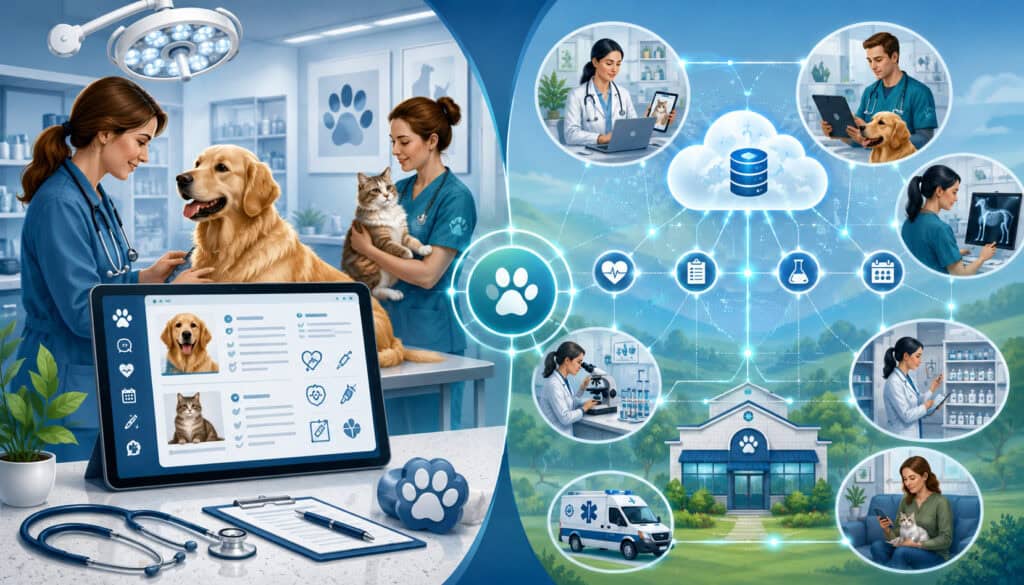
The key difference between Veterinary EMR and EHR Systems is usually scope. A veterinary EMR is commonly centered on medical documentation within one clinic. A veterinary EHR is commonly associated with a wider patient health record that may support sharing, interoperability, referrals, client access, and multi-location visibility.
That said, veterinary software marketing can blur these definitions. One vendor may call its product an EMR, another may call a similar product an EHR, and another may describe the same capabilities as veterinary practice management software or veterinary clinic software. Because of this, the label should never be the only deciding factor.
Clinics should evaluate what the system actually does. Can staff document SOAP notes efficiently? Can doctors review lab trends? Can images and diagnostic attachments be stored or linked? Can client communication records be documented? Can vaccine records and certificates be generated? Can prescriptions and inventory connect? Can billing and payment workflow match the medical record? Can users access the right records across locations?
Record Scope
Record scope refers to how much patient information the system holds and how broadly it organizes that information. A veterinary EMR may focus on the medical record created by one clinic. It might include exams, vaccines, prescriptions, lab results, imaging notes, and treatment plans related to visits at that practice.
A veterinary EHR may aim to show a broader health story. For example, a patient’s record may include wellness care, emergency notes, specialist summaries, lab results from integrated providers, telemedicine records, client messages, and cross-location visit history.
The practical impact is important. A single-location clinic may prioritize fast documentation, accurate billing, and reliable reminders. A multi-location veterinary practice may need shared patient records, standardized templates, location-level reporting, and access controls across teams.
Data Sharing and Interoperability
Data sharing means records can be shared with the right people in a controlled way. Interoperability means systems can exchange information and use it meaningfully. In veterinary care, this can involve lab systems, imaging tools, referral partners, pharmacy workflows, online forms, client portals, and communication platforms.
EHR-style systems often emphasize data sharing more than traditional EMR systems, but clinics should verify the details. A system may claim integration, but only support limited file uploads. Another may support automatic lab result import, structured diagnostic values, or two-way communication.
The AVMA’s support for electronic health records and continuity-of-care standards highlights the value of structured record transfer in veterinary medicine. For clinics, the goal is not to share everything with everyone. The goal is to make relevant information available to authorized people at the right time.
Common Features of Veterinary EMR Systems
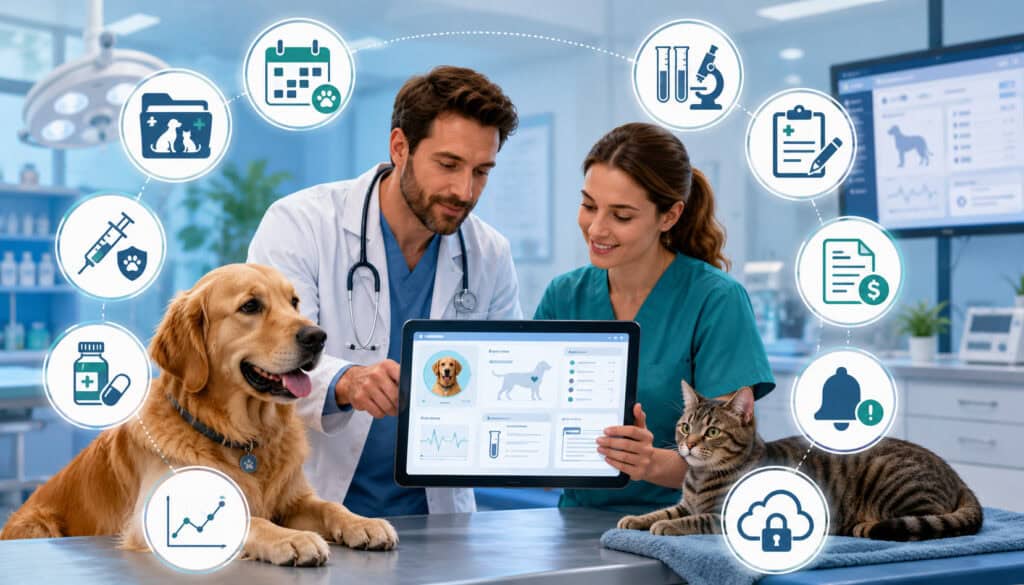
Veterinary EMR systems usually begin with the medical chart. The core feature is the ability to document patient encounters clearly and consistently. This includes medical history, reason for visit, physical exam findings, diagnoses, procedures, treatment plans, prescriptions, vaccine records, and discharge instructions.
Common veterinary EMR features include:
- Veterinary SOAP notes
- Medical history and problem lists
- Vaccine records and reminders
- Prescription history and refill notes
- Lab result storage or import
- Imaging records and attachments
- Treatment plans and estimates
- Consent forms and signed documents
- Weight, vitals, and exam findings
- Client instructions and discharge summaries
- Appointment records
- Internal notes and alerts
- Declined services documentation
- Follow-up tasks and reminders
A strong EMR helps technicians and doctors work together. For example, a technician may collect the patient history and vitals, then the veterinarian completes the exam, assessment, and plan. The front desk can then schedule rechecks, collect payment, and send discharge instructions.
Veterinary EMR systems may also connect with billing and inventory. If a vaccine is administered, the system may update the medical record, add the service to the invoice, reduce inventory, and trigger a future reminder. This connection reduces manual work and helps avoid missed charges.
Common Features of Veterinary EHR Systems
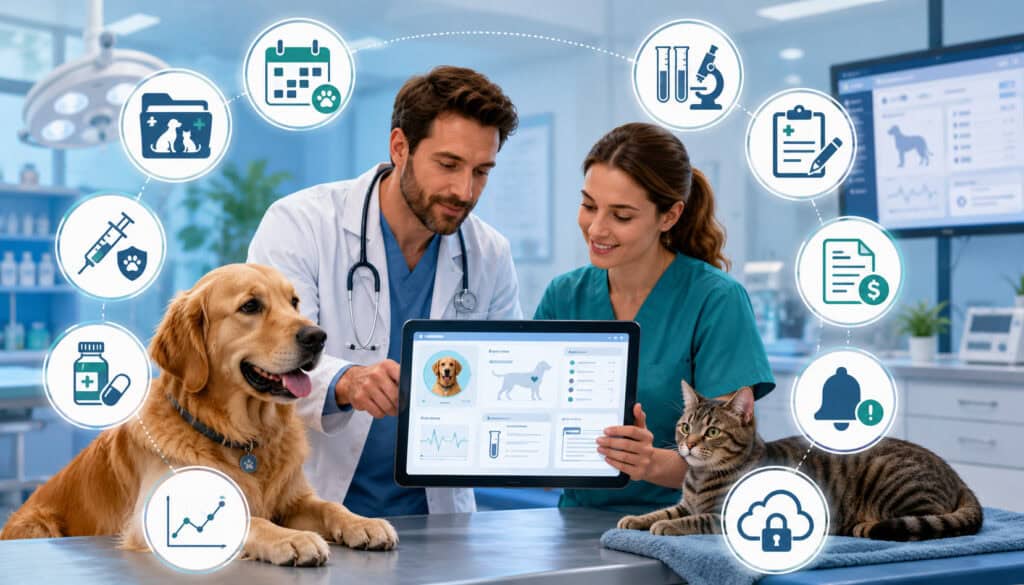
Veterinary EHR systems often include the same features as EMR systems but extend them across broader health, operational, and communication workflows. An EHR-style system may help a clinic track the patient’s history over time, across locations, and across connected services.
Common veterinary EHR features may include:
- Broader pet health records
- Multi-location record access
- Client portals
- Referral records and specialist notes
- Lab and imaging integrations
- Telemedicine records
- Communication logs
- Preventive care timelines
- Prescription and pharmacy connections
- Online forms and digital consent
- Reporting dashboards
- Role-based access
- Data exchange options
- Client reminders and messaging
- Cross-location patient history
For example, a pet seen at one location for vaccines and another location for urgent care may still have one connected record. Authorized users can review prior medications, allergies, lab results, and client communication before making care decisions. This can reduce duplicate questions and improve continuity.
EHR-style systems can also support management decisions. A reporting dashboard may show appointment volume, treatment plan acceptance, reminder compliance, vaccine activity, inventory usage, revenue trends, or follow-up completion. These reports can help managers identify workflow bottlenecks and training needs.
Veterinary EMR and EHR Feature Table
| Feature | Why It Matters | EMR Use | EHR Use |
| SOAP notes | Organizes medical reasoning and treatment plans | Core documentation feature | Core documentation plus broader continuity |
| Vaccine records | Supports preventive care and certificates | Tracks vaccines within the clinic | May support client access and cross-location visibility |
| Lab results | Helps doctors review diagnostics | Stores or imports results | May connect structured lab data across systems |
| Imaging records | Keeps radiology and ultrasound notes accessible | Stores attachments or notes | May connect imaging platforms or referral reports |
| Prescriptions | Tracks medications and refill history | Supports medication records and labels | May connect pharmacy, client instructions, and inventory |
| Client communication records | Documents calls, texts, approvals, and follow-ups | Internal notes and logs | May connect portal, messages, and referral communication |
| Appointment scheduling | Connects visits to records | Common in practice software | Common, often with broader visibility |
| Billing and payment workflow | Reduces missed charges and supports checkout | Links services to invoices | May support broader reconciliation and reporting |
| Inventory management | Tracks product usage and reorders | May update stock from treatments | May support multi-location inventory visibility |
| Reporting dashboard | Helps management review performance | Basic reports may be included | Advanced dashboards may be available |
| Client portals | Reduces routine record requests | May be limited | Often more common in EHR-style systems |
| Security controls | Protects records and business continuity | Permissions, backups, updates | Role-based access, audit logs, broader controls |
How Electronic Veterinary Records Support Patient Care
Electronic veterinary records support patient care by helping teams find the right information quickly. When a patient arrives, staff can review prior visits, vaccines, medications, allergies, weight trends, lab results, imaging notes, chronic conditions, and previous treatment plans. This helps the team avoid unnecessary duplication and make better-informed decisions.
Digital veterinary records are especially useful for chronic care. A diabetic cat, a dog with allergies, or a senior pet with kidney disease may need repeated lab monitoring, medication adjustments, diet notes, and follow-up reminders. A well-organized record helps doctors compare changes over time rather than relying on memory or scattered notes.
Electronic records also support safety. If a patient has a medication reaction, anesthesia concern, bite warning, or special handling note, the system can make that information visible to the team. Alerts should be used carefully, but when designed well, they help staff act consistently.
Client communication is also part of patient care. When recommendations, declined services, estimates, and instructions are documented, the next team member can understand what was discussed. This is valuable when a client calls back, sees another doctor, or returns for follow-up.
How EMR and EHR Systems Improve Clinic Workflow
Veterinary workflow includes many handoffs. A client schedules an appointment, reception confirms details, a technician gathers history, a veterinarian examines the patient, diagnostics may be ordered, treatment plans are discussed, prescriptions are prepared, invoices are created, payment is collected, and discharge instructions are sent. EMR and EHR systems help organize these handoffs.
Digital records reduce the need to chase paper charts or ask the same question repeatedly. A technician can enter information before the doctor enters the room. The doctor can review notes, add findings, and approve the plan. The front desk can see services, estimates, reminders, and follow-up tasks.
Exam Room Workflow
In the exam room, electronic veterinary records help organize the visit. Staff can view history, vitals, reason for visit, prior diagnostics, vaccine status, medication lists, and client concerns in one place. This helps the appointment move more smoothly.
A good system supports both speed and accuracy. Templates can help staff complete wellness exams, sick visits, dental evaluations, surgery discharges, and recheck appointments. Custom fields can capture details specific to the clinic’s services.
The risk is over-template use. If notes become too generic, they may not reflect the patient’s actual condition. Clinics should train staff to use templates as a starting point, not as a substitute for careful documentation.
Follow-Up and Reminder Workflows
Follow-up workflows are one of the biggest advantages of digital veterinary records. Systems can support vaccine reminders, recheck reminders, dental reminders, preventive care notices, lab result callbacks, medication refill follow-ups, and chronic care monitoring.
For example, after treating an ear infection, the doctor may set a recheck reminder. After annual vaccines, the system may schedule future reminders. After lab results arrive, a task may be assigned for client communication.
These workflows support clinic efficiency because reminders are not dependent on memory alone. They also support patient care because preventive and follow-up needs are easier to track.
Veterinary SOAP Notes and Digital Documentation
Veterinary SOAP notes are one of the most common documentation structures in animal medical records. The format helps organize information into four sections: subjective, objective, assessment, and plan. EMR and EHR systems help standardize this process through templates, dropdowns, checkboxes, required fields, and reusable treatment plan structures.
The subjective section captures information from the client or caregiver. This may include appetite, energy level, vomiting, coughing, limping, urination changes, behavior changes, or medication history.
The objective section includes measurable findings such as weight, temperature, heart rate, respiratory rate, exam observations, lab values, imaging findings, and diagnostic results.
The assessment section records the veterinarian’s interpretation. This may include suspected diagnosis, differential diagnoses, response to treatment, or risk concerns. The plan section includes medications, diagnostics, treatment recommendations, monitoring, client education, rechecks, and referral recommendations.
Digital SOAP notes can improve consistency across doctors and technicians. A clinic can create templates for wellness exams, dermatology visits, dental procedures, surgery follow-ups, senior pet visits, and urgent care cases. Templates help newer staff learn the expected documentation process.
Lab Results, Imaging, and Diagnostic Records
Veterinary lab results, imaging records, and diagnostic attachments are essential parts of the medical record. A digital system may store bloodwork, urinalysis, fecal results, cytology, pathology reports, radiology notes, ultrasound reports, dental charts, photographs, and scanned documents.
Some systems allow manual uploads, while others support integrations with lab or imaging providers. Integrated lab results can reduce manual entry and help doctors review trends over time. For example, a veterinarian may compare kidney values, liver enzymes, thyroid levels, or blood glucose results across multiple visits.
Imaging records may include radiology images, interpretation notes, ultrasound findings, or referral reports. Even when the system does not store full image files, it should allow the clinic to document where images are stored and what conclusions were made.
Diagnostics should connect to treatment plans. If lab results lead to medication changes, monitoring, referrals, or client instructions, those decisions should be recorded clearly. This helps future team members understand not only what the result was, but what action was taken.
For animal hospital management, diagnostics are also operationally important. They affect inventory, billing, turnaround time, follow-up tasks, and client communication. A record system that connects these areas can improve clinic efficiency.
Prescription and Pharmacy Records
Prescription and pharmacy records help veterinary teams track medications, refill requests, dosages, instructions, controlled substance awareness, dispensing history, and client education. A digital system can make this process more consistent and easier to review.
A veterinary EMR may include medication names, strengths, quantities, directions, prescribing doctor, refill permissions, and notes. It may also generate labels, store client instructions, and connect dispensed products to inventory. This can reduce manual writing and improve consistency at checkout.
Prescription history is also important for patient safety. If a pet is taking long-term medication, the doctor needs to know the current dose, refill timing, monitoring needs, and possible interactions. When multiple doctors see the same patient, an accurate prescription record reduces confusion.
Pharmacy records can also support inventory management. When medication is dispensed, the system may reduce stock, update cost tracking, and trigger reorder points. This helps clinics avoid stockouts of important medications and reduce waste from expired products.
Clinics should also document refill communications. If a client requests a refill but the pet is overdue for lab monitoring or an exam, the record should show what was recommended and what was approved.
Vaccine Records and Preventive Care Tracking
Vaccine records are among the most frequently requested animal medical records. Clients may need them for boarding, grooming, travel, daycare, adoption, training, or housing requirements. EMR and EHR systems help clinics store vaccine history, generate certificates, track due dates, and send reminders.
A strong vaccine workflow includes vaccine name, date administered, lot number where applicable, expiration details where needed, staff member, doctor oversight, next due date, and patient-specific notes. Digital records can make these details easier to retrieve than paper charts.
Preventive care tracking goes beyond vaccines. It may include heartworm testing, parasite prevention, dental care, wellness exams, senior screening, nutrition counseling, and chronic disease monitoring. Reminders help clients stay aware of recommended care.
Electronic systems can also help prevent missed opportunities. During an appointment, the team can quickly see whether vaccines, tests, or preventive products are due. This supports better client conversations and more consistent care.
Client Communication Records
Client communication records are a critical part of veterinary recordkeeping. They document what was discussed, what the client approved, what the client declined, what instructions were given, and what follow-up was recommended. These records support continuity, clarity, and accountability.
Communication records may include phone calls, emails, text messages, portal messages, estimate approvals, consent discussions, discharge instructions, complaints, refill conversations, lab result callbacks, and aftercare questions. In busy clinics, these details can easily get lost if they are not recorded in the patient file.
For example, if a client declines dental radiographs, bloodwork, or a referral, that decision should be documented respectfully. If a doctor explains medication side effects or recheck timing, that should also be recorded. This helps the next team member understand the conversation.
Client communication records are also useful for service consistency. When a client calls back, staff can see what was previously discussed instead of restarting the conversation. This improves the client experience and reduces frustration for the team.
Some EHR-style systems may connect communication logs with client portals, automated reminders, online forms, and appointment history. This can make the record more complete, but access and privacy settings should be reviewed carefully.
Billing, Estimates, and Payment Workflow Integration
Billing and payment workflows are closely connected to medical records. When a veterinarian recommends diagnostics, procedures, medications, or follow-up care, those items often become estimates, invoices, deposits, receipts, payment records, or financial conversations. Digital systems can help connect the medical plan with the business workflow.
A veterinary record system may connect treatment plans to estimates, estimates to invoices, invoices to checkout, and payments to reconciliation. This reduces missed charges and helps staff explain costs more clearly.
For example, if a vaccine, medication, lab test, or procedure is recorded in the medical chart, the corresponding invoice item can be added more reliably.
Integrated payment workflows can also reduce duplicate entry. A neutral overview of veterinary payment processing and clinic billing workflows explains how payment systems may connect with practice management tools in veterinary settings.
Clinics should evaluate payment workflows carefully and consider qualified guidance for contractual, compliance, or financial questions.
Payment-related data also requires security awareness. If a clinic accepts cards, payment security obligations may apply, and payment systems should be handled separately from medical record access where appropriate.
Inventory Management and Medical Records
Inventory management is often tied to veterinary patient records. Vaccines, medications, prescription diets, preventives, lab supplies, surgical materials, and medical consumables may be used during care. When digital records connect with inventory, clinics can track product usage more accurately.
For example, when a vaccine is administered, the system may update the patient’s vaccine record, add the item to the invoice, and reduce vaccine stock. When medication is dispensed, the system may update prescription history, print a label, add charges, and adjust inventory. This reduces duplicate work and improves reporting.
Inventory data also helps finance teams and managers. Reports can show which items move quickly, which products expire, which items are overstocked, and which services drive product usage. This supports better purchasing decisions and cash flow management.
Digital inventory workflows are especially useful for multi-location veterinary practices. A practice may need to see stock by location, transfer products, monitor reorder points, and compare usage patterns. Without accurate records, teams may overorder, run out of key products, or struggle to explain cost changes.
Data Security for Veterinary EMR and EHR Systems
Data security is a major consideration for veterinary EMR and EHR systems. Clinics store patient records, client contact details, appointment history, invoices, communication logs, prescription records, and sometimes payment-related workflow information. This data should be protected through reasonable safeguards.
Important security features include strong passwords, multi-factor authentication, role-based access, software updates, secure backups, audit logs, encryption where appropriate, staff access reviews, and vendor security practices.
NIST explains that multi-factor authentication adds layers of security beyond a username and password. The FTC also recommends limiting sensitive access, requiring multi-factor authentication, and updating security software regularly.
Role-Based Access
Role-based access means users receive permissions based on their job responsibilities. A veterinarian may need full access to medical records. A technician may need documentation and treatment access.
A receptionist may need scheduling and client communication access. A billing team member may need invoices and payment workflow access. An inventory manager may need product and reorder access.
Not every staff member needs access to every part of the system. Limiting access reduces risk and helps protect records. It also supports accountability because changes can be connected to the correct user.
Clinics should review user roles when employees change positions, leave the practice, or no longer need certain access. Shared logins should be avoided because they make audit trails less useful.
Backups and Recovery
Backups and recovery planning protect business continuity. If a clinic loses access to records due to outage, hardware failure, cyber incident, or accidental deletion, patient care and operations can be disrupted.
Cloud veterinary software may include vendor-managed backups, but clinics should still understand how backups work, how quickly data can be restored, and what happens during an internet outage. On-premise veterinary software may require more direct clinic responsibility for backup hardware, storage, testing, and recovery.
Backups should be tested, not just assumed. A backup that cannot be restored when needed does not protect the clinic.
Cloud vs On-Premise Veterinary Record Systems
Cloud veterinary software is hosted online and usually accessed through a browser or internet-connected application. On-premise veterinary software is installed on local clinic servers or computers. Both models can work, but they create different responsibilities.
Cloud systems may offer easier remote access, automatic updates, centralized backups, and scalability. They can be useful for multi-location practices, mobile access, client portals, and connected workflows. However, they depend on reliable internet access, vendor uptime, and strong account security.
On-premise systems may give clinics more local control over hardware and data storage. They may be preferred by teams with specific infrastructure needs or limited internet reliability. However, they often require more responsibility for server maintenance, backups, updates, security patches, and disaster recovery.
The right choice depends on clinic size, technical support, growth plans, budget, internet reliability, security responsibilities, and workflow needs. A small single-location clinic may prioritize simplicity and cost control. A growing practice may prioritize scalability, remote access, integrations, and shared reporting.
Veterinary EMR/EHR Integrations
Veterinary software integration helps systems work together instead of forcing staff to re-enter information. Common integrations include lab systems, imaging tools, pharmacy platforms, appointment scheduling, client communication tools, accounting software, payment processing, inventory management, online forms, client portals, and telemedicine records.
Integrations can improve accuracy and save time. For example, lab results may flow into the patient record automatically. Online intake forms may populate client and patient details before the appointment. A payment workflow may connect invoices and receipts. Inventory may update when products are used.
However, not all integrations are equal. Some are one-way, some are two-way, and some only transfer limited information. Clinics should ask what fields sync, how often data updates, what happens when a sync fails, and who supports the integration if something breaks.
Telemedicine records also need attention. If a clinic offers remote consultations where allowed, the record should document the interaction, patient history, advice given, limitations, follow-up instructions, and any prescriptions or referrals.
Good integration planning supports clinic efficiency, but poorly planned integration can create duplicate records, mismatched invoices, missing results, or confused staff.
Client Portals and Pet Owner Access
Client portals allow pet owners to access selected information online. Depending on the system, clients may view vaccine records, appointment details, reminders, invoices, prescriptions, discharge instructions, lab summaries, messages, or refill requests.
Client access can reduce routine phone calls. For example, if a boarding facility requires vaccine proof, the client may be able to download a record without waiting for staff. If a pet has a recheck appointment, the portal may show instructions or reminders.
Portals can also improve accuracy. Clients may update contact information, submit history forms, request appointments, or review care instructions. This can reduce front-desk workload and improve preparation before visits.
Privacy and permission settings matter. Clinics should control what information is visible, how clients authenticate, and how records are shared. Not every internal note should be client-facing. Teams should understand what clients can see and how portal messages become part of the record.
A client portal is useful only when staff are trained to use it consistently. If messages go unanswered or records are incomplete, clients may lose confidence in the tool.
Multi-Location Veterinary Practices and EHR Systems
Multi-location veterinary practices often need stronger record visibility than single-site clinics. If a patient visits different locations within the same practice group, authorized staff should be able to review relevant history, vaccines, medications, allergies, diagnostics, and client communication. EHR-style systems may support this better than isolated EMR databases.
Shared records help reduce duplicate data entry. They also support consistent care. For example, a pet seen at one clinic for wellness care and another clinic for urgent care should not have fragmented vaccine or medication records.
Multi-location systems also need standardized templates. If each clinic documents differently, reporting becomes difficult and staff training becomes inconsistent. Shared SOAP note templates, vaccine protocols, estimate structures, discharge forms, and client communication practices can help.
Role-based access is especially important for multi-location practices. Regional managers, doctors, technicians, front-desk teams, billing teams, and inventory staff may need different permissions.
Location-level reporting can also help leaders compare appointment volume, service mix, reminder performance, inventory usage, revenue trends, and clinic efficiency.
Reporting and Analytics in Veterinary Record Systems
Reporting and analytics help clinics turn digital records into useful management information. A reporting dashboard may show appointment volume, revenue by service, treatment plan acceptance, reminder compliance, client retention, inventory usage, medical service trends, no-show rates, prescription activity, lab usage, and patient visit patterns.
Reports can support better decisions. If dental reminders are being sent but appointments are not being booked, the clinic may need better client education or follow-up. If inventory usage does not match invoices, there may be missed charges or workflow gaps. If doctors use different templates, documentation consistency may need review.
Reporting should be used carefully. Numbers need context. A lower appointment count may reflect seasonal patterns, staffing shortages, local competition, or scheduling changes. A high revenue day may reflect one procedure, not a long-term trend.
The best reporting dashboards are actionable. They help managers ask better questions, improve workflows, train staff, and monitor progress.
Choosing Between Veterinary EMR and EHR Systems
Choosing between veterinary EMR and EHR systems should start with workflow needs. A clinic should map how appointments, medical notes, diagnostics, prescriptions, billing, inventory, client communication, and reporting currently work. Then the team can identify where digital records should help.
A single-location clinic may need a reliable EMR with strong SOAP notes, vaccine tracking, prescriptions, lab results, billing, reminders, and easy staff training. A growing or multi-location practice may need EHR-style features such as shared records, client portals, advanced reporting, integrations, role-based access, and location-level visibility.
Budget matters, but price should not be the only factor. A cheaper system can become costly if it slows staff down, lacks integrations, creates duplicate work, or requires major workarounds. A more expensive system may also be a poor choice if it is too complex for the team.
Clinics should involve doctors, technicians, receptionists, managers, billing staff, and inventory users during evaluation. Each group sees different workflow problems. Their input can prevent choosing software that works for leadership but frustrates the team using it all day.
Veterinary EMR/EHR Selection Checklist
Use this checklist when evaluating veterinary medical records software or veterinary clinic software:
| Selection Area | Questions to Review |
| Medical record needs | Are patient records, history, diagnoses, and treatment plans easy to document? |
| SOAP notes | Are veterinary SOAP notes customizable and efficient? |
| Vaccine tracking | Can the system manage vaccine records, due dates, certificates, and reminders? |
| Prescriptions | Does it support prescription history, refills, labels, dosage notes, and pharmacy workflow? |
| Lab and imaging | Are lab results, imaging records, diagnostic attachments, and reports easy to store or integrate? |
| Scheduling | Does appointment scheduling connect smoothly to patient records? |
| Billing and payments | Do estimates, invoices, deposits, receipts, refunds, and payment processing workflows fit the clinic? |
| Inventory | Does inventory update from product usage, vaccines, prescriptions, and procedures? |
| Client communication | Can staff document calls, emails, texts, approvals, declined services, and follow-ups? |
| Security | Are permissions, MFA, audit logs, backups, and updates available? |
| Reporting | Does the dashboard show useful clinical, operational, financial, and inventory data? |
| Training | Is staff training available for doctors, technicians, receptionists, managers, and billing teams? |
| Migration | Is there a clear plan for patient records, client records, invoices, vaccines, prescriptions, and attachments? |
| Support | Are support options clear, responsive, and appropriate for clinic hours? |
| Scalability | Can the system support growth, new services, or a multi-location veterinary practice? |
Implementation Planning for Veterinary Record Systems
Implementation is where many software projects succeed or struggle. A clinic should not simply turn on a new system and hope staff adapt. A better approach starts with workflow mapping, data review, template setup, permissions, hardware checks, training, testing, and launch planning.
Before launch, clinics should decide how records will be created, reviewed, signed, corrected, and closed. They should set standards for SOAP notes, vaccine entries, prescription records, client communication, estimates, declined services, and follow-up tasks. This reduces confusion after launch.
Data Migration
Data migration is the process of moving existing information into the new system. This may include patient records, client profiles, vaccine history, prescription history, invoices, reminders, attachments, lab results, imaging notes, and communication records.
Migration should be planned carefully because old data may contain duplicates, outdated clients, inactive patients, inconsistent vaccine names, incomplete fields, or scanned documents. Clinics should decide what data must be migrated, what can be archived, and what should be cleaned before import.
After migration, staff should test sample records. Check vaccines, prescriptions, patient histories, invoices, reminders, and attachments. It is better to find problems before launch than during a full clinic schedule.
Staff Training
Staff training is critical. Doctors, technicians, receptionists, managers, billing staff, and inventory teams use the system differently. Training should be role-specific and workflow-based.
Doctors need efficient medical documentation and review workflows. Technicians need intake, vitals, treatments, and task workflows. Receptionists need scheduling, client communication, reminders, and checkout. Managers need reporting, permissions, and operational controls. Inventory staff need product tracking and reordering tools.
New employee onboarding should include recordkeeping expectations. Without ongoing training, clinics may drift into inconsistent habits.
Common Mistakes When Choosing Veterinary EMR or EHR Systems
One common mistake is choosing based only on price. Budget matters, but the lowest-cost system may create hidden costs through inefficiency, missing integrations, poor reporting, weak support, or difficult training.
Another mistake is ignoring workflow fit. A system may have many features but still feel awkward during appointments. If technicians cannot enter notes quickly, doctors cannot complete records efficiently, or receptionists struggle at checkout, adoption will suffer.
Skipping staff input is also risky. Leadership may focus on reporting and cost, while doctors focus on documentation, technicians focus on treatments, and receptionists focus on scheduling and client communication. A balanced evaluation should include all major users.
Other common mistakes include:
- Failing to test SOAP templates
- Overlooking lab and imaging integrations
- Ignoring client communication records
- Not reviewing data security features
- Underestimating data migration work
- Forgetting inventory workflow
- Choosing software that cannot support growth
- Assuming cloud software removes all backup responsibility
- Not planning post-launch support
Questions to Ask Before Choosing a System
Before selecting veterinary EMR or EHR software, clinics should ask practical questions that reflect daily operations.
Key questions include:
- Does the system support our medical record workflow?
- Are SOAP templates customizable?
- Can doctors and technicians document efficiently?
- Can we access records across locations if needed?
- Does it integrate with labs and imaging?
- Does it support client communication records?
- Can clients access vaccine records or instructions through a portal?
- How are user permissions managed?
- Does the system support multi-factor authentication?
- How are backups handled and tested?
- What reporting tools are included?
- How does data migration work?
- What training is available for each role?
- How does billing connect to medical records?
- Does inventory update from treatments and prescriptions?
- Can the system scale as the clinic grows?
- What happens during an outage?
- How are software updates handled?
- What support is available during clinic hours?
These questions help clinics compare real functionality rather than relying on product labels. Veterinary EMR vs EHR Systems is not a one-size-fits-all decision. The best system is the one that supports patient care, daily workflow, responsible data handling, and long-term practice needs.
Best Practices for Using Veterinary EMR and EHR Systems
Choosing software is only the first step. Clinics also need strong usage habits. A powerful system can still produce poor records if staff are not trained, templates are inconsistent, or records are left incomplete.
Best practices include:
- Standardize SOAP note templates.
- Keep patient histories current.
- Document client communication clearly.
- Record declined services respectfully.
- Review vaccine reminder settings.
- Use structured fields for allergies, medications, and chronic conditions.
- Train staff by role.
- Review user permissions regularly.
- Use strong passwords and MFA.
- Confirm backup and recovery procedures.
- Monitor reporting dashboards.
- Review workflow issues after launch.
- Update templates as medicine and operations evolve.
- Keep billing, inventory, and records aligned.
- Create onboarding steps for new employees.
Clinics should also schedule periodic record reviews. This does not need to be punitive. It can be a quality improvement process that helps teams identify missing documentation, confusing templates, workflow bottlenecks, or training needs.
Security reviews should also be routine. CISA notes that multifactor authentication helps prevent unauthorized access by requiring a second verification method. Clinics should combine access controls with staff training, software updates, and recovery planning.
What is a veterinary EMR?
A veterinary EMR is an electronic medical record used to document animal medical care inside a veterinary clinic or practice. It usually includes exam notes, SOAP notes, diagnoses, treatment plans, vaccine records, prescriptions, lab results, imaging notes, client instructions, and follow-up reminders.
A veterinary EMR helps the clinic organize medical documentation and make records easier to find. It often works as part of veterinary practice management software that may also include scheduling, billing, inventory, and reporting.
What is a veterinary EHR?
A veterinary EHR is an electronic health record that may provide a broader view of a patient’s health history. It can include medical records, preventive care, lab results, prescriptions, communication logs, referral records, client portal information, telemedicine records, and multi-location visibility.
The main idea is connected care. A veterinary EHR may help authorized users access a more complete pet health record across services, systems, or locations where supported.
What is the difference between Veterinary EMR and EHR Systems?
The difference between Veterinary EMR and EHR Systems is usually scope. A veterinary EMR often focuses on medical records within one clinic. A veterinary EHR often supports a broader health record, including sharing, integrations, portals, referrals, or multi-location access.
However, software vendors may use the terms differently. Clinics should compare real features, not just labels.
Are veterinary EMR and EHR systems the same?
They are related, and the terms are sometimes used interchangeably. Both manage electronic veterinary records. The difference is that EMR usually suggests clinic-centered medical documentation, while EHR suggests a broader health record with more connected care capabilities.
The practical answer depends on the specific software. A product called an EMR may have EHR-style features, and a product called an EHR may still lack certain integrations.
What are veterinary electronic medical records?
Veterinary electronic medical records are digital patient records used by veterinary teams. They may include animal medical records, SOAP notes, diagnoses, procedures, prescriptions, vaccine records, lab results, imaging notes, estimates, consent forms, and discharge instructions.
They replace or supplement paper charts and help teams document, retrieve, and manage patient information more efficiently.
What are veterinary electronic health records?
Veterinary electronic health records are broader digital health records for animals. They may include medical records, preventive care history, referrals, communication logs, client portal access, telemedicine records, lab data, imaging reports, and cross-location information.
They are designed to support a more complete view of the patient’s health where the software and workflow allow.
Why do veterinary clinics need digital records?
Veterinary clinics need digital records to improve documentation, patient history access, workflow consistency, client communication, billing accuracy, inventory tracking, reporting, and practice management.
Digital records help teams find information faster and reduce reliance on paper charts or memory. They also support reminders, follow-up tasks, diagnostic review, prescription history, and operational reporting.
What features should veterinary record systems include?
Useful features include SOAP notes, vaccine tracking, prescription records, lab results, imaging attachments, appointment scheduling, estimates, invoices, client communication records, inventory management, reporting dashboards, user permissions, backups, and integrations. The right feature set depends on clinic size, services, workflow, and growth plans.
Are cloud veterinary record systems secure?
Cloud veterinary software can be secure when it includes strong safeguards such as encryption, role-based access, multi-factor authentication, secure backups, audit logs, regular updates, and responsible vendor practices.
Security also depends on how the clinic manages passwords, permissions, devices, and staff training. Clinics should ask vendors about backup procedures, access controls, incident response, uptime, and data export options.
How do EMR systems help with SOAP notes?
EMR systems help with SOAP notes by providing templates, custom fields, dropdowns, required sections, and reusable workflows. This helps doctors and technicians document subjective history, objective findings, assessment, and treatment plans consistently. Clinics should customize templates so they match real workflows and still allow patient-specific detail.
How do EHR systems help multi-location veterinary practices?
EHR systems may help multi-location veterinary practices by allowing authorized users to access shared patient records, client profiles, vaccine history, prescriptions, lab results, and communication logs across locations. They may also support standardized templates, shared reporting, and location-level dashboards. This can improve continuity and reduce duplicate data entry across clinics.
Final Thoughts
Veterinary EMR vs EHR Systems is mainly about record scope, workflow, sharing ability, integration, reporting, and long-term practice needs. A veterinary EMR usually focuses on electronic medical records inside a clinic.
A veterinary EHR often suggests a broader health record that may support connected care, client portals, referral information, multi-location visibility, and data sharing where available.
The terms can overlap, so clinics should focus on what the system actually does. Strong digital veterinary records should help teams document care, access patient history, manage vaccines, review lab results, track prescriptions, record client communication, connect billing, support inventory, protect data, and improve clinic efficiency.
The best choice depends on practice size, growth plans, workflow complexity, data sharing needs, integrations, reporting, security, budget, and staff adoption. A small clinic may need a dependable EMR with excellent documentation and reminders.
A growing animal hospital management team may need EHR-style tools for shared records, advanced reporting, and standardized workflows.
Clinics should involve staff, test real workflows, review security features, plan data migration, confirm backups, and invest in training. Digital records work best when they support both patient care and daily practice operations.